EasyManua.ls Logo

Vitus Audio MP-D201 - Page 56

Default Icon
80 pages
Print Icon
To Next Page IconTo Next Page
To Previous Page IconTo Previous Page
Loading...
56
MP-D201 | Version 1
8. RC-010 operation
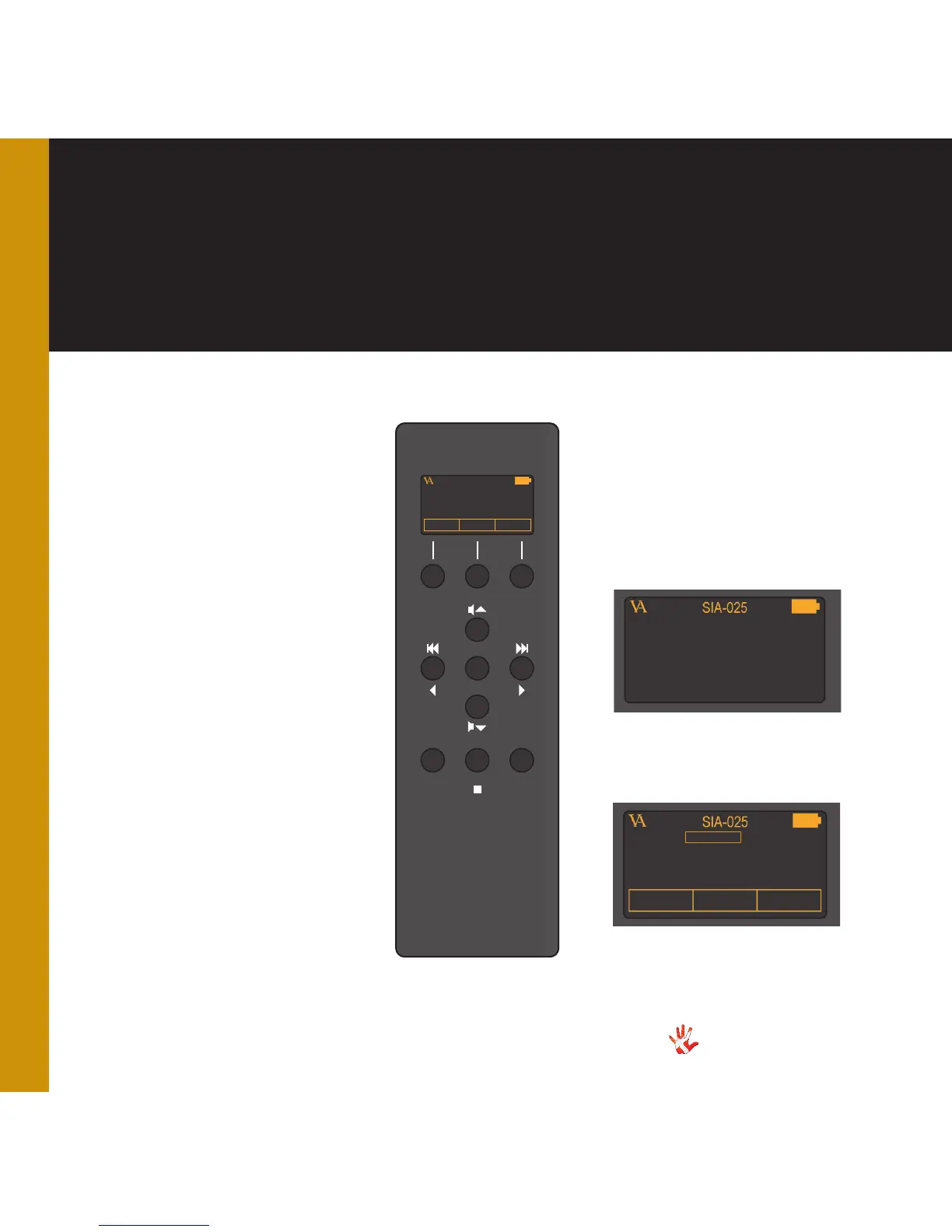
Menu mode
Buttons
You enter menu mode, by
holding button 2 down for
three seconds.
In menu mode there are
8 basic functions/buttons
available on the left front.
1. Edit hotkey *
2. Select between products
3. Edit hotkey *
4. Next/Up
5. Previous/Down
6. Select
7. Next/Up
8. Previous/Down
9. -
10. -
11. -
*only available in the EDIT
PRODUCT sub-menu.
2
4
8
5 6
7
10
VITUS
REP STBA/AB
SIA-025
PRODUCTSCD-025 INPUT 2
11
1
9
3
7
a
b c
d fe
DISABLE
KEY 1 : INPUT 1
KEY 3 : INPUT 2
PRODUCTSCD-025 INPUT 2
Menu mode
Display
In the menu mode the screen
has 2 different layouts and
available.
The screen layout for the
sub-menus: LEAVE, FABRIK,
ADD PRODUCT and DISPLAY.
Layout 1
Layout 2
The screen layout for the
sub-menu: EDIT PRODUCT.

Table of Contents

Related product manuals