VIVOTEK - Built with Reliability
User's Manual - 103
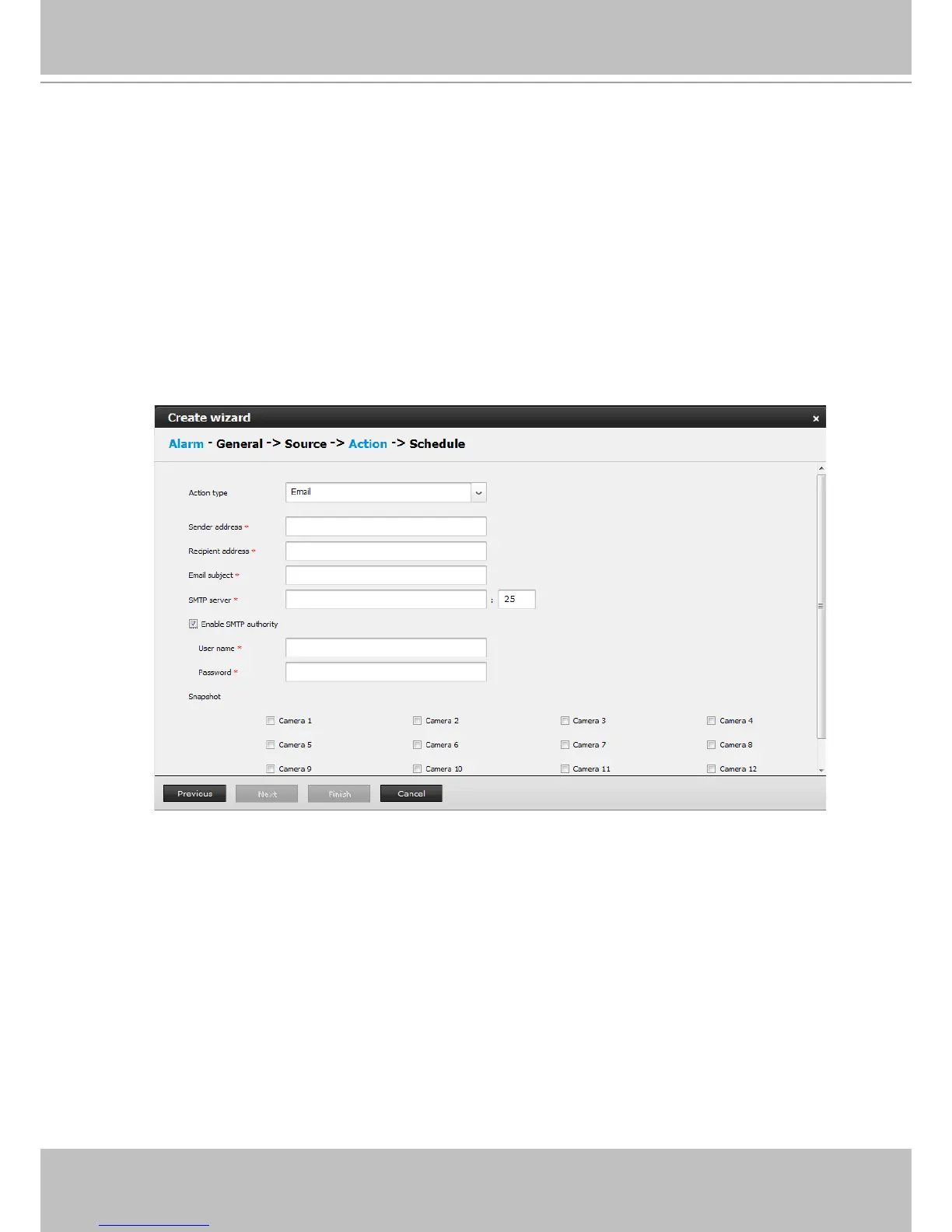
4-2. Email - The Email action sends an Email to the administrator along with a snapshot of
the event.
To congure Email notication, enter valid Email addresses as the Sender and Recipient
addresses, an Email subject, and the SMTP server address through which the Email will
be delivered. If you need to log in to SMTP server to deliver an Email, enter the User
name and password for access to that account.
The Email subject and addresses can be composed of 254 characters in numeric or
alphabetic characters including: [0-9][a-z][A-Z][_][ ][-][.][,][@]. You can enter the addresses
of multiple recipients. Use semicolons, (;), to separate the addresses of multiple
recipients.
Select the checkboxes below for which camera's snapshots will be sent along with the
Email.
The le names of the snapshot jpeg les will look like this:
[MAC]_[DATE]_[TIME]_[CAMERA_INDEX].jpg



 To Next Page