VIVOTEK - Built with Reliability
120 - User's Manual
The bookmark function can be executed on a live or recorded stream when you observe a
situation from your Live view or Playback window. The precondition of using this function is that
the video stream, while you are watching it on the view cell, must be recorded to the NVR at the
same time.
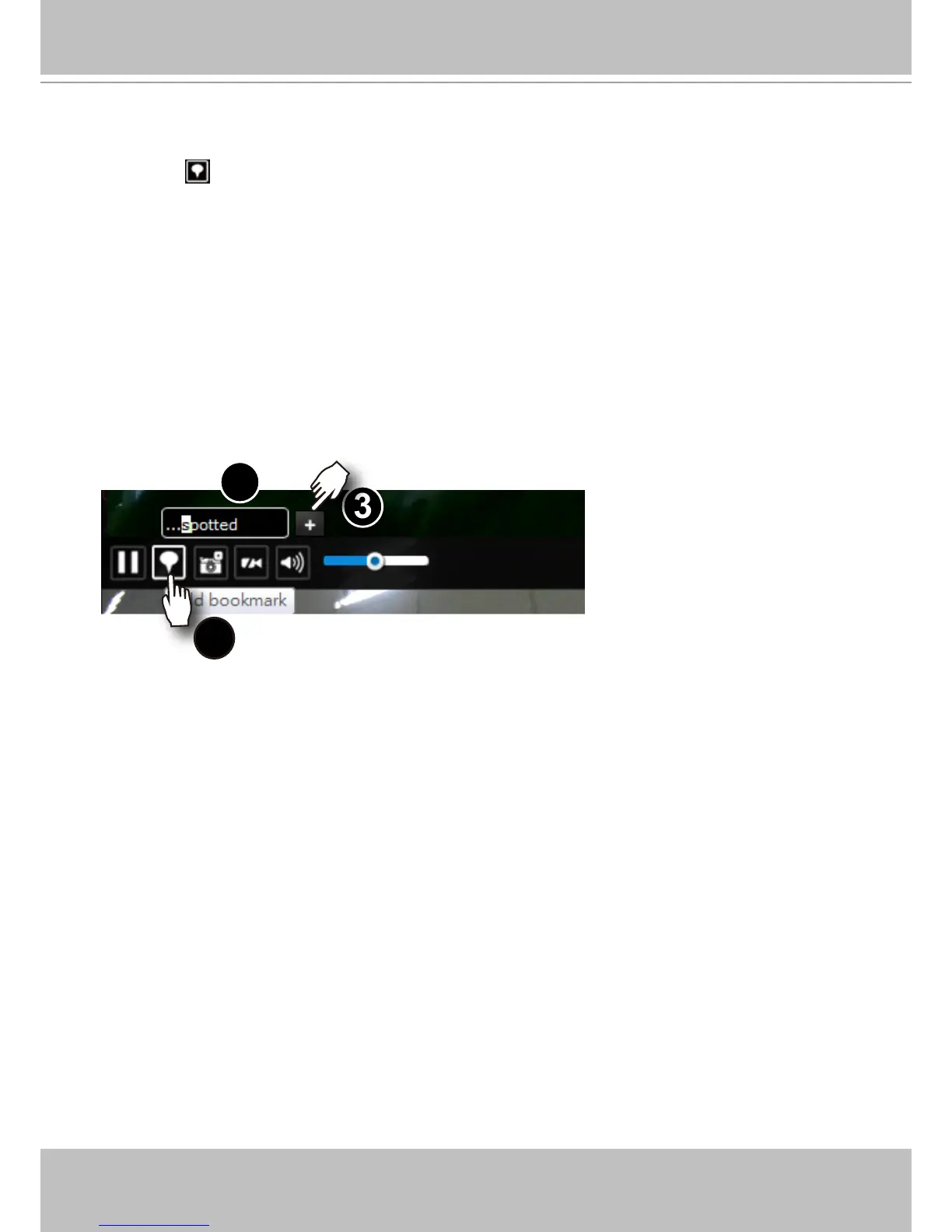
To add a bookmark,
1. Click on the button,
2. Enter a short description that can be as long as 120 characters.
3. Click on the + button or simply press Enter on your keyboard.
1
2
3
To place bookmarks and exert screen controls,
On a focused view cell, you can temporarily stop or start an ongoing streaming, or place a
bookmark that saves a short description and a one-minute footage from the current feed.
The bookmark is also displayed along with the recorded video, and therefore it is easier to look
for a specic moment in time when you need to trace back for a scenario later.



 To Next Page