VIVOTEK - Built with Reliability
14 - User's Manual
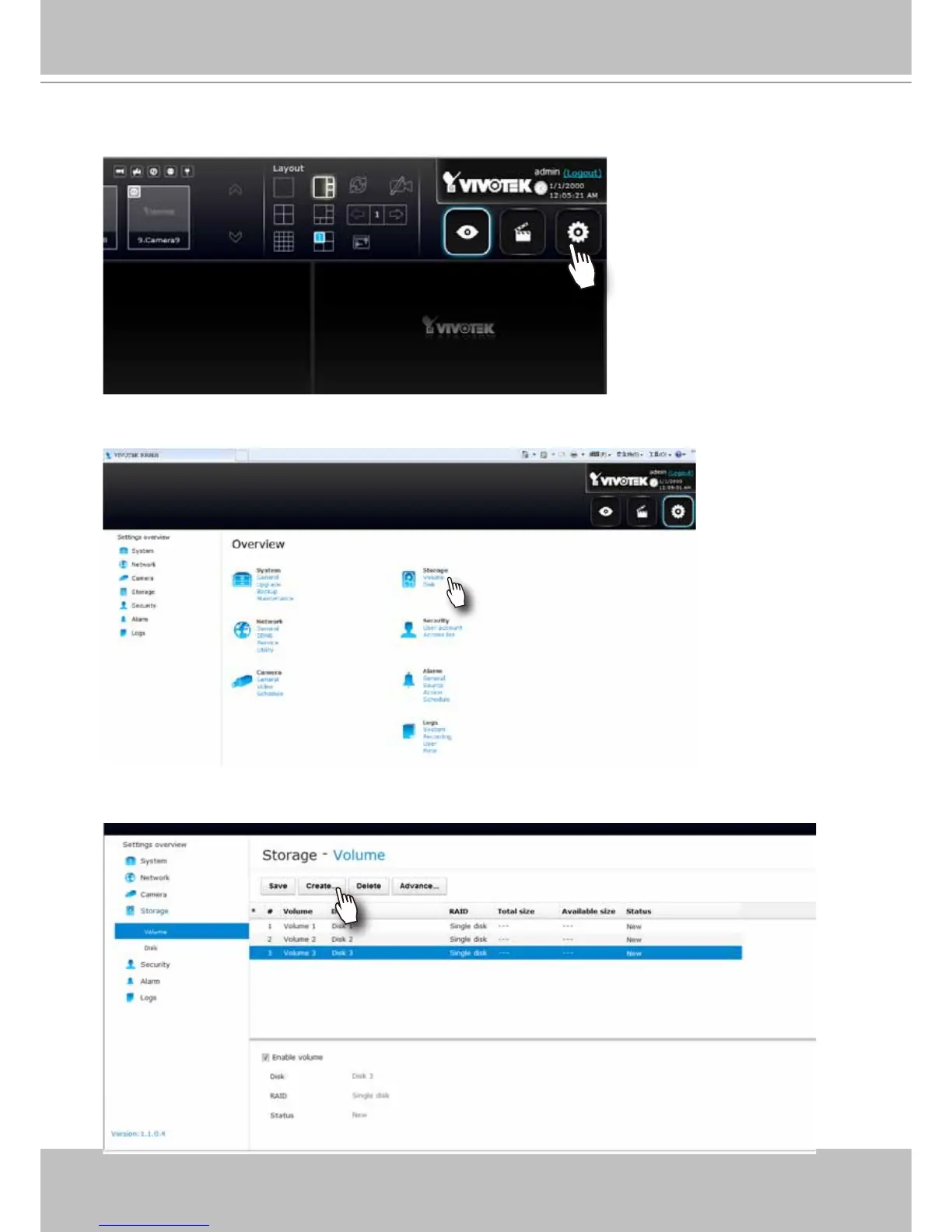
6. The system will default to the LiveClient page. Click on the Settings button on the upper
right corner of the screen.
7. On the Settings page, click on Storage > Volume to access your storage volume
conguration.
8. On the Storage settings page, check if your hard drives are present and identied by your
system. Click on the Create... button.



 To Next Page