VIVOTEK - Built with Reliability
User's Manual - 91
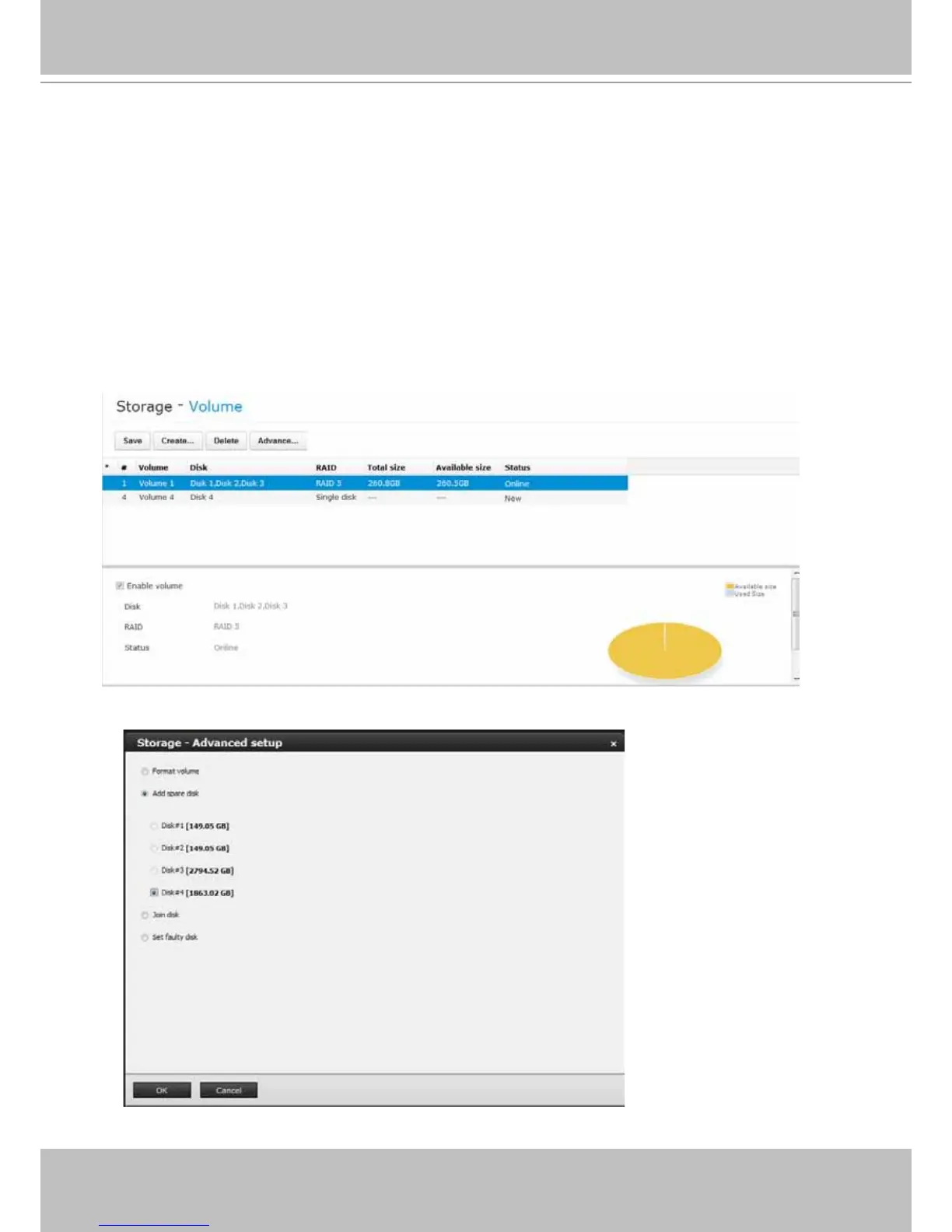
To add or delete a spare disk:
The spare drive option only appears when,
1. A 3-disk RAID5 volume is available.
2. An uncongured new drive.
A spare disk (or standby disk) can immediately participate in the rebuild of a RAID5 volume,
saving the time for replacing a faulty disk. When in the "one-drive-failed" degraded mode, failing
another drive will destroy the volume. Using spare disk can reduce the chance of failing yet
another member drive.
To add a spare drive to a RAID5 volume,
1. Left-click to select a RAID5 volume, and then click on the Advance... button.
2. Select the uncongured drive, disk #4 in this case, and then click on the OK button.



 To Next Page