VX100Q/VX136Q/VX186Q, VX136QD/VX186QD, VX136QDM2/VX186QDM2
Pos: 193 /Übersc hriften/Überschrif t 2 /Öffnen des QD-Deckels @ 41\mod_ 1273581894246 _48.doc @ 184 933 @ 2 @ 1
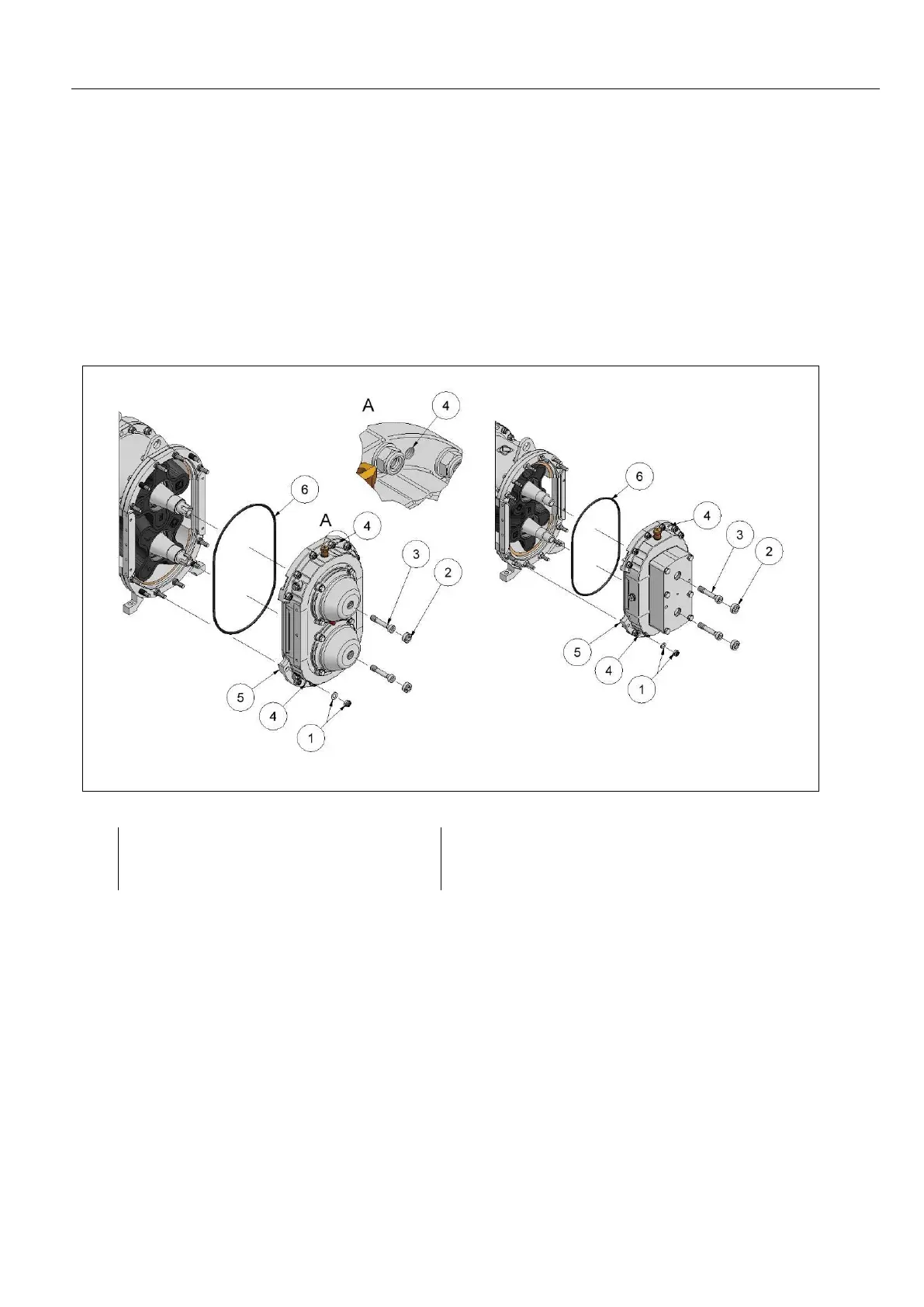
8.5 Opening the QD cover
Pos: 194 /WBV/P umpen/Instandse tzung/002 Öff nen des QD-D eckels @ 5 8\mod_1312808 754006_48.doc @ 309123 @ @ 1
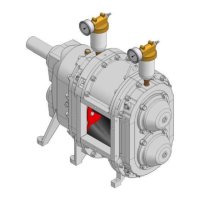
Fig. "Open/Close the QD-cover plate"
1. Depressurise buffer chambers.
2. Loosen hexagonal nuts (1) of the twelve hex head screws or threaded rods on the QD cover (5).
3. Unscrew the hex head screw plugs (2).
4. Loosen strain screws (3).
5. Using the screws or threaded rods (for the QDM2 series, use the screws that are appropriate) the QD
cover can be pressed off via the threads (4) until the QD cover is sitting loose. Attention! Do not tilt
the cover, but press it evenly "by hand"!
6. Remove O-Ring (6).
Pos: 195 /Grafi ken/Pumpen/ WBV/Instandsetzu ng/Öffnen / Schlie ßen Pumpend eckel/Öffnen/Sc hließen des QD -Deckels @ 59\mod_13 13142968756_4 8.doc @ 310051 @ @ 1
Fig.
: Open/Close the QD-cover plate
Pos: 196 /---Seitenum bruch--- @ 21\mod_12 01696136229 _0.doc @ 805 75 @ @ 1


 To Next Page