OM 803 us – Edition 3.7 * 803b510.fm 5-7
Maintenance
Checking the oil level
• Park the machine on level ground
• Stop the engine
• Raise the lock lever
• Remove the starting key
• Let the engine cool down
• Open the engine cover
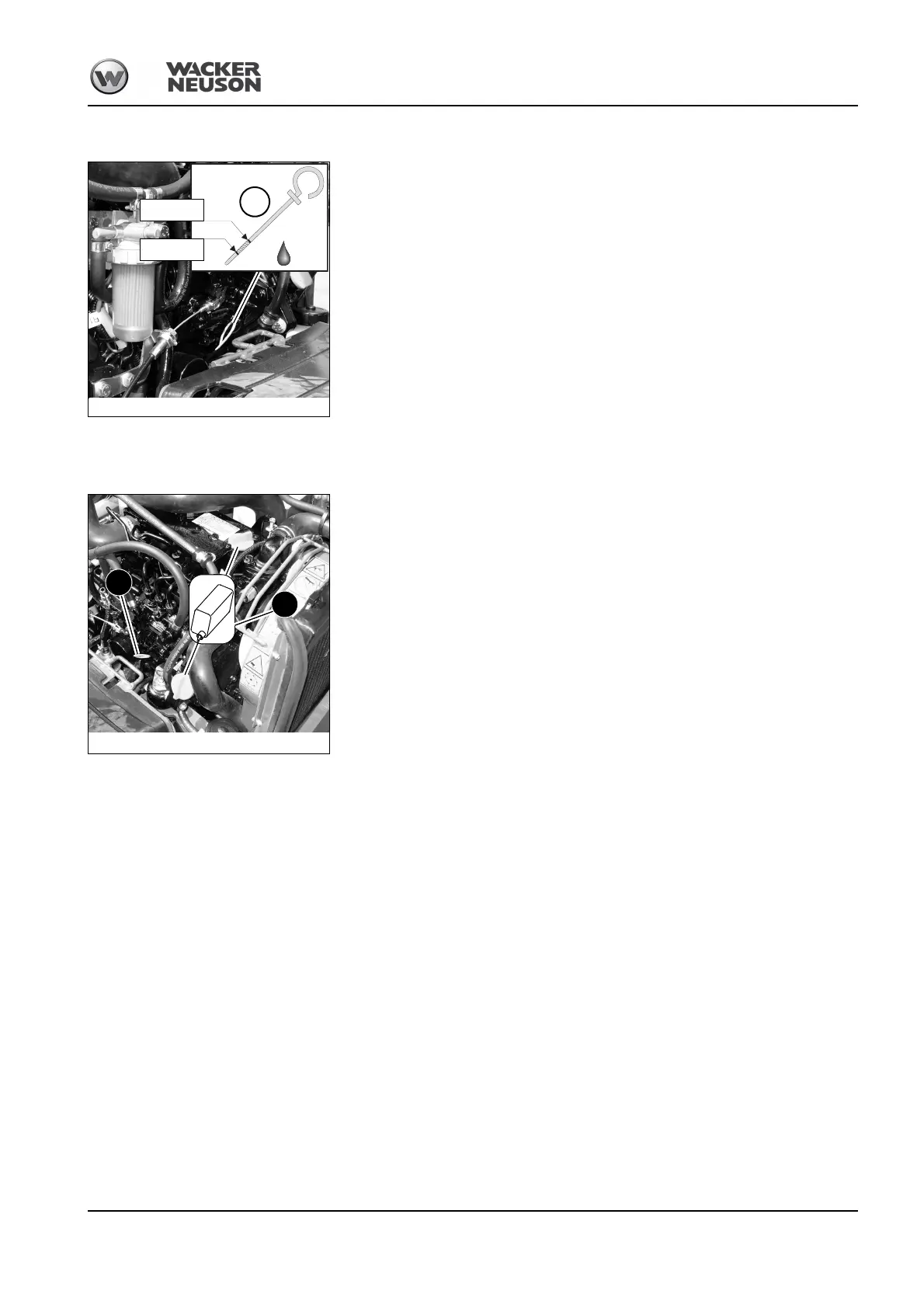
• Clean the area around the oil dipstick with a lint-free cloth
• Oil dipstick A:
☞Pull it out
☞Wipe it with a lint-free cloth
☞Push it back in as far as possible
☞Withdraw it and read off the oil level
• Close and lock the engine cover
Adding engine oil
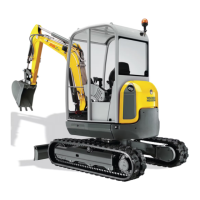
• Clean the area around oil filler cap B with a lint-free cloth
• Open filler cap B
• Pull out oil dipstick A and wipe it with a lint-free cloth
• Add engine oil
• Wait about 3 minutes until all the oil has run into the oil sump
• Check the oil level – see Checking the oil level on page 5-7
• Add oil if necessary and check the oil level again
• Close filler cap B
• Push oil dipstick A back in as far as possible
• Completely remove all oil spills
• Close and lock the engine cover
Fig. 192: Checking the oil level
MAX
MIN
A
Fig. 193: Oil dipstick and oil filler cap
OIL
A
B







 To Next Page