OM 803 us – Edition 3.7 * 803b330.fm 3-27
Operation
Light system
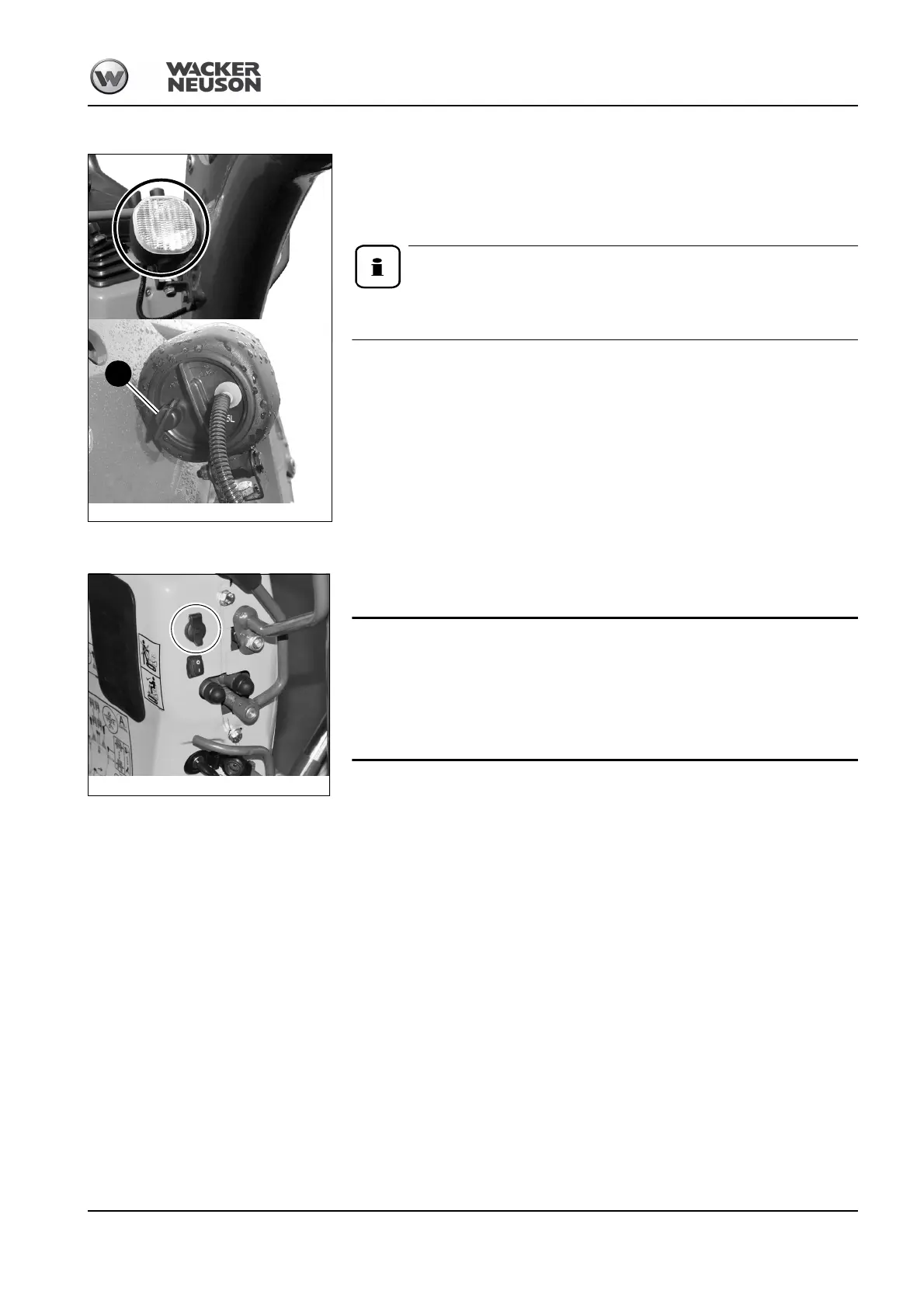
The working light is located on the right on the boom.
The working light can be switched on with switch A as soon as the starting key is in position “1”.
The switch has several positions and can be turned.
Therefore continue turning switch A by one notch to switch the working light on or off.
The Dual Power option includes a power-saving LED light – see chapter LED
working light on page 3-73
Power outlet
The control stand is equipped with a 12 V outlet on the right. This makes it possible to
operate a 12 V rotating beacon, for example.
There must be no consumer connected to the 12 V outlet during Dual-Power
operation.
• The 12 V outlet may only be used during diesel operation, since the battery
is not charged during Dual-Power operation
– see chapter Charging the excavator battery on page 3-71.







 To Next Page