5-10 OM 803 us – Edition 3.7 * * 803b510.fm
Maintenance
Checking the coolant level/adding coolant
Checking the coolant level
• Park the machine on level ground
• Stop the engine
• Raise the lock lever
• Remove the starting key and carry it with you
• Let the engine and the coolant cool down
• Open the engine cover
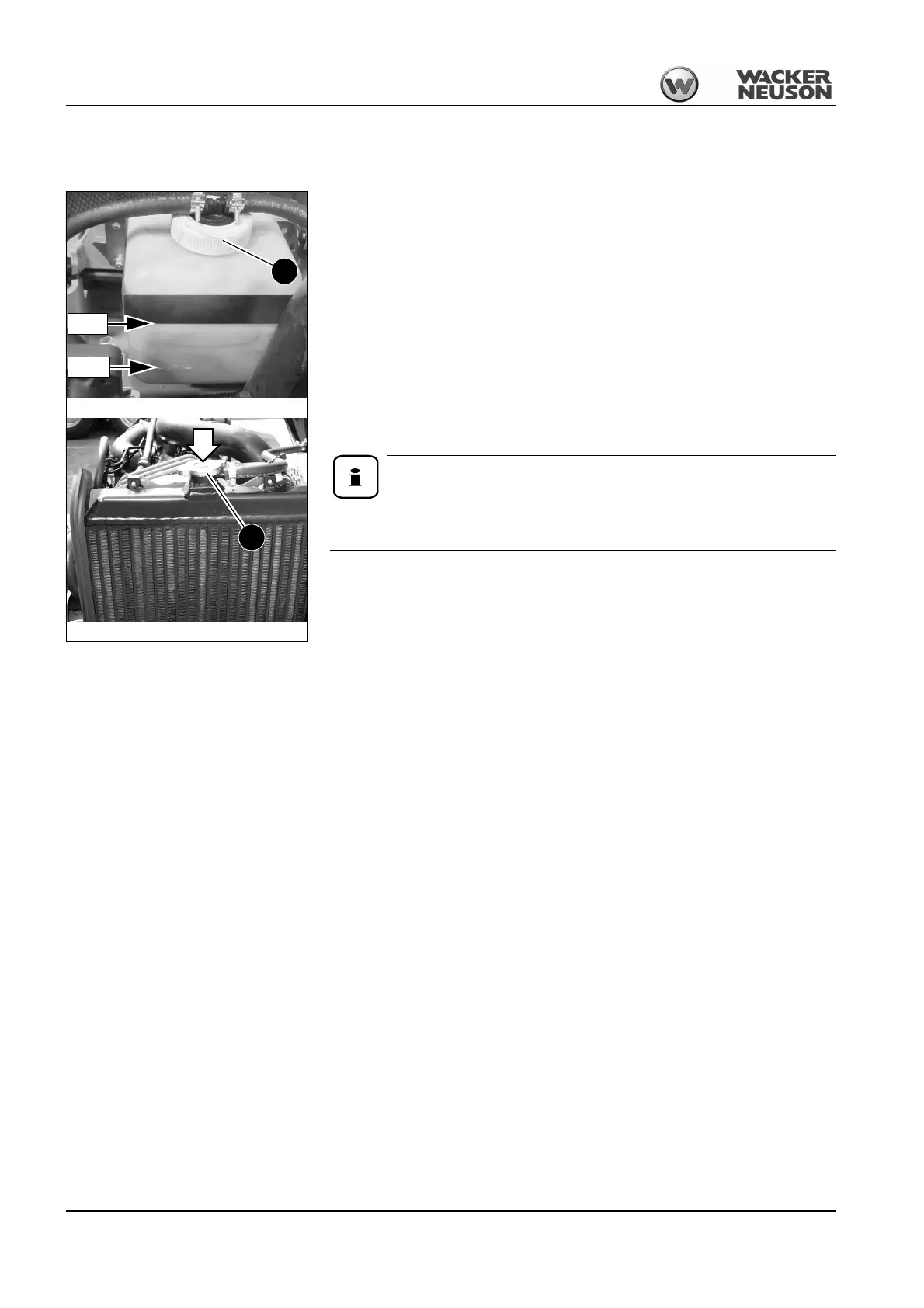
• Check the coolant level on the transparent coolant reservoir A and on the radiator B
☞If the coolant level is below the LOW seam or if there is no coolant at the radiator filler
inlet B:
➥Add coolant
☞Close and lock the engine cover
Check the coolant level once a day.
We recommend checking it before starting the engine.
Adding coolant
After the engine has cooled down:
☞Release overpressure in the radiator
☞Carefully open cap B to the first notch and fully release the pressure
☞Open filler cap B
☞Add coolant up to the lower edge of the filler inlet (radiator)
☞Close filler cap B
☞Start the engine and let it warm up for about 5 – 10 minutes.
☞Stop the engine
☞Raise the lock lever
☞Remove the starting key and carry it with you
☞Let the engine cool down
☞Check the coolant level again
➥The coolant level must be between the LOW and FULL reservoir seams
☞If necessary, add coolant and repeat the procedure until the coolant level remains con-
stant
☞Close and lock the engine cover
Fig. 194: Radiator
FULL
LOW
Fig. 193:Coolant reservoir
A
B







 To Next Page