3-14 OM 803 us – Edition 3.7 * * 803b330.fm
Operation
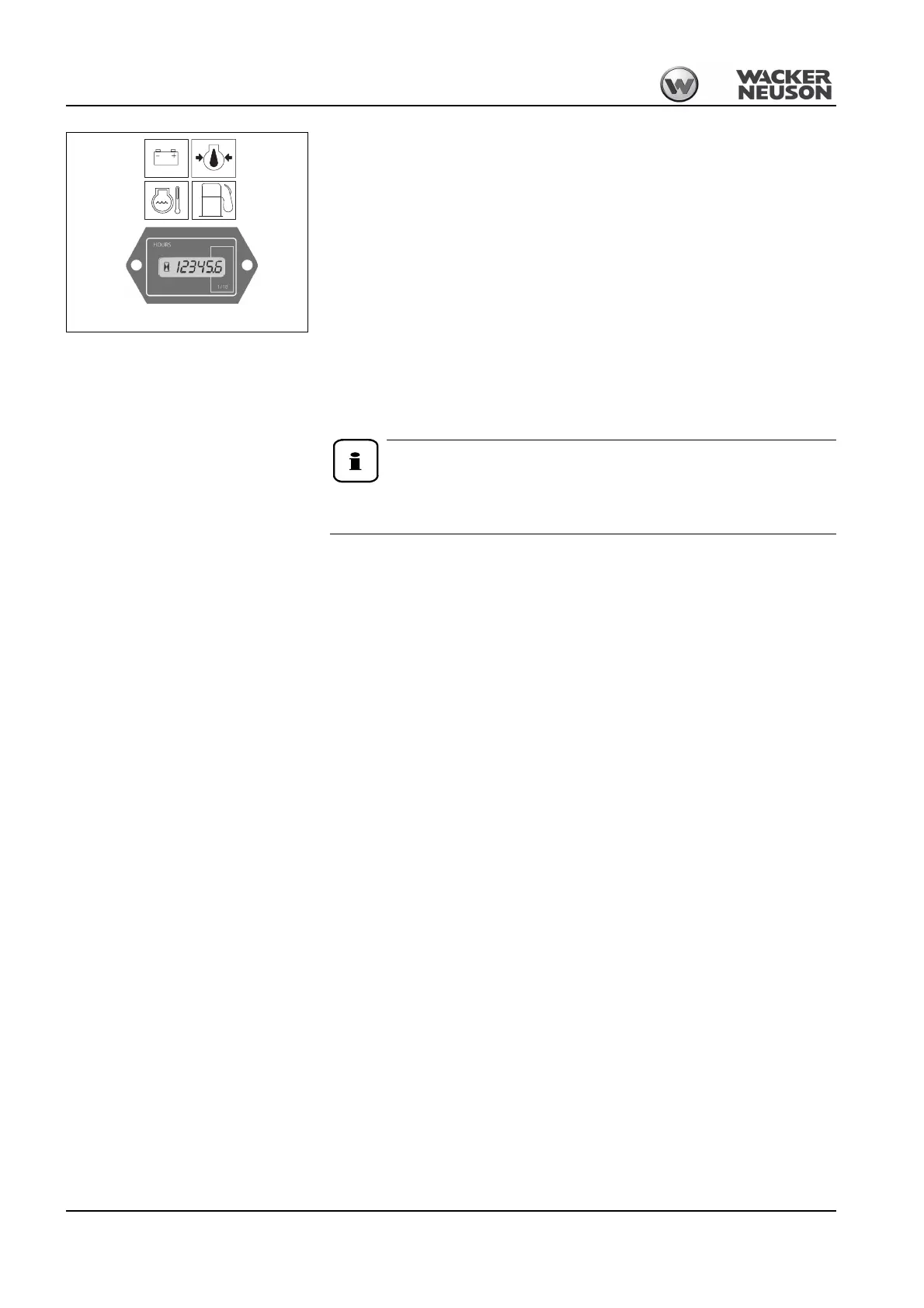
☞Check whether all indicator lights are on
☞Have malfunctioning indicator lights immediately replaced
☞Turn the starting key to position 2 and hold it in this position for about 5 seconds
➥Engine is preheated
☞Turn and hold the starting key in position 3 until the engine starts
➥If the engine does not start after 10 seconds
☞Interrupt the start procedure and try again after about 1 minute
➥If the engine does not start after the second try
☞Contact a Wacker Neuson service center for troubleshooting.
➥As soon as the engine runs:
☞Release the starting key
3.6 Starting at low temperatures
In general, a battery delivers less energy in cold conditions. Therefore ensure
that the battery is always well charged.
When the engine has started
☞Check whether all indicator lights have gone out
☞Let the engine warm up
At cold temperatures:
☞Increase the engine speed slowly
☞Apply full load to the engine only after the warm-up phase
Engine and machine warm-up
• Once it has started, let the engine warm up about 5 Minutes at slightly increased idling
rpm. Actuate the operating hydraulics to warm up the hydraulic oil and the components
more quickly.
• Set the engine speed lever to the center position, actuate the operating hydraulics about 5
minutes and repeatedly move the bucket cylinder to the limit for less than 10 seconds.
• Move the engine speed lever to maximum position, move all control levers through all
positions so the warm oil can circulate through all hydraulic components.
At temperatures below -18 °C or if the functions still respond slowly, extend the warm-up
phase accordingly.
During the warm-up phase, check for unusual noise, exhaust color, leaks, malfunctions or
damage. In case of malfunctions, damage or leaks, park and secure the machine, and find
out the cause for the damage and have it repaired.
Fig. 53: Display elements







 To Next Page