COMMISSIONING INSTRUCTIONS
TR05A140.B1107
40
Parameter 17 – Minimum fan speed
Access the parameters menu as described in Section 5.7.1.
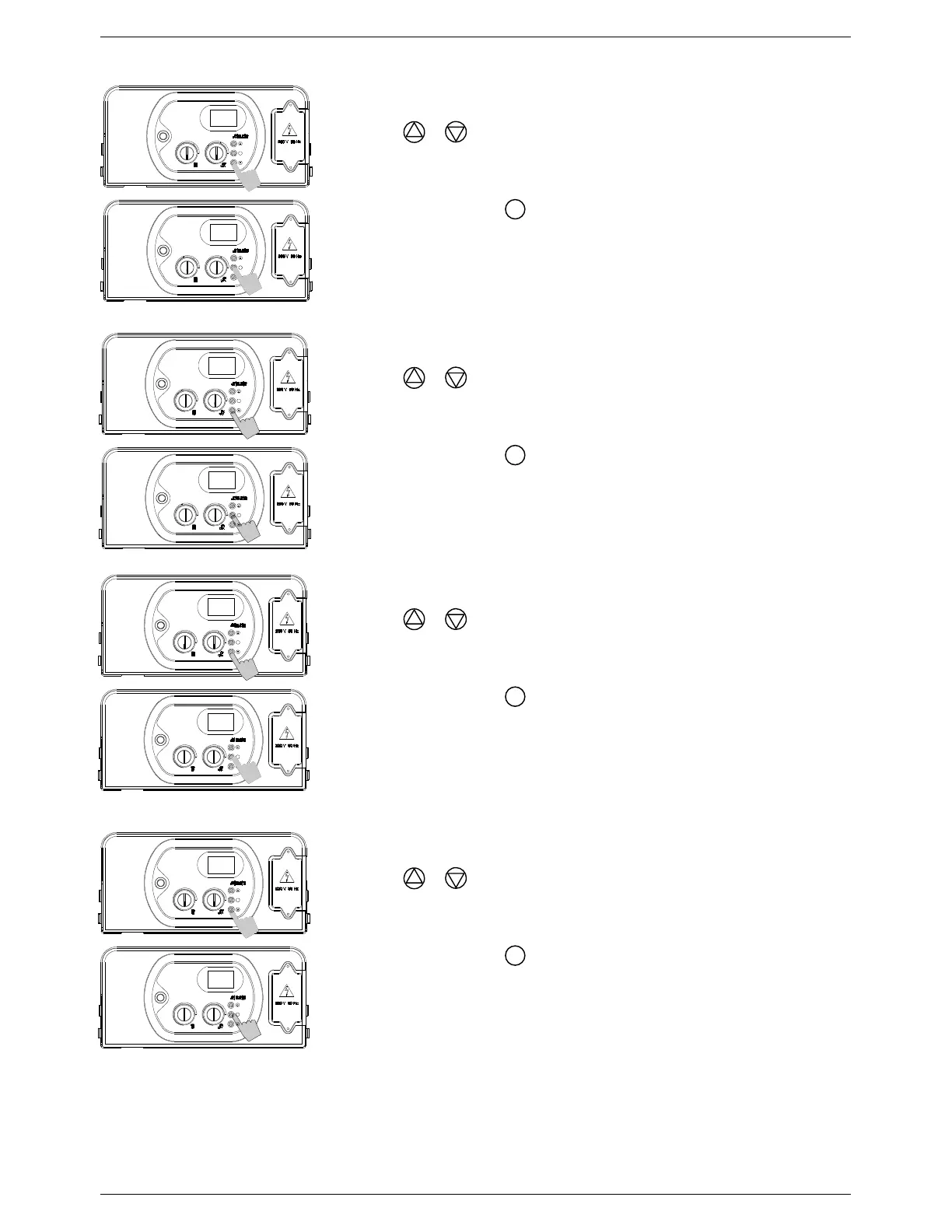
Use the & buttons to adjust the parameter value:
33 = 33 Hz (minimum)
Maximum value determined by Parameter 18
Note: Factory preset to 66 = 66 Hz
Press and release the
button.
The parameter number (17) will appear on the display.
To store your changes, switch the appliance off then on again using
the ON/OFF button.
Parameter 18 – Maximum fan speed
Access the parameters menu as described in Section 5.7.1.
Use the & buttons to adjust the parameter value:
Minimum value determined by Parameter 17
202 = 202 Hz (maximum)
Note: Factory preset to 162 = 162 Hz
Press and release the
button.
The parameter number (18) will appear on the display.
To store your changes, switch the appliance off then on again using
the ON/OFF button.
Parameter 19 – Minimum fan speed (in CH mode)
Access the parameters menu as described in Section 5.7.1.
Use the & buttons to adjust the parameter value:
33 = 33 Hz (minimum)
Maximum value determined by Parameter 18
Note: Factory preset to 66 = 66 Hz
Press and release the
button.
The parameter number (19) will appear on the display.
To store your changes, switch the appliance off then on again using
the ON/OFF button.
Parameter 20 – Maximum fan speed (in CH mode)
Access the parameters menu as described in Section 5.7.1.
Use the & buttons to adjust the parameter value:
Minimum value determined by Parameter 17
202 = 202 Hz (maximum)
Note: Factory preset to 162 = 162 Hz
Press and release the
button.
The parameter number (20) will appear on the display.
To store your changes, switch the appliance off then on again using
the ON/OFF button.
S
S
S
S
S
S
S
S
17
55
18
164
19
55
20
164



 To Next Page