Powering Up the System 15
Note: You cannot run methods or method sets, or use the QuickSet Control window
unless all devices on the IEEE-488 bus that are assigned to a system on the
Empower or Millennium Chromatography Manager are powered up and calibrated.
Note: You do not need to power up instruments that are not assigned to a system,
or that are assigned to a system you do not intend to use.
4. Power up the printer and monitor.
5. Power up the computer.
Powering Up a 600E System in PowerLine Mode
This section contains the powerup sequence to follow when using the 600 controller as a
PowerLine Controller. To power up your system:
1. Power up all equipment not controlled through the IEEE-488 bus (non-PowerLine).
2. Power up all equipment controlled through the IEEE-488 bus (PowerLine).
3. Power up the 600E system by pressing the On/Off switch on the front panel of the
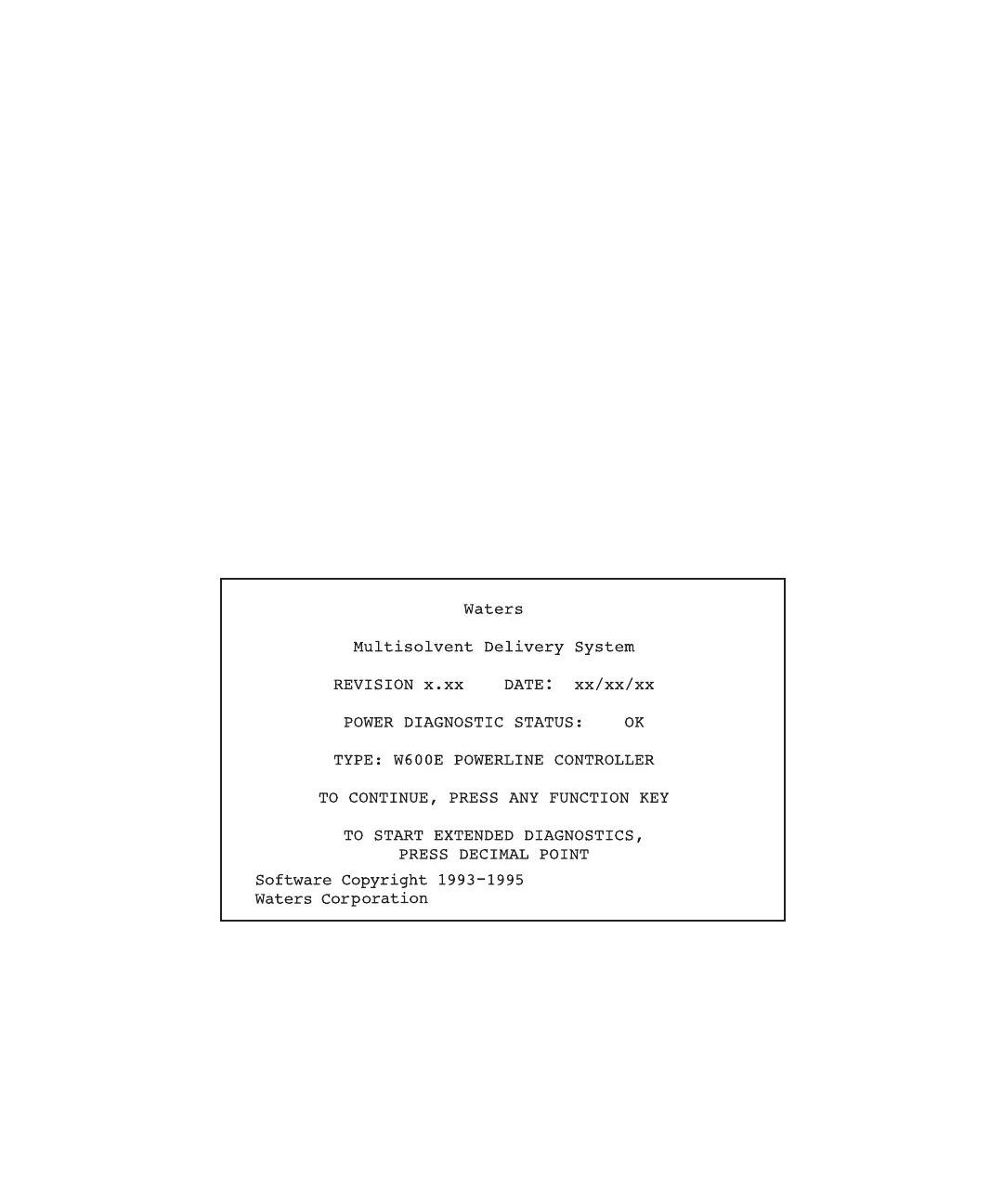
600 controller to the 1 (On) position. The Powerup screen appears (Figure 2-2).
Figure 2-2 PowerLine Controller Powerup Screen



 To Next Page