30 Preparing Your 600E System for Operation
Enabling Sparging
To enable sparging for the reservoirs containing eluent:
1. Move the cursor to the Reservoir to Sparge field for the first reservoir that contains
eluent (A, B, C, or D).
2. Type 1 and press Enter. This enables the reservoir for sparging. Gas does not flow
when you enable the reservoir to be sparged.
3. Repeat steps 1 and 2 above for each reservoir that contains eluent.
Sparging
To initiate sparging:
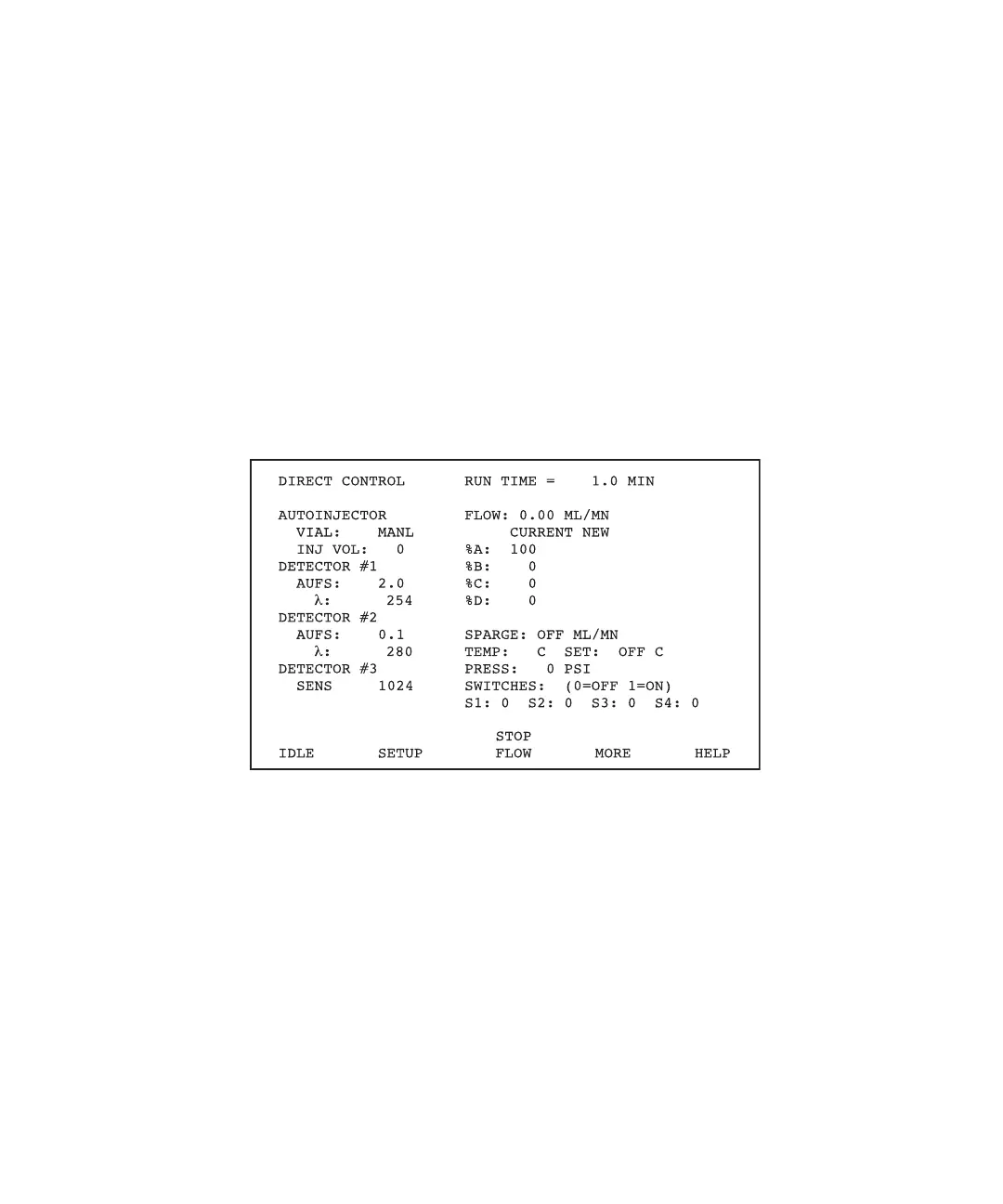
1. Press the Direct function key. The Direct Control screen appears (Figure 3-2).
Figure 3-2 Direct Control Screen
2. Set the sparge flow rate.
• Move the cursor to the Sparge field.
• Type 100 and press Enter to set an initial flow rate of 100 mL/min for the sparge
gas. Gas flow begins in all enabled reservoirs.
3. Flow helium at 100 mL/min for 20 minutes, then repeat step 2 and reduce flow to:
• 10 to 15 mL/min for aqueous mobile phases
• 20 to 30 mL/min for aqueous-acetonitrile mobile phases
• 50 mL/min for aqueous-methanol mobile phases
Maintain these helium flow conditions continuously while the system is running.



 To Next Page