36 Maintenance
3
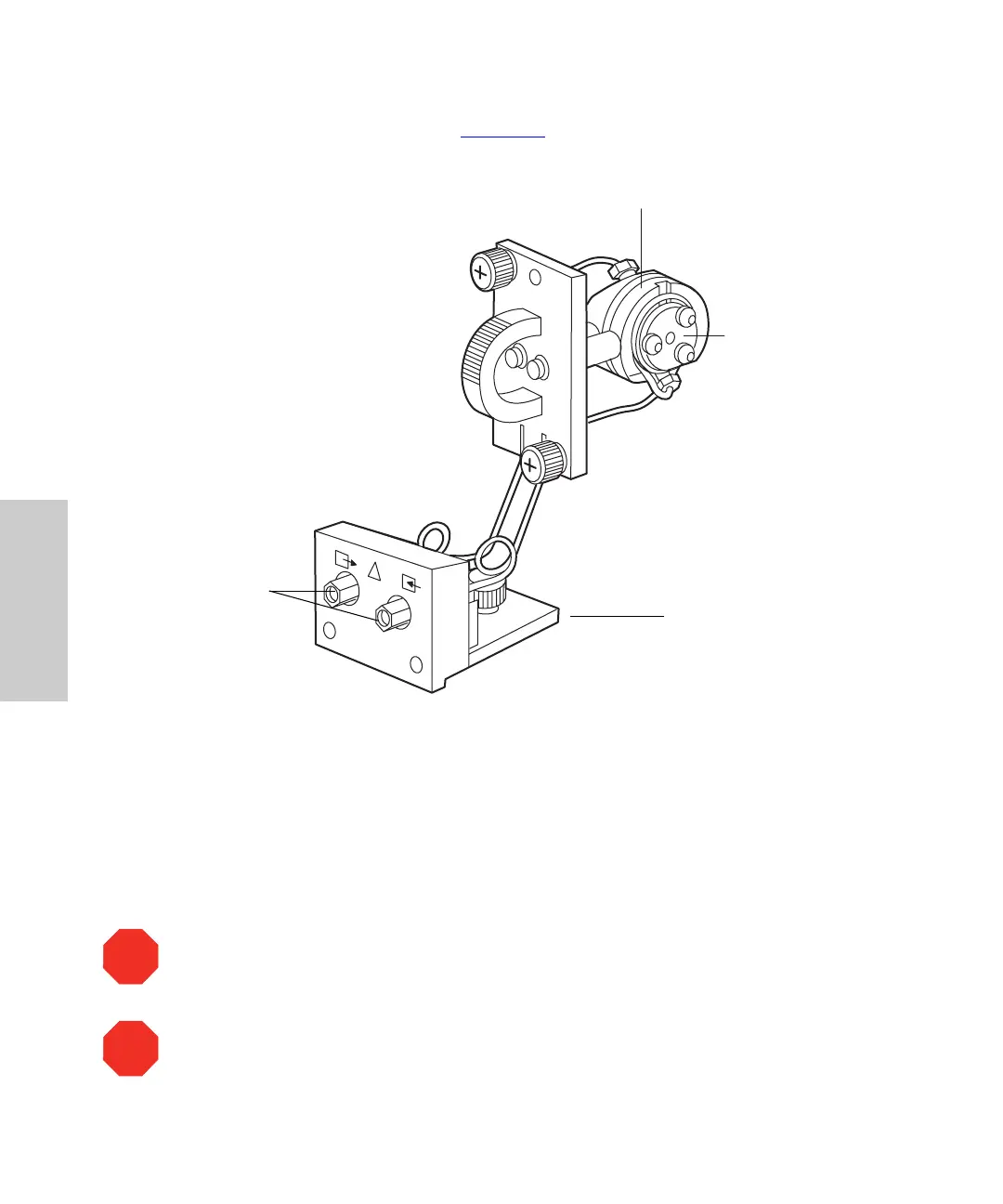
7. Pull the flow cell assembly and fluidic connection bracket gently toward you to
remove it from the detector (Figure 3-3
).
Figure 3-3 Flow Cell and Fluidic Connections Assemblies
3.1.3 Disassembling and Cleaning the Flow Cell
The lens surface finish and the alignment of the lenses are critical to the performance of
the 996 detector. Be careful not to touch or damage the lenses and the lens holders.
Attention:
To prevent contamination, use powder-free gloves when disassembling,
inspecting, cleaning, or replacing parts within the flow cell or when removing or replacing
the flow cell within its assembly.
Attention:
To prevent contamination, use powder-free gloves when disassembling,
inspecting, cleaning, or replacing parts within the flow cell or when removing or replacing
parts within the flow cell or when removing or replacing the flow cell within its
subassembly.
TP01463
Flow Cell Body
Lens Holder
Bracket
Fluidic
Connections
Assembly
STOP
STOP



 To Next Page