22 Installation
1
Making Event Input/Output Connections
To connect the 996 detector to an external event input or output device:
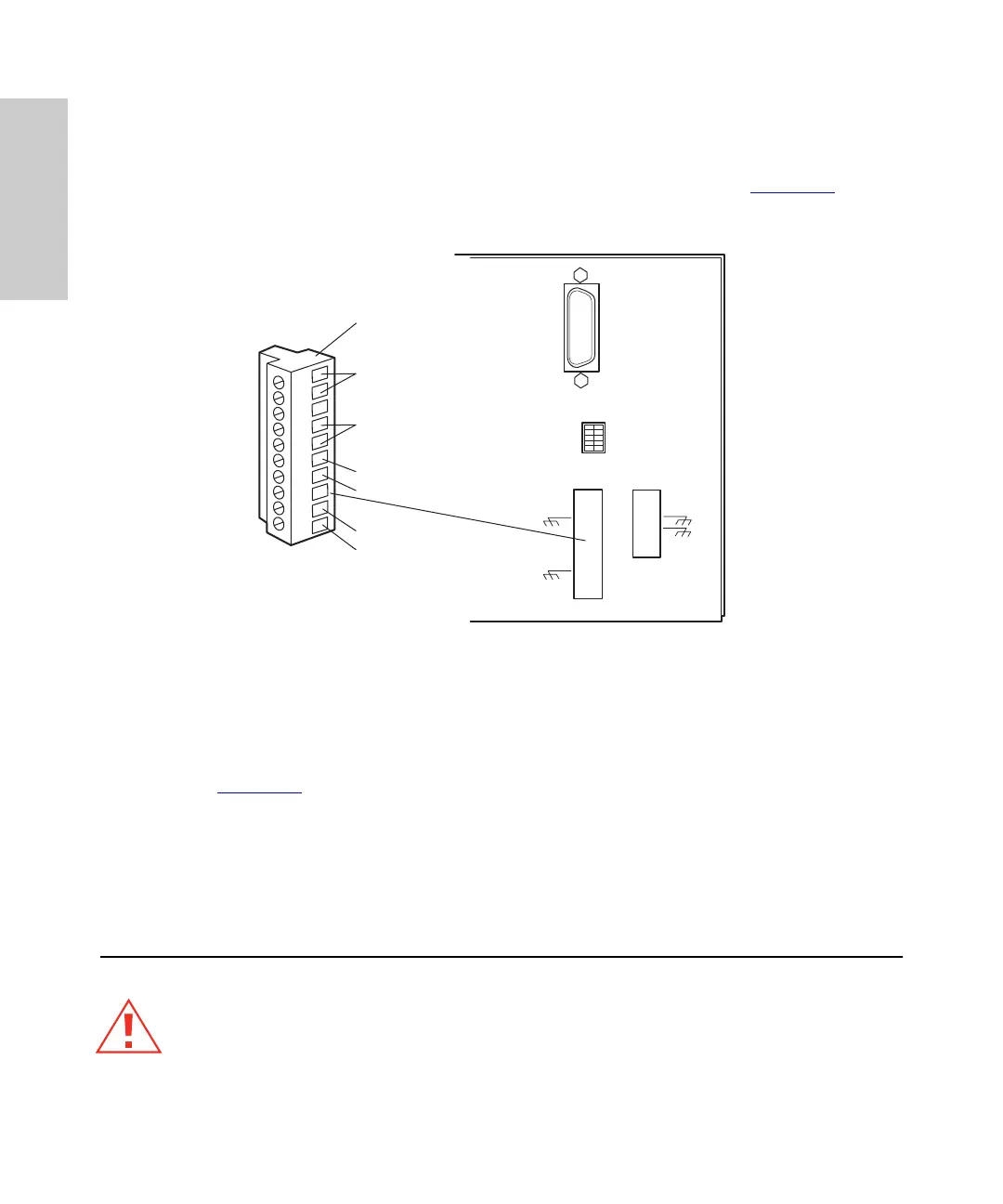
1. Pull off the Event Input/Output terminal strip from the rear panel (Figure 1-6
). This
simplifies the following steps.
Figure 1-6 Event Input/Output Terminal Strip
2. Insert the bare wires at one end of the event signal cable into the positive (
+
)
and negative (–) slots of the appropriate event input or output terminal (see
Figure 1-6
). Tighten the two screws to secure the
+
and – wires.
3. Connect the other end of the event signal cable to the appropriate event input or
event output terminal on the external device.
4. Reinstall the Event Input/Output strip.
1.5 Fluidic Connections
Caution:
To avoid chemical hazards, always observe safe laboratory practices when
handing solvents. Refer to the Material Safety Data Sheets for the solvents in use.
1234567890
IEE 488 ADDRESS
–
+
–
+
TP01455
Removable Event
Input/Output
Terminal Strip
Event
Out 2
Event
Out 1
Event
In 2
Event
In 1



 To Next Page