98
Using the column compartments
Control panels
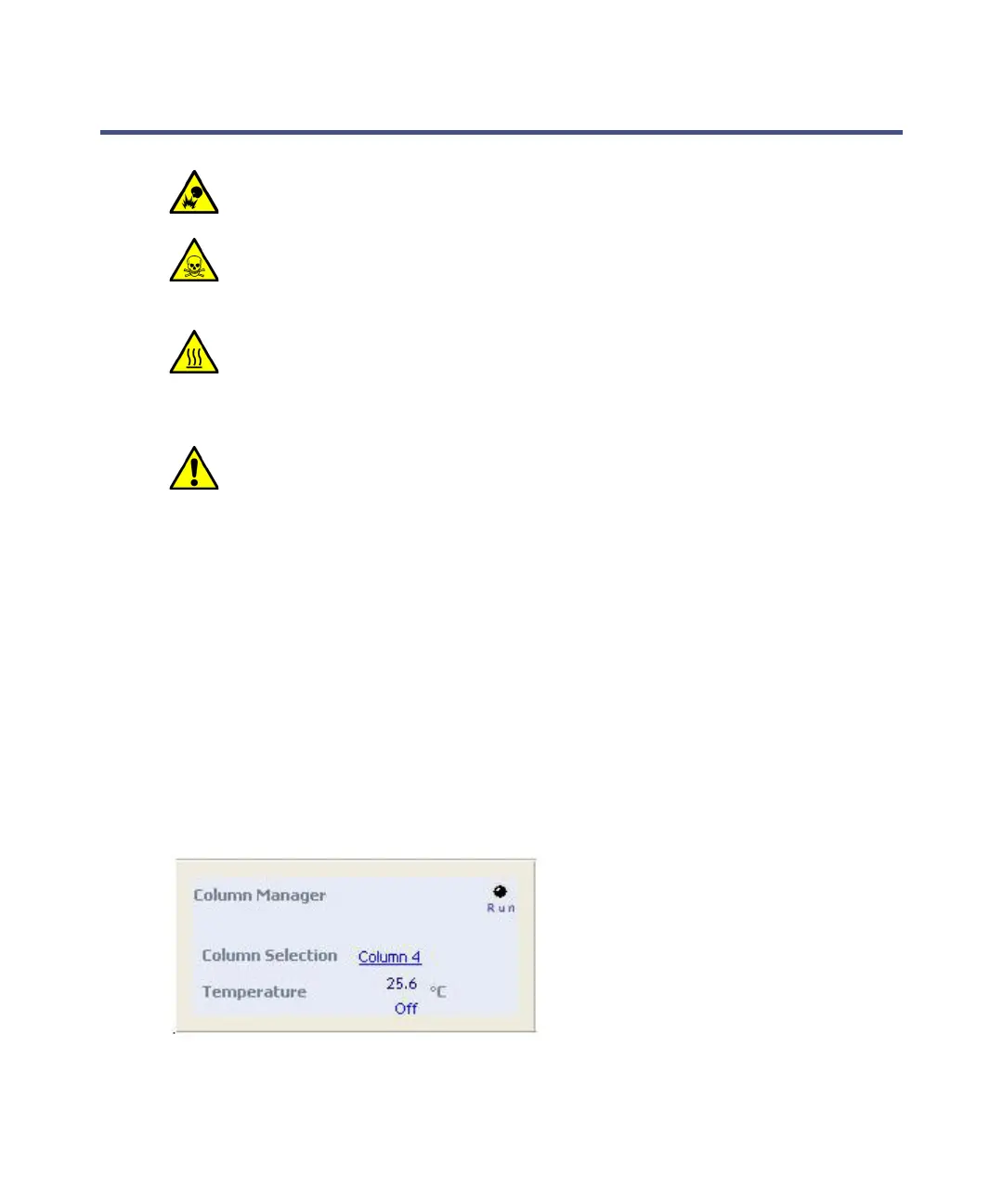
Column manager control panel
Where Empower software controls the system, the column manager’s control
panel appears at the bottom of the Run Samples window. Where MassLynx
software controls the system, the column manager's control panel appears on
the Additional Status tab of the Inlet Editor window.
Column manager control panel:
The column manager control panel displays the current column temperature
and set point. You can edit the set point when the system is idle by clicking on
Warning: To avoid explosion, do not use the column heater with solvents
whose autoignition temperatures are below 150 C.
Warning: To avoid breathing harmful fumes or vapors, when using
hazardous solvents, run the system in a hooded environment that
provides a sufficient air exchange rate.
Warning: To prevent burn injuries, allow sufficient time for the column
manager to cool before opening the device’s door. The heater
compartment, columns, column trough, preheater assembly, tubing,
fittings, and door liner can be extremely hot.
Warning: To avoid the harmful effects of personal contact with solvents,
including inhalation, observe Good Laboratory Practice when you
handle them. See the Material Safety Data Sheets for the solvents you
use.












 To Next Page