Maintaining the column compartments 127
c. While holding the gold active preheater fitting, rotate the column off
the fitting.
Requirement: If you are installing the active preheater in a system
with pressures exceeding 103,421 kPa (1034 bar, 15,000 psi), use
the 1/4-inch and 5/16-inch open-end wrenches to disconnect the
compression fitting that attaches the active preheater assembly to
the optional in-line filter or to the column.
5. Do these things if the column compartment has a column stabilizer:
a. Disconnect the outlet of the column stabilizer tubing from the
column or in-line filter.
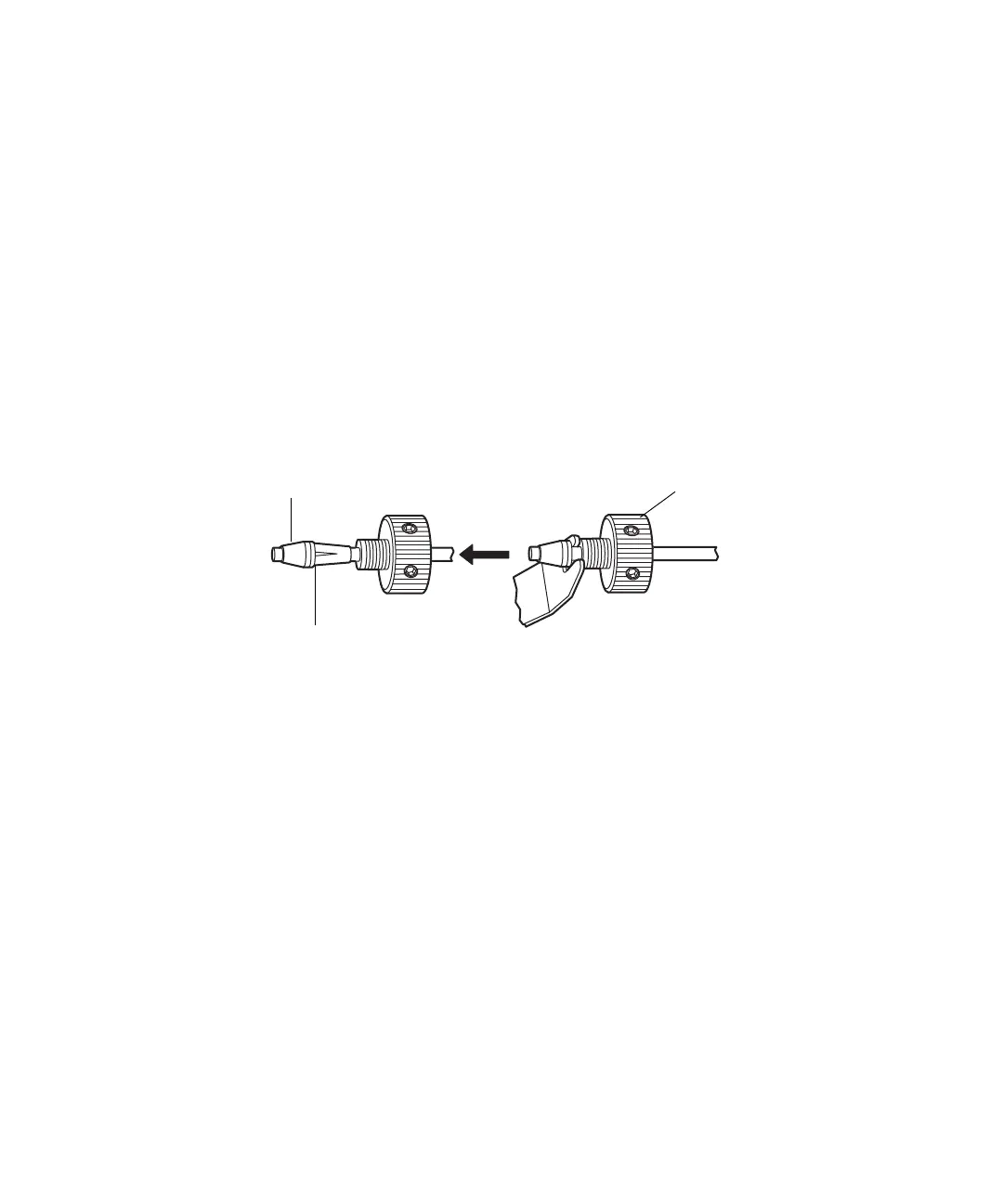
b. Place the forked end of the collet separator over the collet on the
column stabilizer tubing, and gently move it back and forth to pry
the reusable fitting loose from the collet.
Older, reusable fittings do not have holes in their sides.
c. Replace the ferrule.
6. Continue with the instructions on page 89.
Replacing the active preheater assembly
Before replacing the active preheater, ensure you obtained the correct
replacement part for your system type (ACQUITY regular or Bio) and column
compartment type. Note that the length of the active preheater inlet tubing
varies.
If you use the active preheater when running an HPLC or UPLC method
originally developed for use with a column stabilizer, a column temperature
adjustment can be necessary.
Collet separator
Reusable fitting
Tubing from column
stabilizer or injector
Ferrule
Collet












 To Next Page