Preparing the column compartments 77
Installing dual-threaded fittings
To install the dual-threaded fittings:
1. Loosen the stainless steel cap nut from the dual-threaded, finger-tight
fitting.
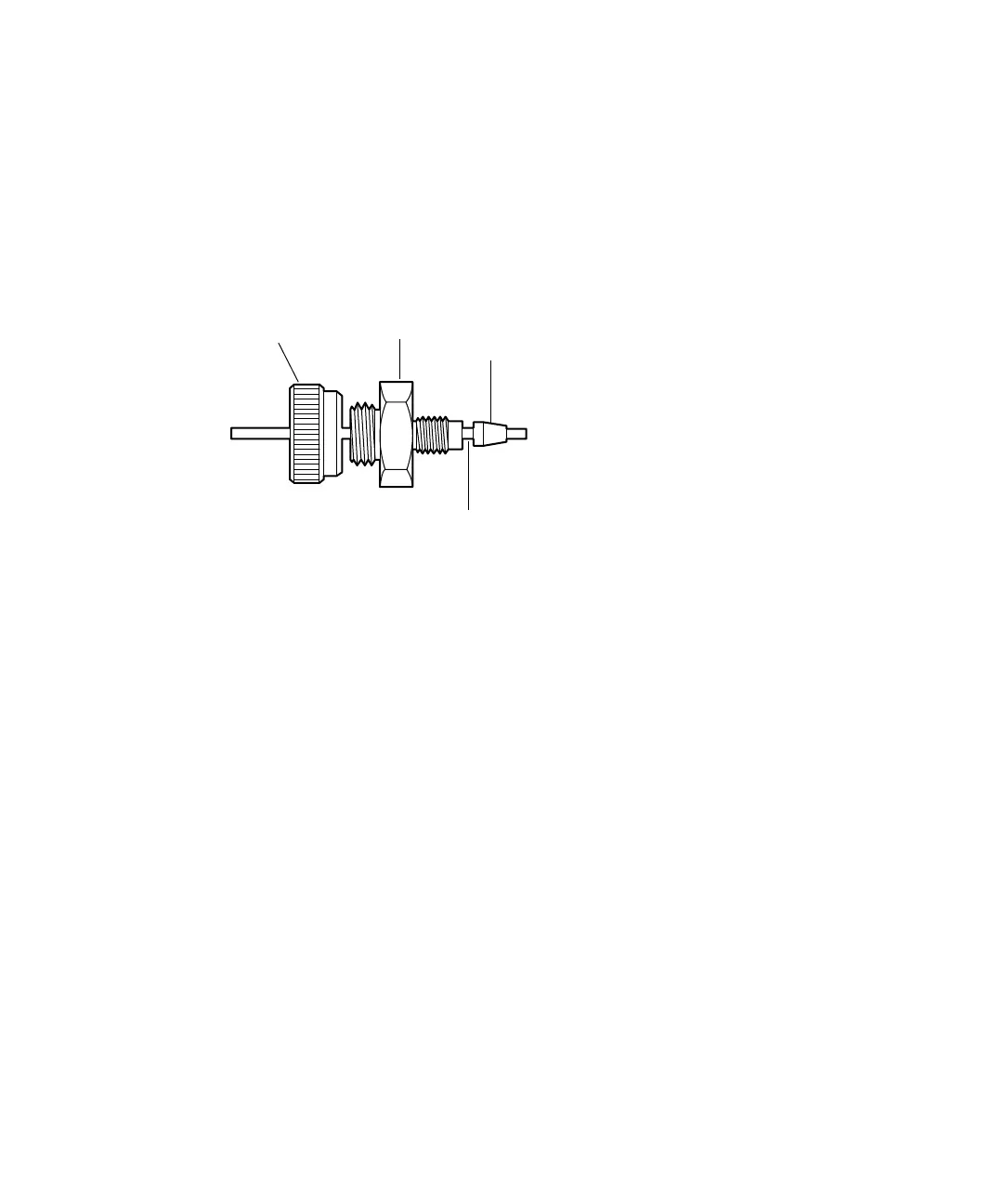
APH dual-threaded fitting with stainless steel cap nut:
2. Ensure the stainless steel tubing protrudes beyond the PEEK ferrule.
3. Apply the axial load towards the column hardware and insert the
stainless-steel tubing with the ferrule into the detail of the column
hardware.
4. Seat the ferrule by finger tightening the gold fitting into place.
Requirement: Do not rotate the stainless-steel silver cap nut when
seating the ferrule.
Tip: When making a new connection to a replacement column, replace
the PEEK ferrule.
5. While holding the gold fitting, tighten the connection by rotating the
column hardware back onto the gold fitting.
6. If you are installing the column in a system with pressures exceeding
103,421 kPa (1034 bar, 15,000 psi), tighten the column an additional
1/2-turn.
7. Complete the connection by finger tightening the stainless-steel silver
cap nut onto the fitting.
TP03360A
Gold
fitting
Ferrule
Stainless steel tubing
Stainless steel
cap nut












 To Next Page