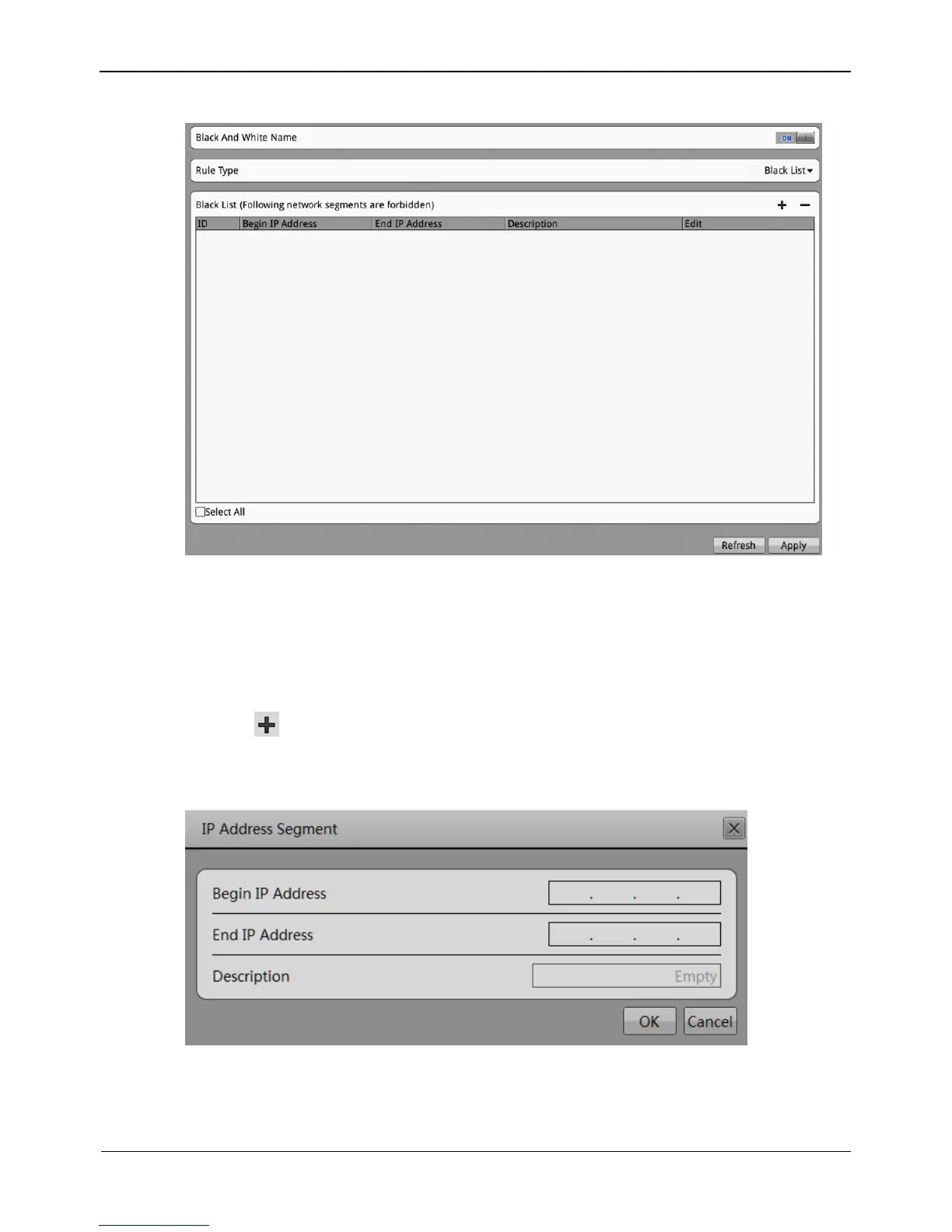
Figure 8-28 Black and White Name interface
Step 3 Select a rule type from the drop-down list box.
Black list: Forbid the specified segment from connecting and accessing the NVR.
White list: Allow the specified network segment connecting and accessing the NVR.
Step 4 Add a rule type
1. Click , the IP address segment Configuration page is displayed, as show in
Figure 8-29.
Figure 8-29 IP Address Segment interface
2. Enter value manually for begin IP address, end IP address, description.



 To Next Page