Weatherdock AG Seite 12
www.easyAIS.com
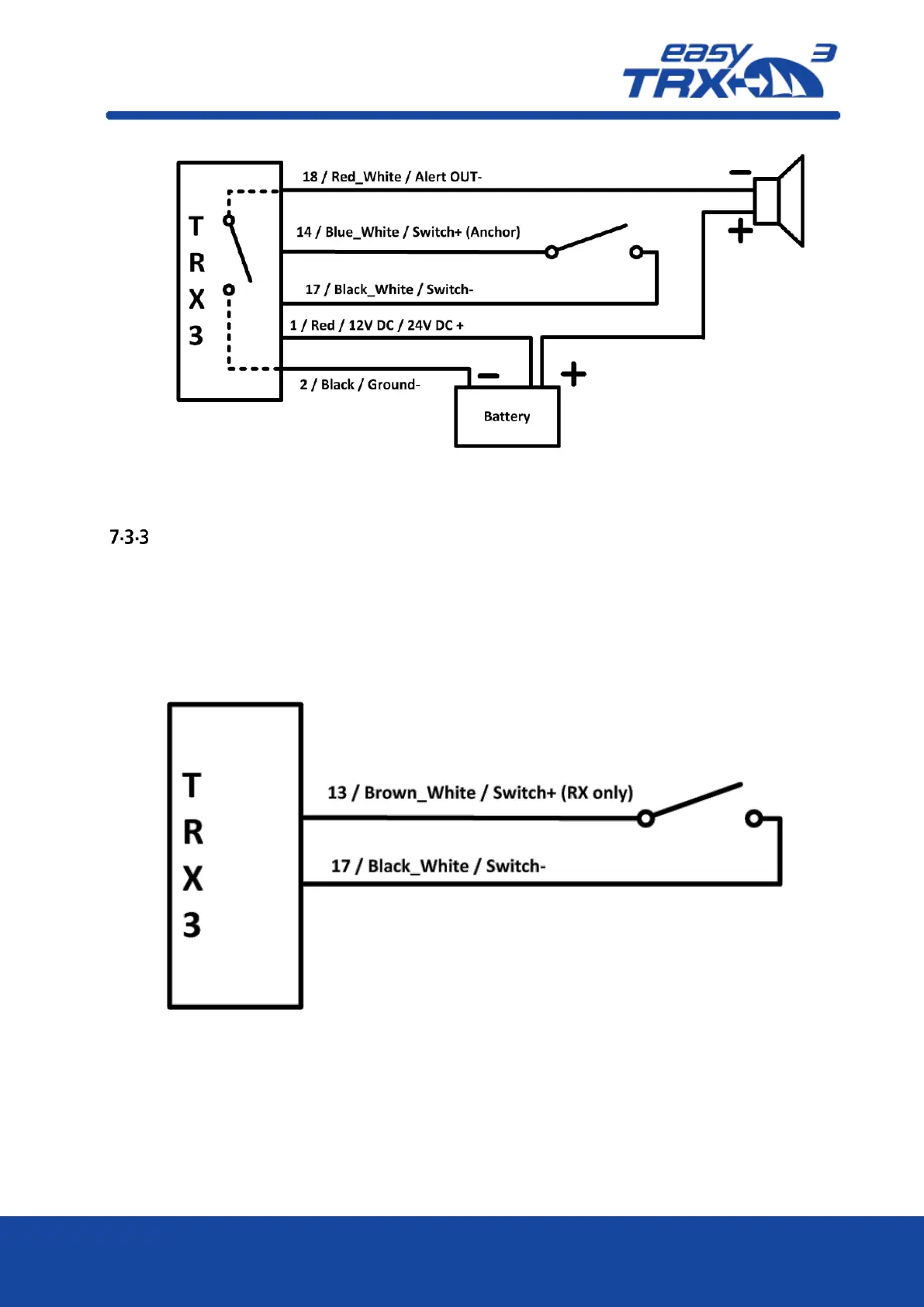
Figure: 5 Anchor Alert connection sketch
RX only
External Switch
Out of the 18-pin cable harness please connect cables
“13 / Brown_White / Switch+ (RXonly)” and
“17 / Black_White / Switch-“
with the corresponding pole of your switch. According to your software settings you are able to
activate or deactivate this functionality.
Figure: 6 RX only



 To Next Page