Weatherdock AG Seite 18
www.easyAIS.com
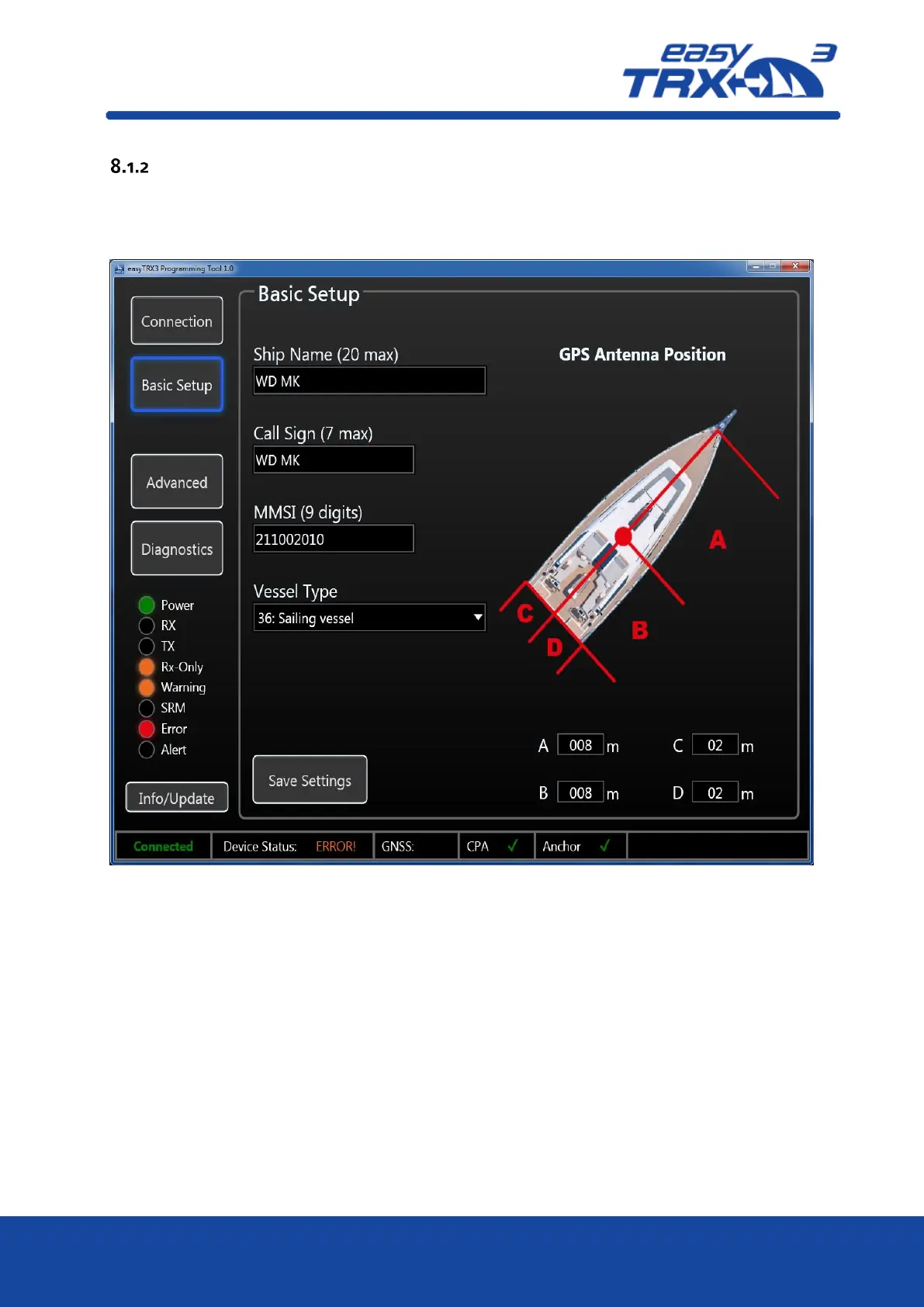
Basic Setup
Here you can enter your static vessel data for transmission into the AIS system.
As an example, here “WD MK”, is used as ship name and call sign as well as a random MMSI
number.
Figure: 14 Basic setup screen programming software
Ship name
Call Sign
MMSI (if you already having a MMSI for VHF radio, this MMSI is now used for the entire
ship
Attention:
o
transmission is only possible with entered MMSI number
o
only one MMSI can be used (no way of entering a second, different MMSI)
As confirmation you have to enter your MMSI number a second time
Select your type of vessel from the drop-down-list
define the position of your GPS source aboard by entering data into the cells A/B/C/D
After you are finished please press „Save Settings”
As a confirmation a new window is popping-up which you can close by pressing „OK”.



 To Next Page