Weatherdock AG Seite 36
www.easyAIS.com
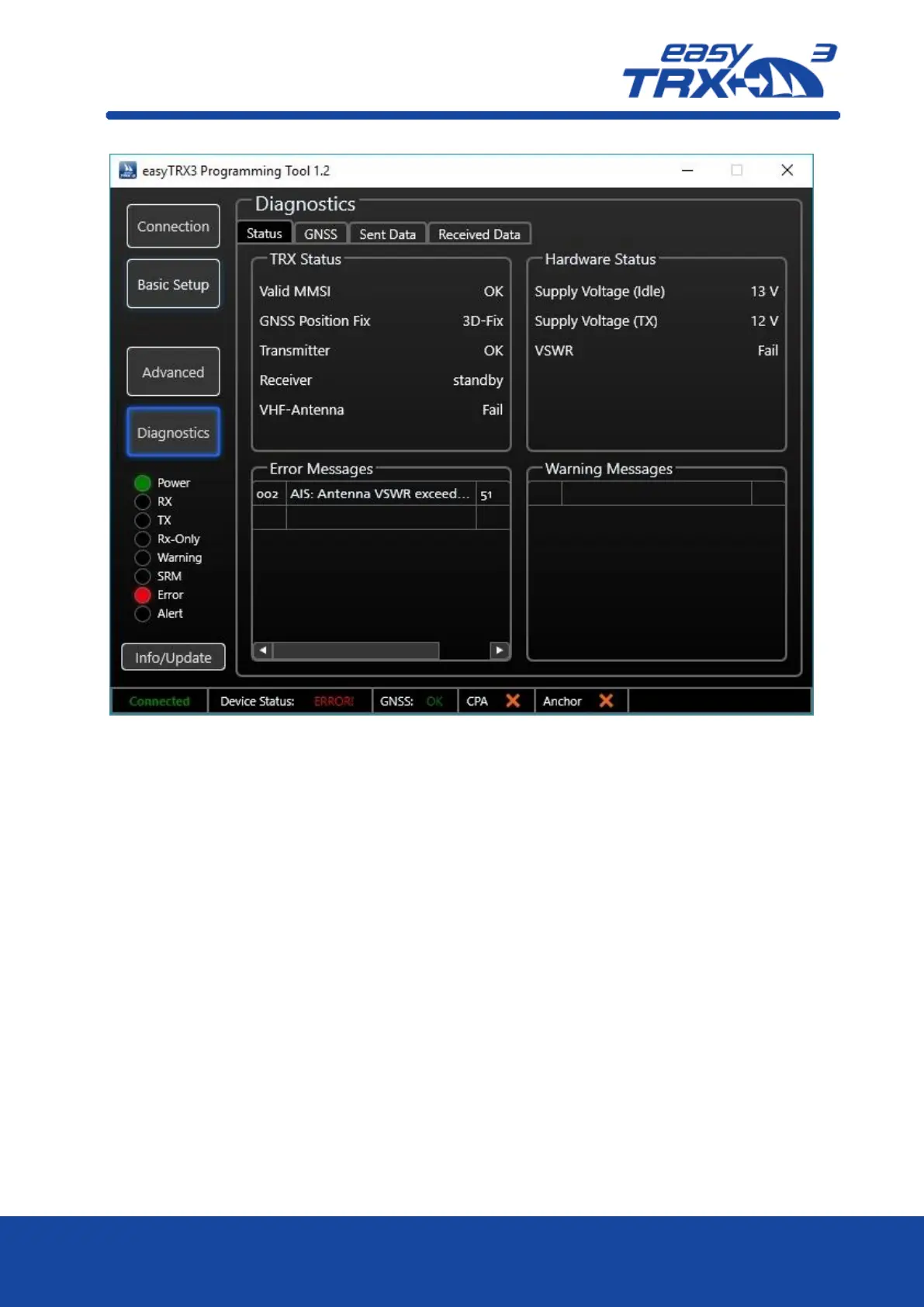
Figure: 34 Diagnostic screen programming tool
8.1.11.1 Status
TRX Status
In this screen area you get information about your MMSI number, your GPS fix, as well as a
status of transmitting and receiving.
Valid MMSI
As soon as a valid MMSI number is used, status will be “OK”.
GNSS position fix
If the status is “OK”, the GPS is running proper.
Transmitter
As soon as the transponder has send out data for the first time, the value changes from
“standby” to “OK”. If there will be a malfunction within the unit, the status will be “Error”
and the easyTRX3 is no longer working proper anymore. Please contact your service partner.
By means of the Error messages more details are given to you.
Receiver
As soon as the first AIS telegram was received by the easyTRX3, the value changes from
“standby” to “OK”. If there will be a malfunction within the unit, the status will be “Error”
and the easyTRX3 is no longer working proper anymore. Please contact your service partner.
By means of the Error messages more details are given to you.



 To Next Page