Weatherdock AG Seite 13
www.easyAIS.com
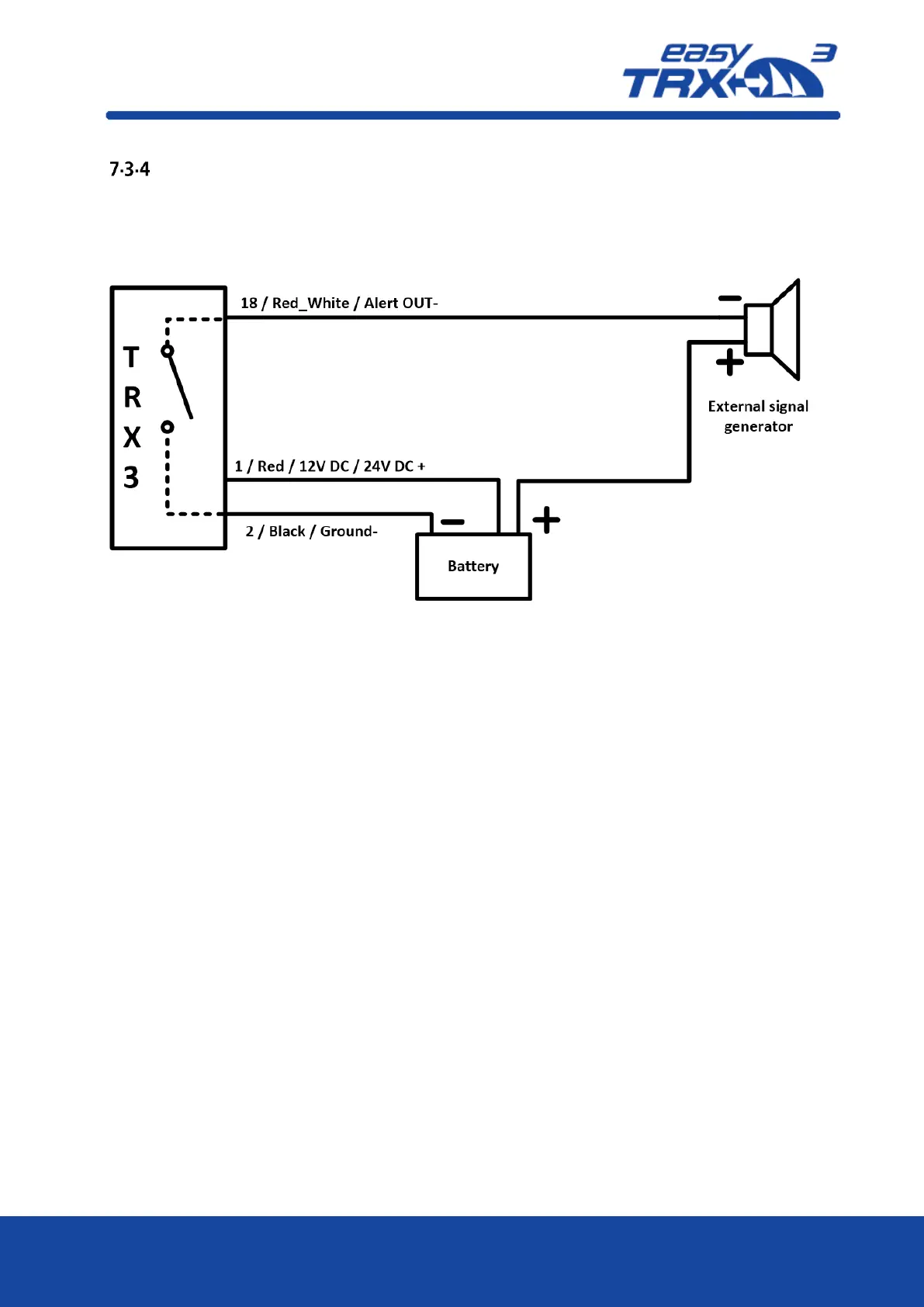
External signal generator
Out of the 18-pin cable harness please connect cable “18 / Red_White / Alert OUT-“ with the
corresponding pole of the signal generator. Due to the already given power supply of the
easyTRX3 via cable “2 / Black / Ground-“ and “1 / Red / 12V DC / 24V DC +” you just have to
connect the signal generator “+” pole to the power supply to close the circuit.
Figure: 7 External signal generator connection sketch



 To Next Page