Weatherdock AG Seite 26
www.easyAIS.com
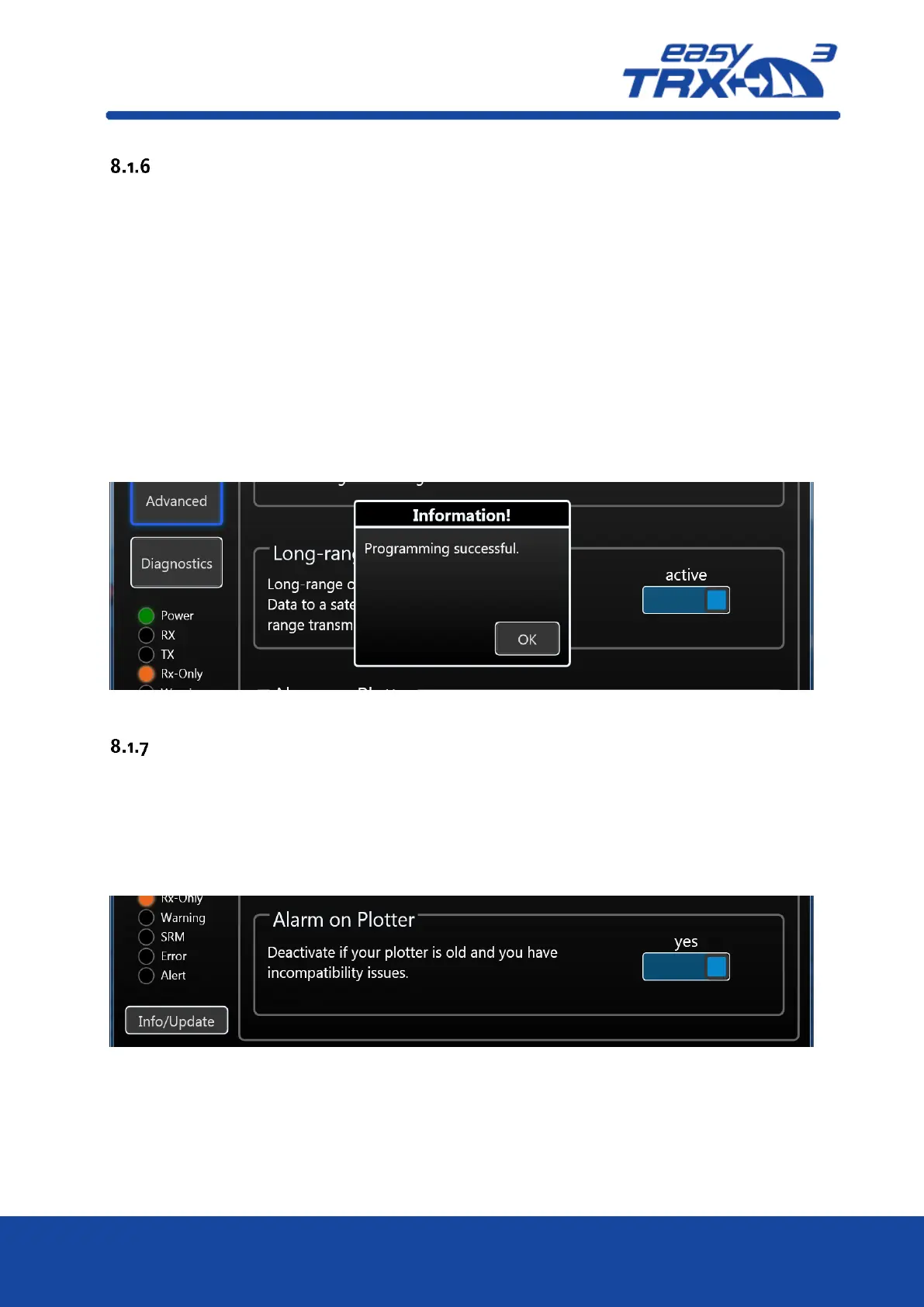
Long-range AIS / Satellite AIS
Due to IMO international regulations this functionality is deactivated by default. Long-range AIS
is designed for sea-going vessels which are getting out of the range of coastal base stations.
Once the Long-range AIS is activated, every 3 minutes a position report is send out to AIS
satellites on special frequencies. The satellites will redirect the received report to coastal base
stations. This enables the persistent onshore visibility of vessels on Trans-Atlantic-Trips.
By entering the receiving range of a coastal base station with activated long-range AIS, it might
be possible, that the base station shuts down your functionality automatically because it is
permitted in this area. Please inform by yourself in case of using long-range AIS.
Once leaving the range of the base station, and the long-range AIS was activated before the
automatic shutdown, the easyTRX3 will re-activate automatically.
As long as you are not subsribed for satellite data, the long-range AIS position reports are not
shown at Vesseltracker.com or Marinetraffic.
Vice versa there are no additional costs for you if the functionality is activated.
Figure: 22 Long-range settings programming tool
Alarm on Plotter
By default, this functionality is active. The reason for this is the self-test of the easyTRX3, which is
done every 60 seconds. As a result of these self-tests, information like for example “GPS antenna
not working / no reception” are send to the chart plotter.
It might be possible that these self-test information cause to misunderstandings and false alerts
on elder chart plotter, due to incompatibility.
If this happens to you, you can deactivate this functionality by pressing “NO”.
Figure: 23 "Older" plotter settings programming tool



 To Next Page