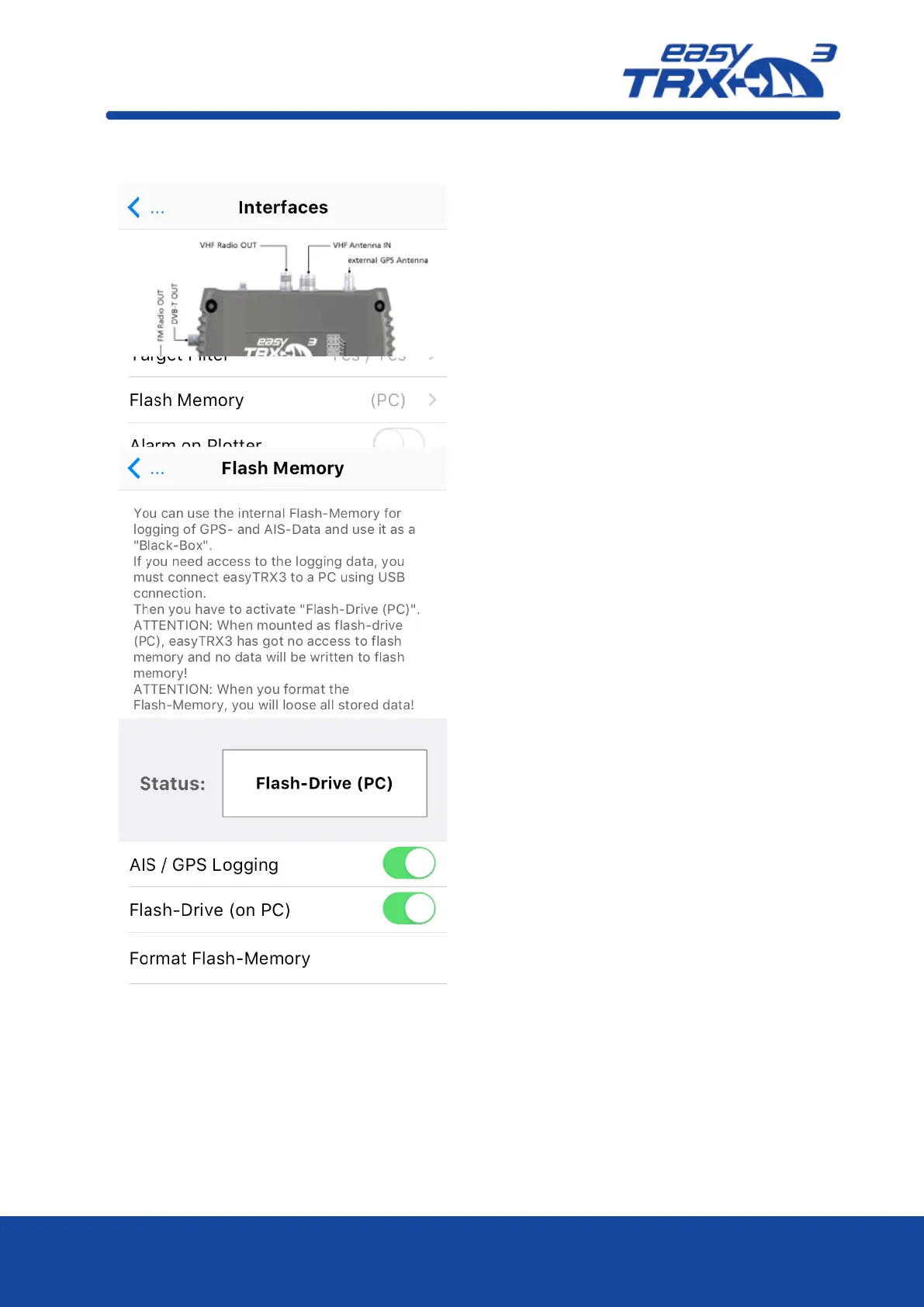
As factory default of the easyTRX3, the AIS
and GPS data logging functionality is
deactivated. Among others, one reason is that
there is no valid MMSI programmed into the
easyTRX3.
In so-called “Flash-Drive” mode, via USB cable
connectivity it is possible to get access to the
internal storage where english User Guide as
well as programming software are located.
AIS and GPS data, stored later on, can be
read-out in Flash-Drive mode.
To log your AIS and GPS data during your
trip, you have to switch from Flash-Drive
mode into “AIS Data Logging” mode.
Additional you have to activate the logging
functionality manually by clicking the button.
Important:
Please note that the programming software
and the User Guide have to be copied locally
to your computer before installing.
Installation directly from the easyTRX3
internal storage might cause to problems.
In case that you want to format the internal
storage for any reason, please use the
easyTRX3 software exclusively.
Formatting the internal storage will produce
a 100% loss of all stored data.



 To Next Page