Weatherdock AG Seite 45
www.easyAIS.com
8.2 WiFi Connection to a Laptop
In case you bought an AIS Class B transceiver easyTRX3 with integrated WiFi module or you have
afterward added it to the easyTRX3, you will be able to realize the programming and
configuration procedure via WiFi with your laptop.
Due to the fact, that there is no access to the internal storage via WiFi connection, you have to
download the programming software from our homepage with the following link
www.easyais.com/info/download-wd/software
Please install the downloaded software on your laptop and open it.
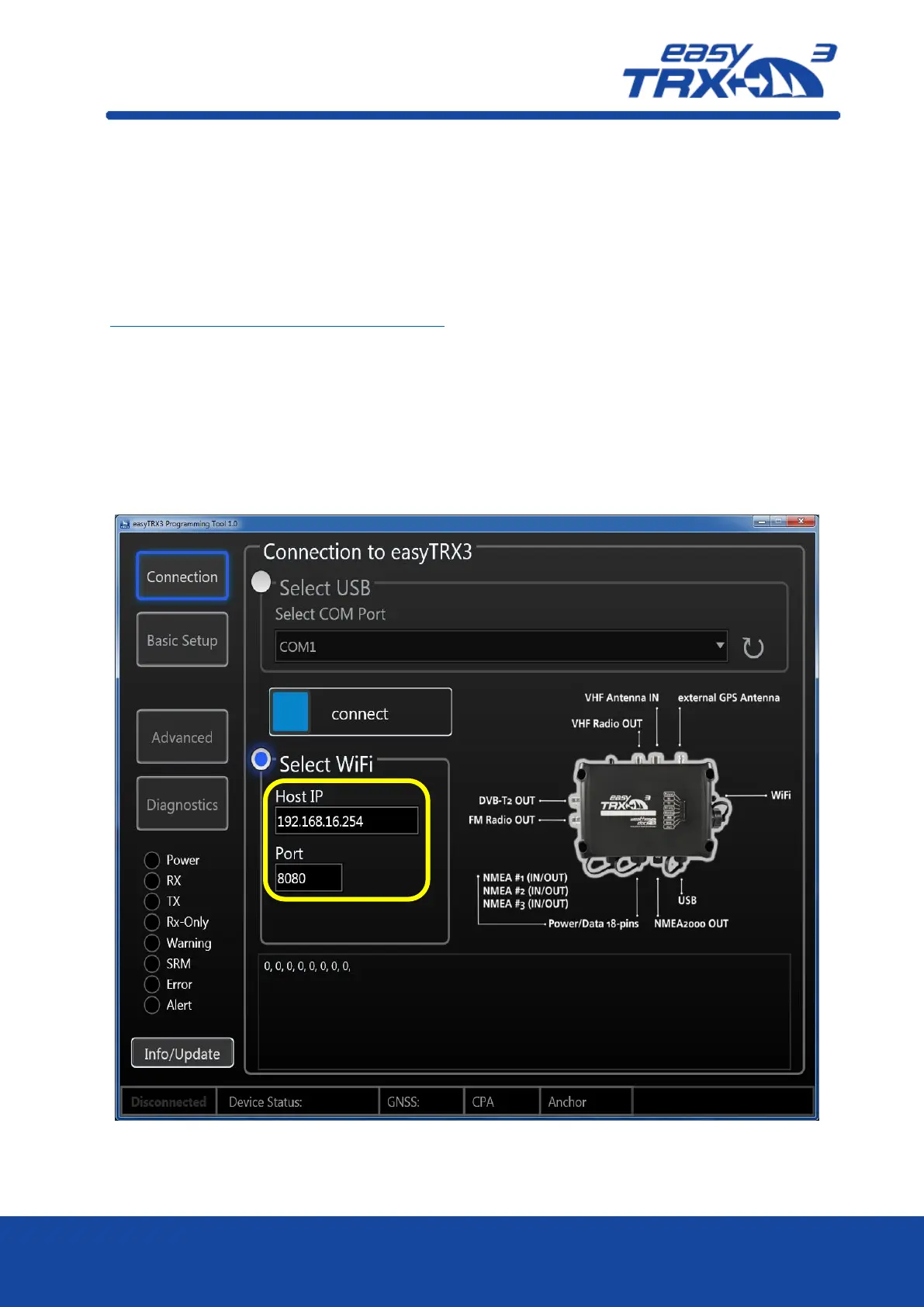
You will see the starting screen of the easyTRX3 programming tool.
Press on “Connection” and select WiFi afterwards
Activate the WiFi connectivity of your laptop, select the easyTRX3 network and log in with
SSID and password.
You will find the log-in data labeled on the back of the easyTRX3 as well as on the package.
Enter Host-IP address and Port number into the software and press “connect” to establish
the connection.
Figure: 41 WiFi connection screen programming tool
As a confirmation you can see data rows coming up in the lower window.



 To Next Page