Installing the printer driver
40
5661290000/00/06.08
5.2.2 Network connection - WIN XP / WIN 2000
On the printer press the Menu key, the arrow keys and the Enter key to select the submenu 'Host interface'
followed by 'Network setup' and 'IP address'. Press the Enter key again to display the IP address of the
printer. Now enter <http://IP address/ipp> in your Web browser (please enter the printer IP address using the
following format: XXX.XXX.XXX). If the IP address contains blocks with less than three digits per block,
please add leading zeroes (for example, 10 -> 010).
The System window will now open and display the hostname of the printer 'RNPAXXXXX'. Here XXXXX
represents a figure.
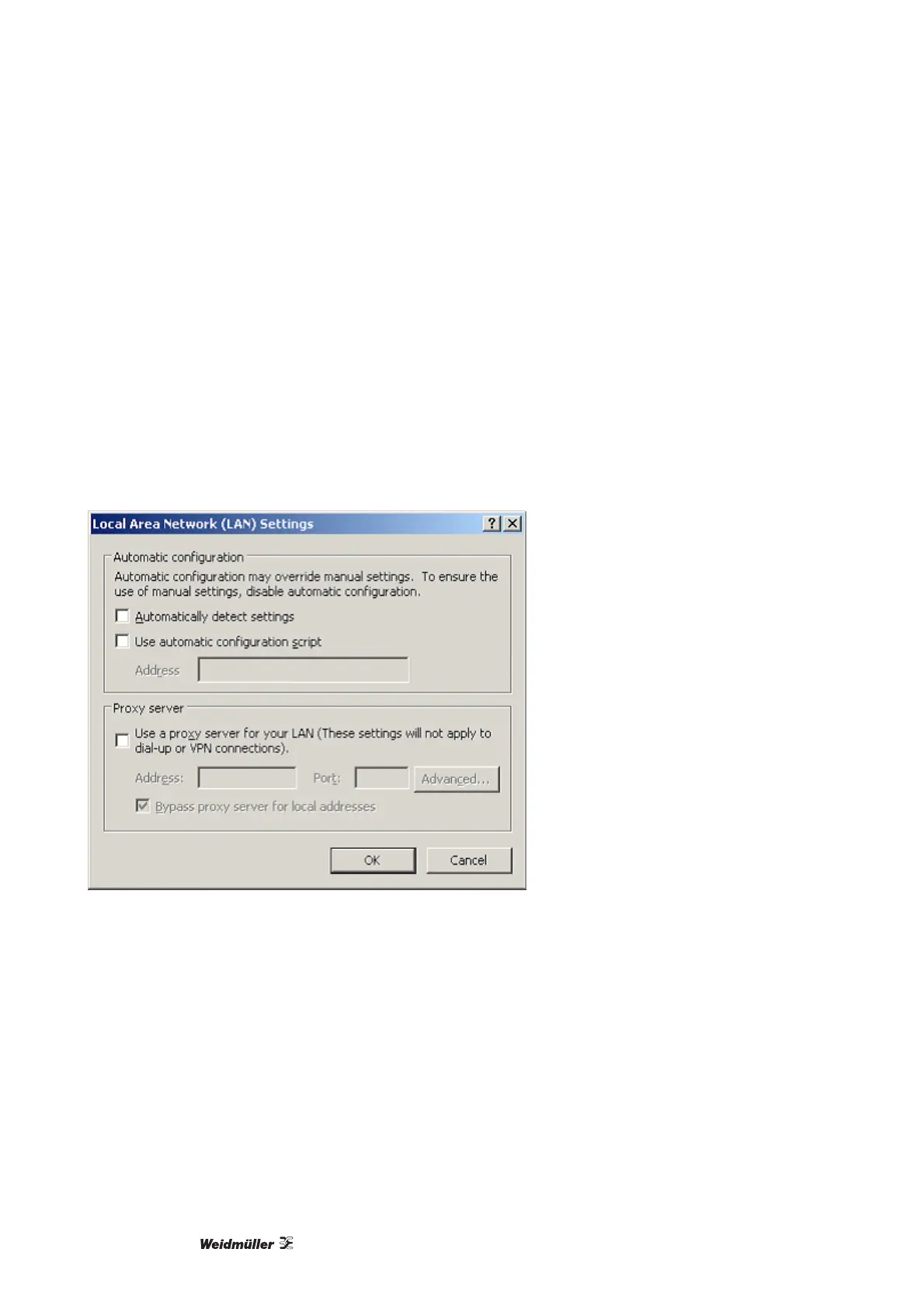
If you are unable to open the web address that you have just entered you may have to deactivate the proxy
server just to enable you to gain access to this page. Proceed as follows to access this option in the Internet
Explorer: click the 'Tools' menu then 'Internet Options', click the 'Connections' tab and then click the 'LAN
settings' button. Now uncheck the option 'Use a proxy server for your LAN'.
Figure 32 LAN settings
Once you have carried out the procedures described above, take the CD-ROM 'Printer Driver & Software' in-
cluded in the range of supply and insert it into the CD-ROM drive of your PC. The CD-ROM will start auto-
matically. At this point you must select a language.
If the CD does not start automatically click SETUP.EXE on the CD. Ensure you have administrator rights for
your local computer.
On the main menu 'Printer Driver & Software' select the option 'Printer drivers', 'PrintJet PRO' and the Oper-
ating System 'WIN XP / 2000'.



 To Next Page