Maintenance
82
5661290000/00/06.08
9.4 Head cleaning via the dis-
play
The head cleaning process can be executed via the
corresponding function in the M-Print
®
PRO soft-
ware.
Read Chapter 6 "The M-Print® PRO" for
more information.
In order to execute a normal head cleaning, proceed
as described below. Perform a head cleaning when
a colour can not be printed or when the printout is
smeared. Ink is used during the cleaning of the print
heads.
NOTE
When the ink cartridge is empty, replace
it instead of cleaning the print heads. Af-
ter you replace an ink cartridge, the print
heads will automatically be cleaned.
1 Press the [Menu] button.
2 Press the [▼] or [▲] button, in order to display
[Maintenance]. Then press the [ ↵ ] button (en-
ter).
M e n u :
M a i n t e n a n c e
3 Press the [▼] or [▲] button, in order to display
[Head cleaning]. Then press the [ ↵ ] button (en-
ter).
M a i n t e n a n c e :
H e a d - c l e a n i n g
4 Press the [▼] or [▲] button, in order to select a
colour. Then press the [ ↵ ] button (enter).
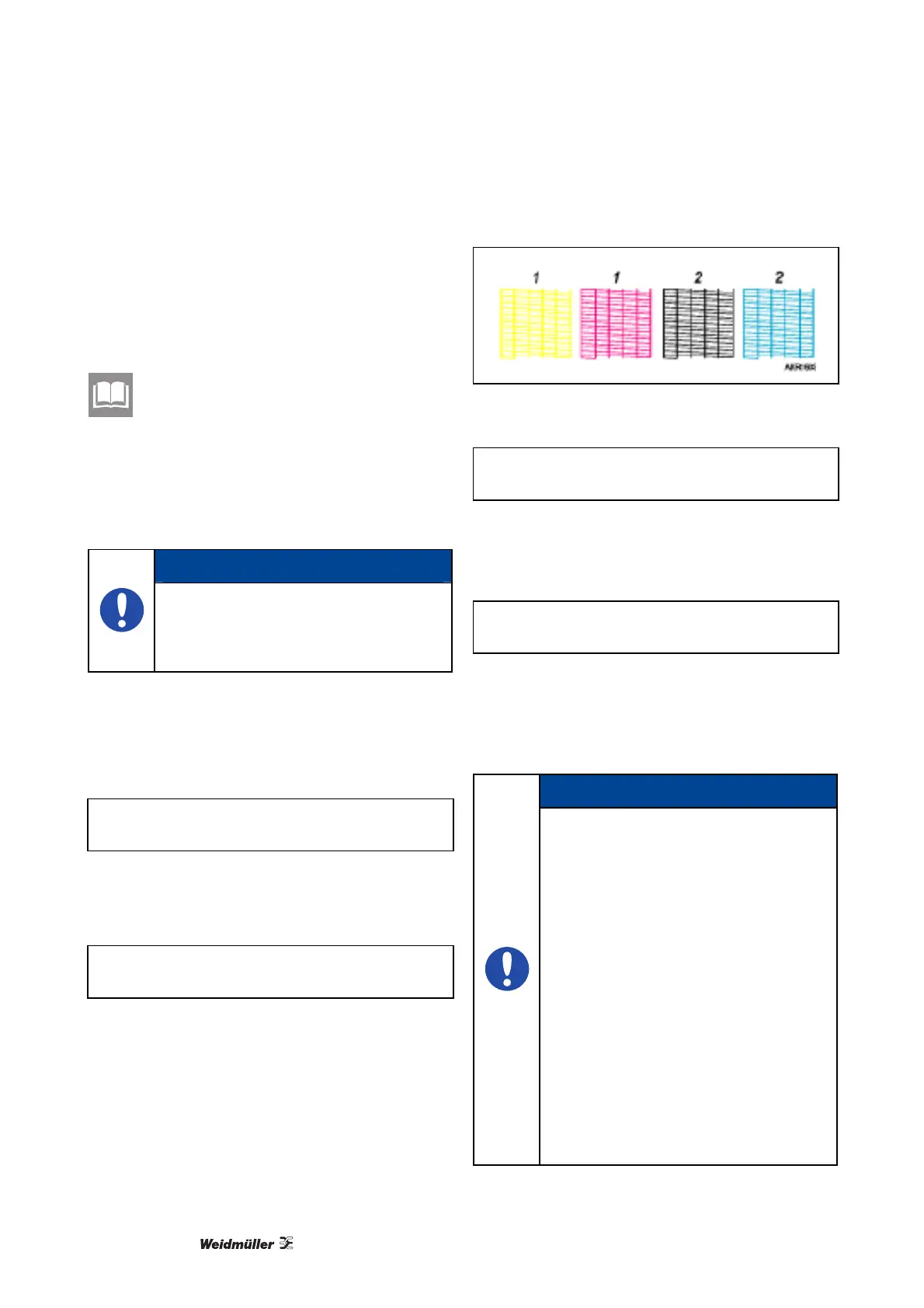
Figure 84 Test pattern – cleaning the print
head
H e a d - c l e a n i n g :
A l l h e a d s
1. Head 1
2. Head 2
5 Press the [ ↵ ] button (enter).
P r e s s # t o
c l e a n h e a d s
The head cleaning begins.
6 Press the [Online] button.
The output display is then shown.
NOTE
Repeat the cleaning procedure if the
print results are not satisfactory. How-
ever it is possible that after multiple
cleanings the print heads remain
clogged and the printer still does not
properly print. In this case, execute a
complete head cleaning procedure. If
the complete cleaning also does not
solve the problem, shut off the printer
and allow it to remain off for at least
eight hours. Then turn it on again. The
problem may be solved by the longer
residence time of the fresh ink as it is
flushed through the heads.
If there is still no improvement after the
steps described above, please contact
the Weidmüller service or a Weidmüller
sales representative.



 To Next Page