Maintenance
84
5661290000/00/06.08
9.6 Replacing the ink collector
unit
NOTE
Please dispose of properly by returning
to an authorised dealer or taking to an
appropriate collection point. Please en-
sure you observe local regulations if you
dispose of the full ink collector unit your-
self.
CAUTION!
Keep full ink collector units away from
children.
If the ink comes into contact with your
eyes wash out immediately with fresh
running water. Contact a doctor if you
have problems with your eyes.
If the ink comes into contact with your
skin wash the affected area thoroughly
with soap and water.
If you swallow ink rinse your mouth and
drink plenty of water Do not force your-
self to be sick.
NOTE
Ensure that no coloured ink comes into
contact with your clothes when washing
the ink collector unit.
Use the gloves included in the range of
supply when replacing the ink collector
unit.
Replace the ink collector unit if the following mes-
sage is issued in the display:
R e p l a c e I n k
C o l l e c t o r U n i t
1 Switch off the device.
2 Remove the new ink collector unit from the pack-
aging (Article number: 1024140000). Use the
gloves included in the range of supply!
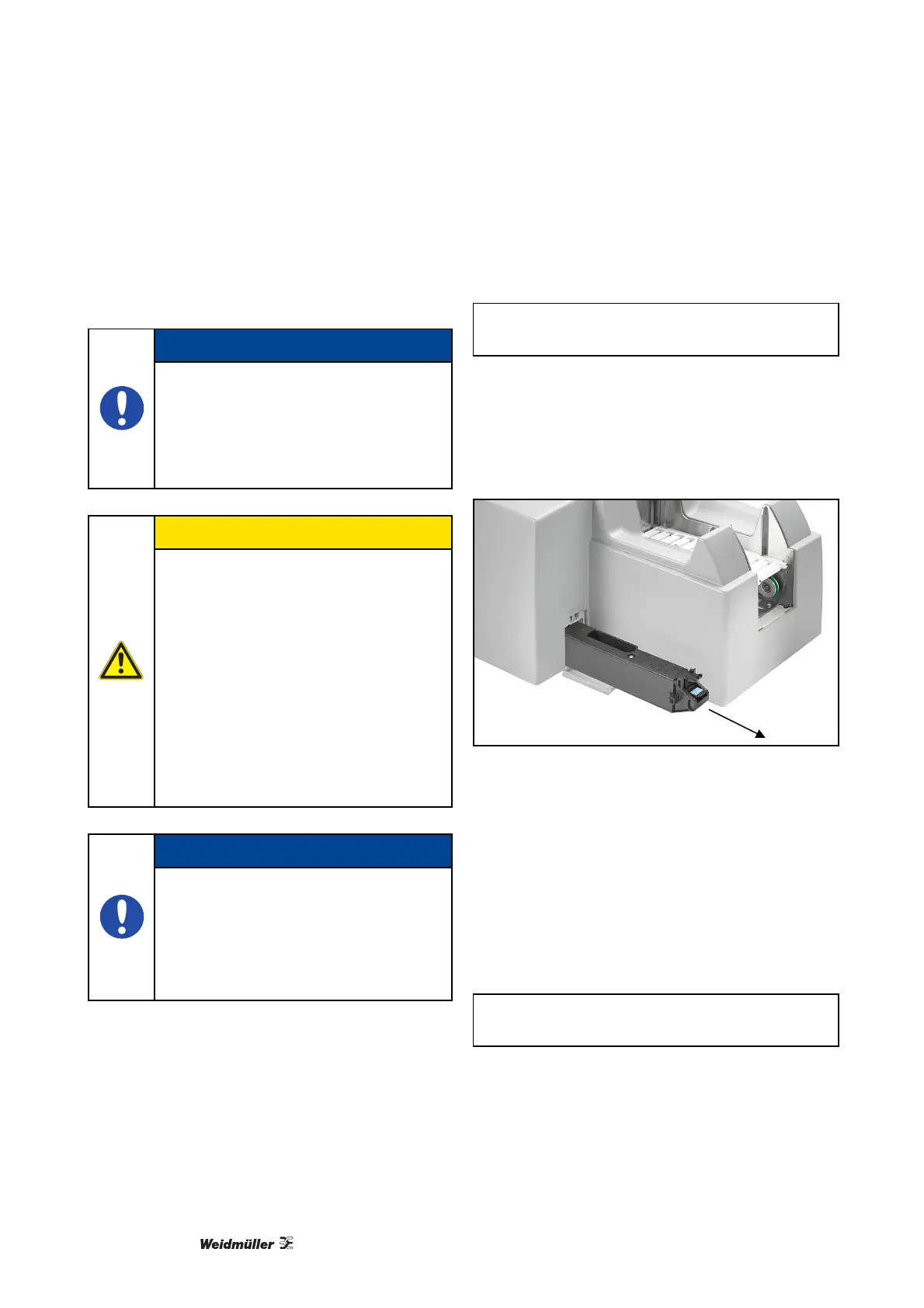
3 Remove the full ink collector unit from the printer.
Figure 86 Replacing the ink collector unit
4 Place the full ink collector unit into the polybag
included in the range of supply.
5 Insert the new ink collector unit into the printer as
far as it will go.
6 Close the cover so that it snaps firmly into place.
7 Switch on the device.
8 A message in the printer display requests you to
reset the internal counter or the display continues
to display the message:
R e p l a c e I n k
C o l l e c t o r U n i t



 To Next Page