Maintenance
5661290000/00/06.08
81
Registration
You can print out a test pattern and adjust the print
starting point.
Key Repeat
You can enable or disable repetition of an operation
if a key on control panel is pressed continuously.
Paper Feed Test
You can eject a MultiCard without printing it.
De-condensation
In order to remove humidity from inside the printer,
you should allow three MultiCards to be ejected
without printing.
9.3 Printing a nozzle test pat-
tern
In order to check if the print-head nozzles are
clogged, proceed as described below. Print out a
nozzle test pattern for this purpose. If necessary,
apply paper over the marking surface. Then take out
the side strips.
1 Press the [Menu] button.
2 Press the [c] or [d] button, in order to display
[Maintenance]. Then press the [ ↵ ] button (en-
ter).
M e n u :
M a i n t e n a n c e
3 Press the [c] or [d] button, in order to display
[Nozzle Check]. Then press the [ ↵ ] button (en-
ter).
M a i n t e n a n c e :
N o z z l e C h e c k
4 Press the [ ↵ ] button (enter).
A test pattern is then printed.
5 Press the [Online] button.
The output display is then shown.
P r e s s # t o p r i n t p a t t e r n
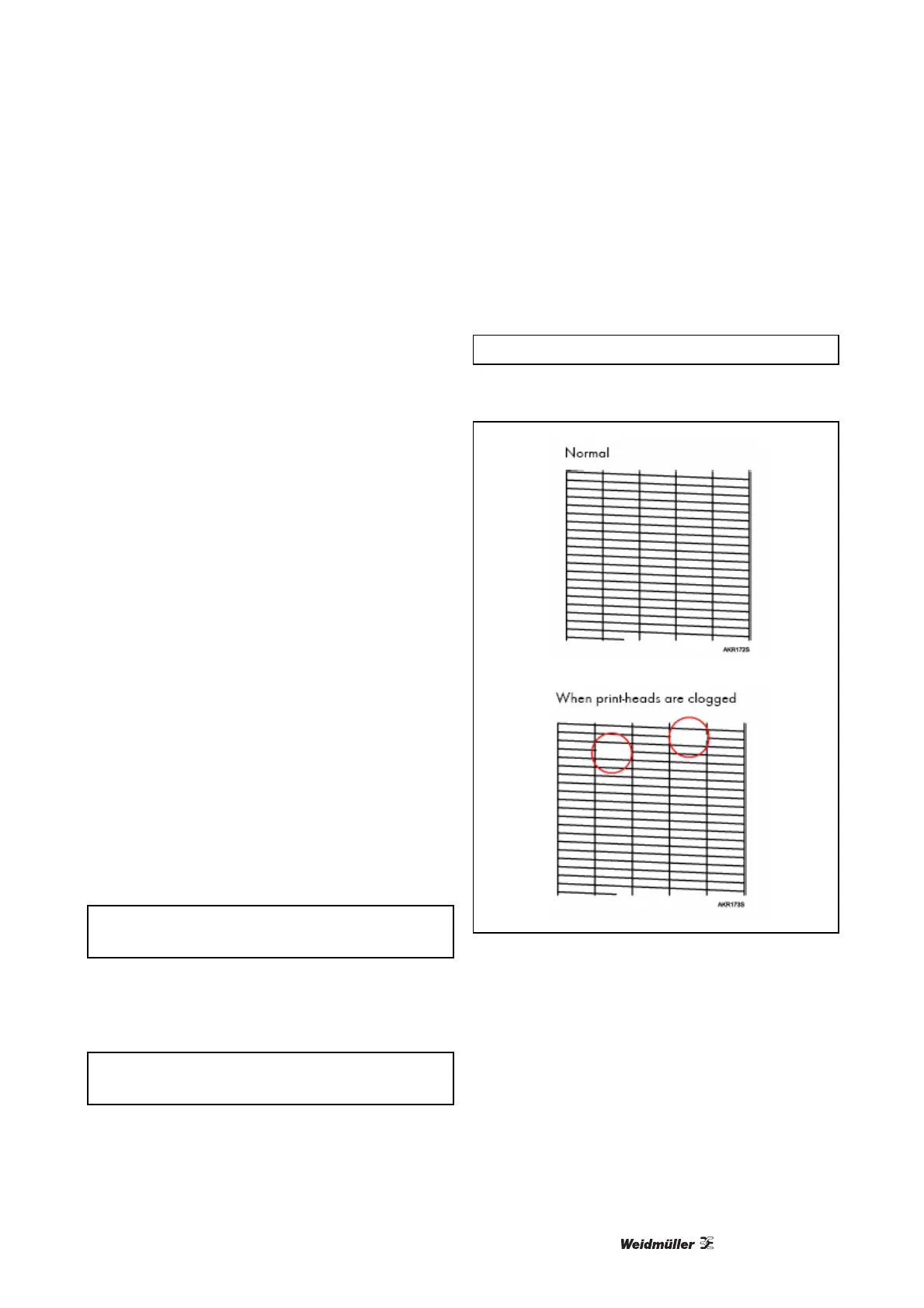
6 Check the printed test pattern.
Figure 83 Test pattern



 To Next Page