The M-Print® PRO Software
5661290000/00/06.08
67
6.4 Printer setup
The printer setup is intended for setting the precise zero point and for setting the different MultiCard types.
Please read and refer to the M-Print
®
PRO manual, found on the "Printer Driver & Software" CD, and the
"Printer Setup" short guide, found in the M-Print
®
PRO directory. After the software installation these are
available on your computer.
6.5 Adjust marker type
In order to compensate for physical changes to the MultiCards, you can measure in your marker type.
Please read and refer to the M-Print
®
PRO manual, found on the "Printer Driver & Software" CD, and the
"Printer Setup" short guide, found in the M-Print
®
PRO directory. After the software installation these are
available on your computer.
6.6 Cleaning the print head
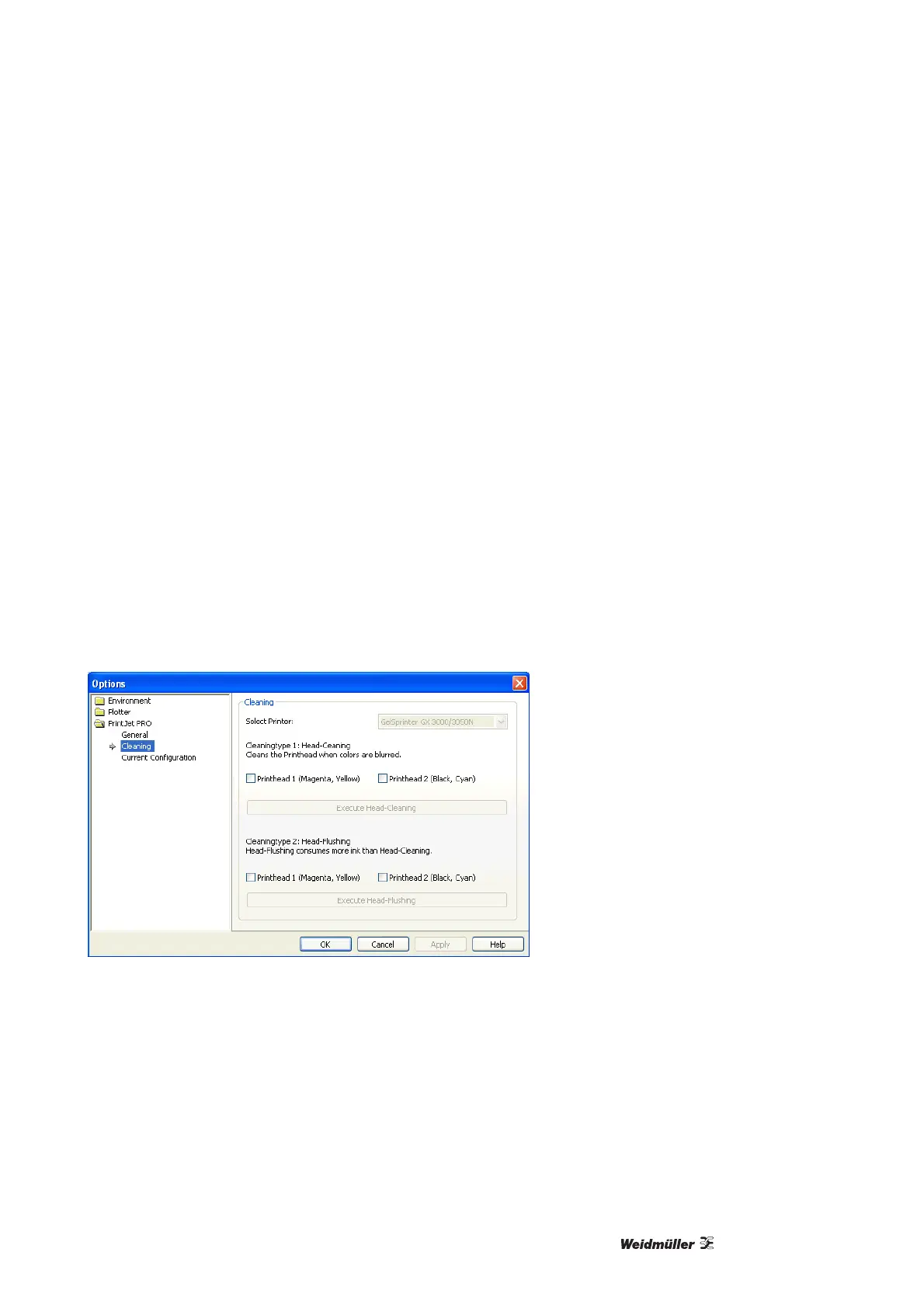
The cleaning of the print head can be done directly from the M-Print
®
PRO software. Please take the follow-
ing steps:
1 Select "Tools" from the menu pull-down, and then click on "Options".
2 In the Options window, click on the "PrintJet PRO" folder and then on the selection "Cleaning".
Figure 76 Print head cleaning option



 To Next Page