The M-Print® PRO Software
5661290000/00/06.08
65
6.3 Printer driver settings
If you are not using M-Print
®
PRO, please contact your Weidmüller representative for additional information
on these printer driver settings. The driver settings can be done directly in the M-Print
®
PRO software.
Please take the following steps:
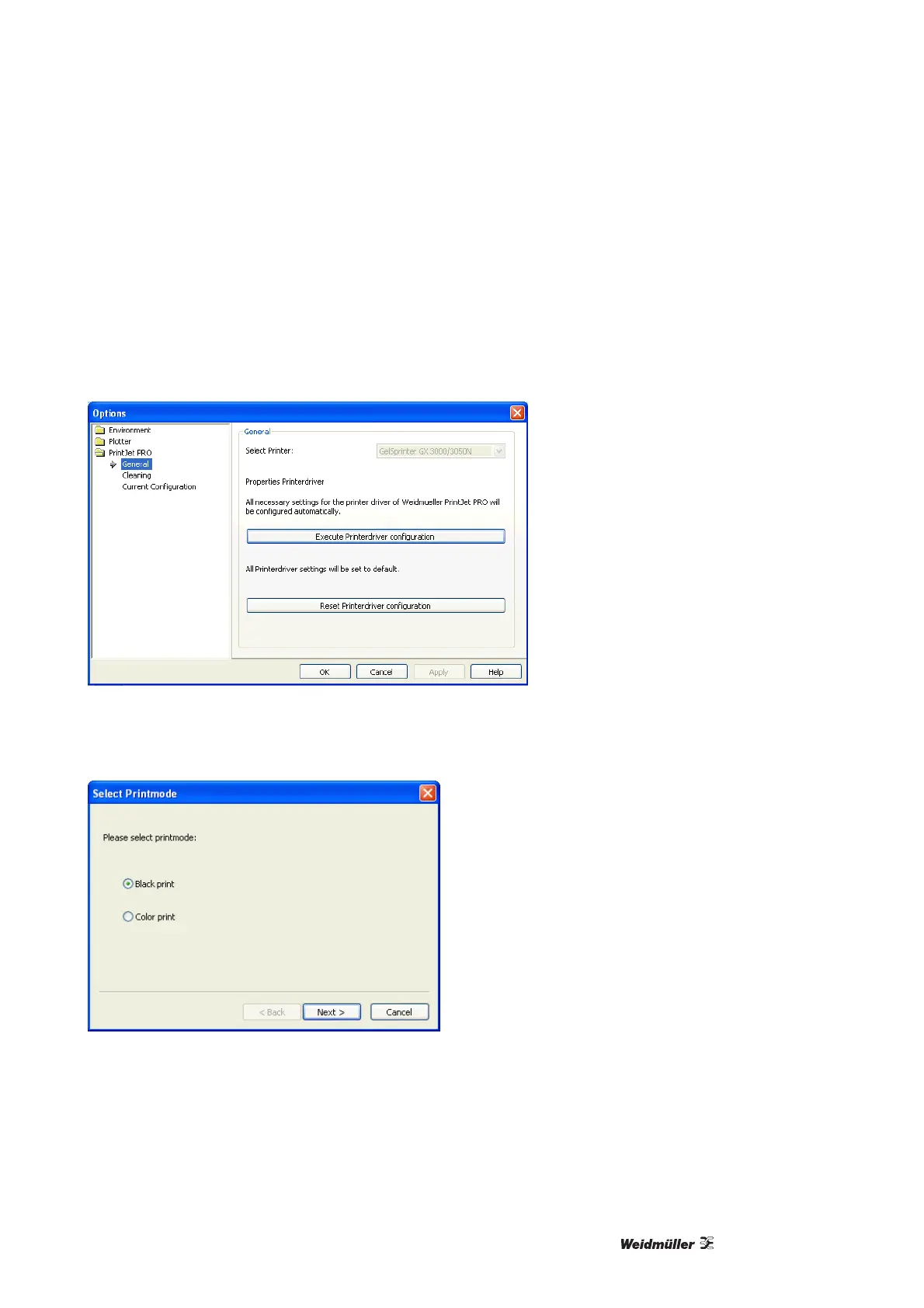
1 Select "Tools" from the menu pull-down, and then click on "Options".
2 In the Options window, click on the "PrintJet PRO" folder.
Figure 72 Configuring PrintJet PRO
3 Click on the button "Execute Printerdriver configuration".
4 Select the system type and confirm by clicking on [Next].
Figure 73 Selecting the print mode
5 If you have selected "color print", skip to step 7.
6 After selecting "Black print", select the correct slot where the black ink cartridge is located. Confirm your
selection by clicking on [Next].



 To Next Page