WM 68071 05/2021
MEDUMAT Standard
2
EN 115
5 User menu
In this menu you can activate or deactivate apnea ventilation in
the ventilation modes CPAP, CPAP + ASB and Demand.
When apnea ventilation is activated, the device automatically
switches to IPPV mode once the set apnea time has elapsed.
If the BiLevel + ASB mode is unlocked in the operator menu and
activated, you can choose between the IPPV mode and the
BiLevel + ASB mode as the apnea ventilation mode in the operator
menu.
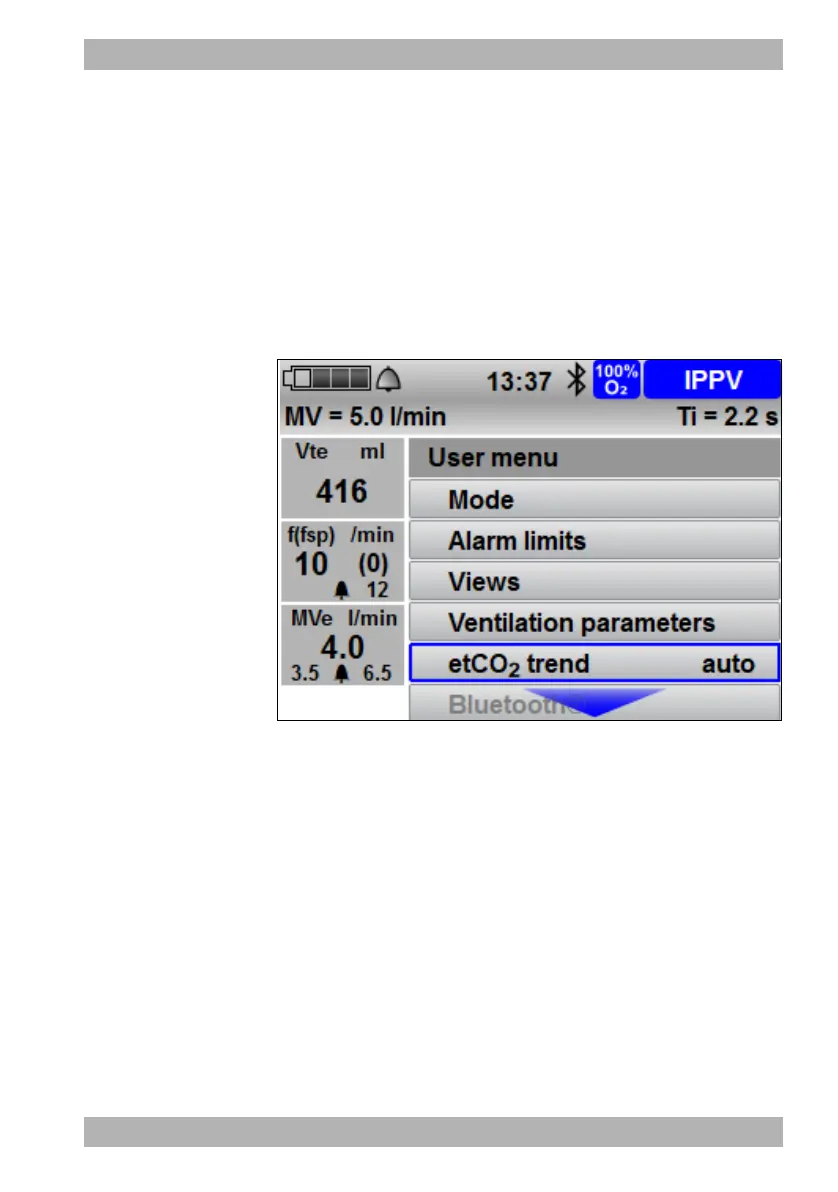
5.3.6 etCO
2
trend (only with Capnography option)
5-7 Submenu etCO
2
trend
If the Capnography option is activated, the device offers the
possibility of visualizing the etCO
2
value. The trend curve can
be selected via the Views item in the user menu and shown on
the device's display.
The trend curve shows the patient's ventilation as a graphic.
The last value recorded appears on the far right of the trend curve.










 To Next Page