6.1.5 Connecting the water-treatment filter monitor
Purpose of the water-treatment filter monitor
You can provide an electrical connection from the combi oven to the remote status indicator of a connected water treatment
filter
. The combi oven software will then monitor the status of the water treatment filter. A warning message tells you when
the filter capacity is down to only 10% so that you know that the water treatment filter will need changing soon.
Accessories required
■
2-core connecting cable (approx. length 2 m); recommended: Ölflex H05VV5-F
, 2 x 0.5 mm
■
DN 50 diaphragm grommet
■
Cable ties
Connecting the water-treatment filter monitor
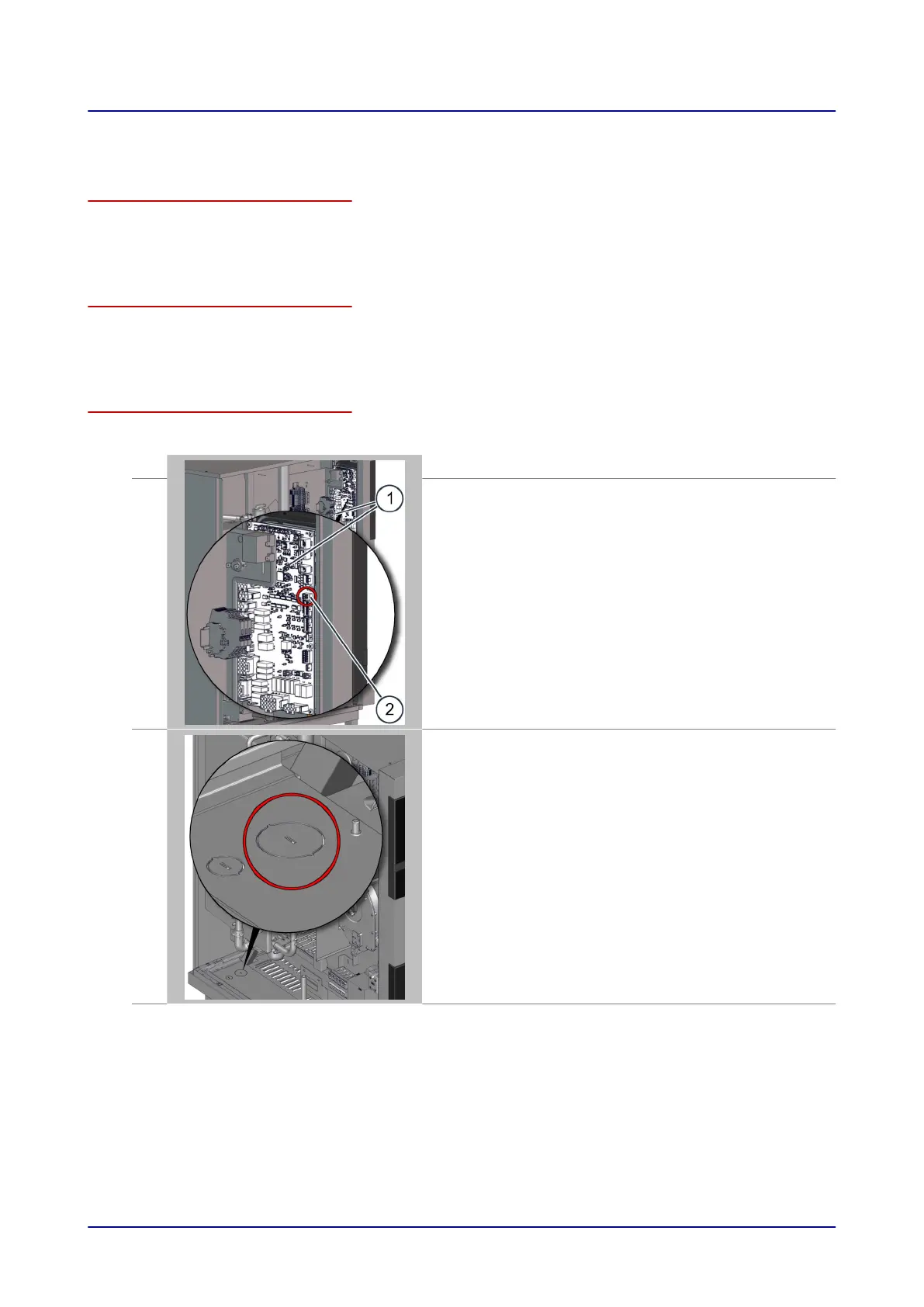
The figure below shows a size 12.20 combi oven as an example for all appliance sizes:
1.
Disconnect the combi oven from the power supply.
2.
Remove the side panel from the combi oven in order to access termi-
nal block X33 (2) on the system interface board (SIB) (1) in the area
behind the operating panel.
3.
■
T
ap out the larger, pre-perforated knock-out in the floor panel of the
combi oven, at the position indicated.
■
Insert the diaphragm grommet in the knock-out then feed the con-
necting cable for the water-treatment filter monitor through the
grommet into the wiring compartment of the combi oven.
■
Take the connecting cable to the SIB and fix it in the wiring compart-
ment, for instance using cable ties to attach it to an existing wiring
harness.
6 Installation
Installation manual 47













 To Next Page