6.1.4 Connecting the signal tower
Purpose of a signal tower
A signal tower that is electronically connected to the combi oven indicates the current operating status of your combi oven
visually
, using three indicator lamps (green, yellow, red), and acoustically. This indicating device provides a signal that can be
seen and heard from far away.
Accessories required
The signal tower is supplied with the following original accessories, which you will need in order to connect the signal tower
to the combi oven:
■
Connecting cable (approx. length 10 m) with M12 female connector
■
DN 50 diaphragm grommet
In addition you will need the following equipment:
■
Cable ties
Connecting the signal tower
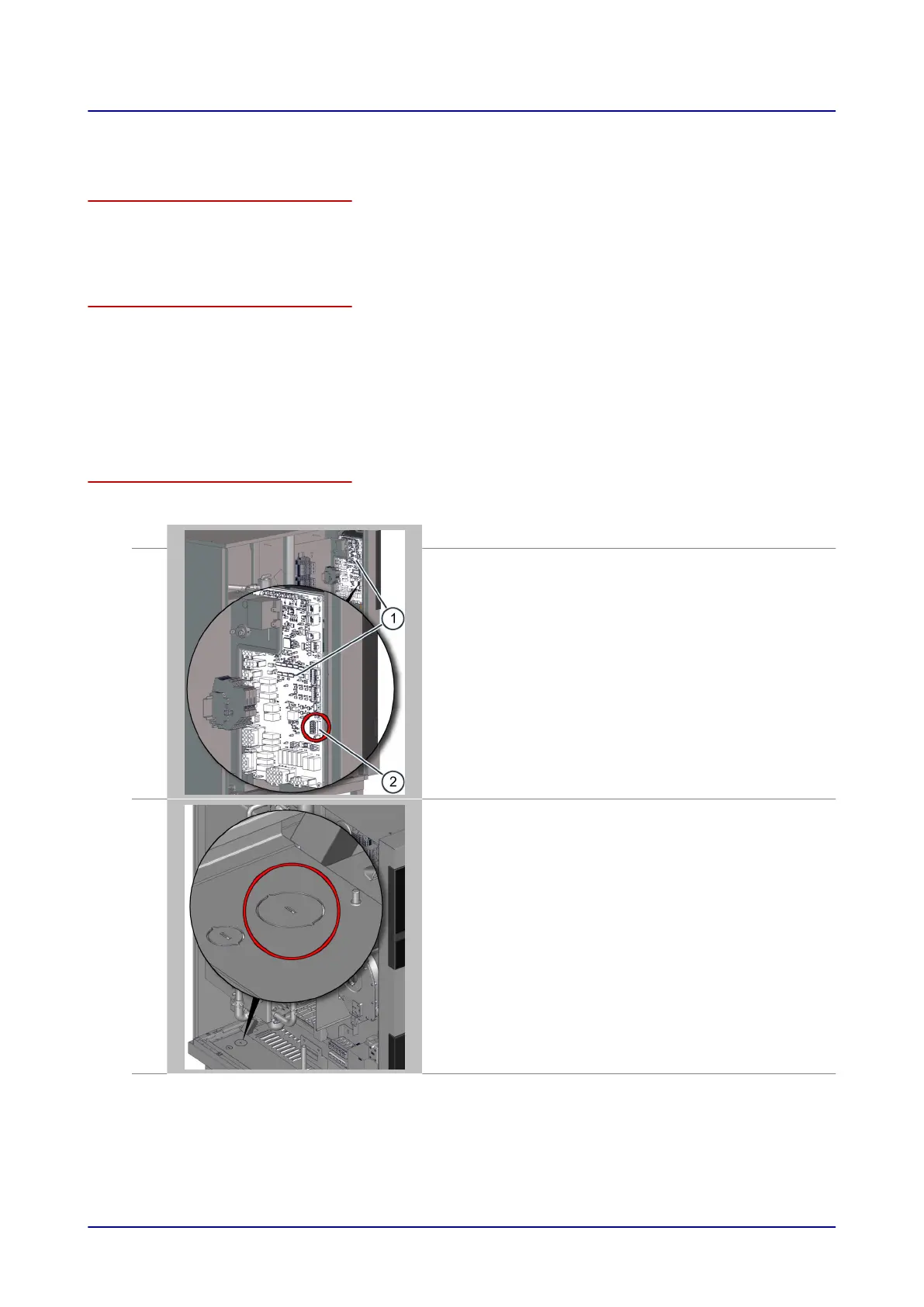
The figure below shows a size 12.20 combi oven as an example for all appliance sizes:
1.
Disconnect the combi oven from the power supply.
2.
Remove the side panel from the combi oven in order to access termi-
nal block X32 (2) on the system interface board (SIB) (1) in the area
behind the operating panel.
3.
■
T
ap out the larger, pre-perforated knock-out in the floor panel of the
combi oven, at the position indicated.
■
Insert the diaphragm grommet in the knock-out then feed the signal-
tower connecting cable through the grommet into the wiring com-
partment of the combi oven.
■
Take the connecting cable to the SIB and fix it in the wiring compart-
ment, for instance using cable ties to attach it to an existing wiring
harness.
6 Installation
Installation manual 45













 To Next Page