10
Indicator Technical Manua
Communications Wiring (RS 232)
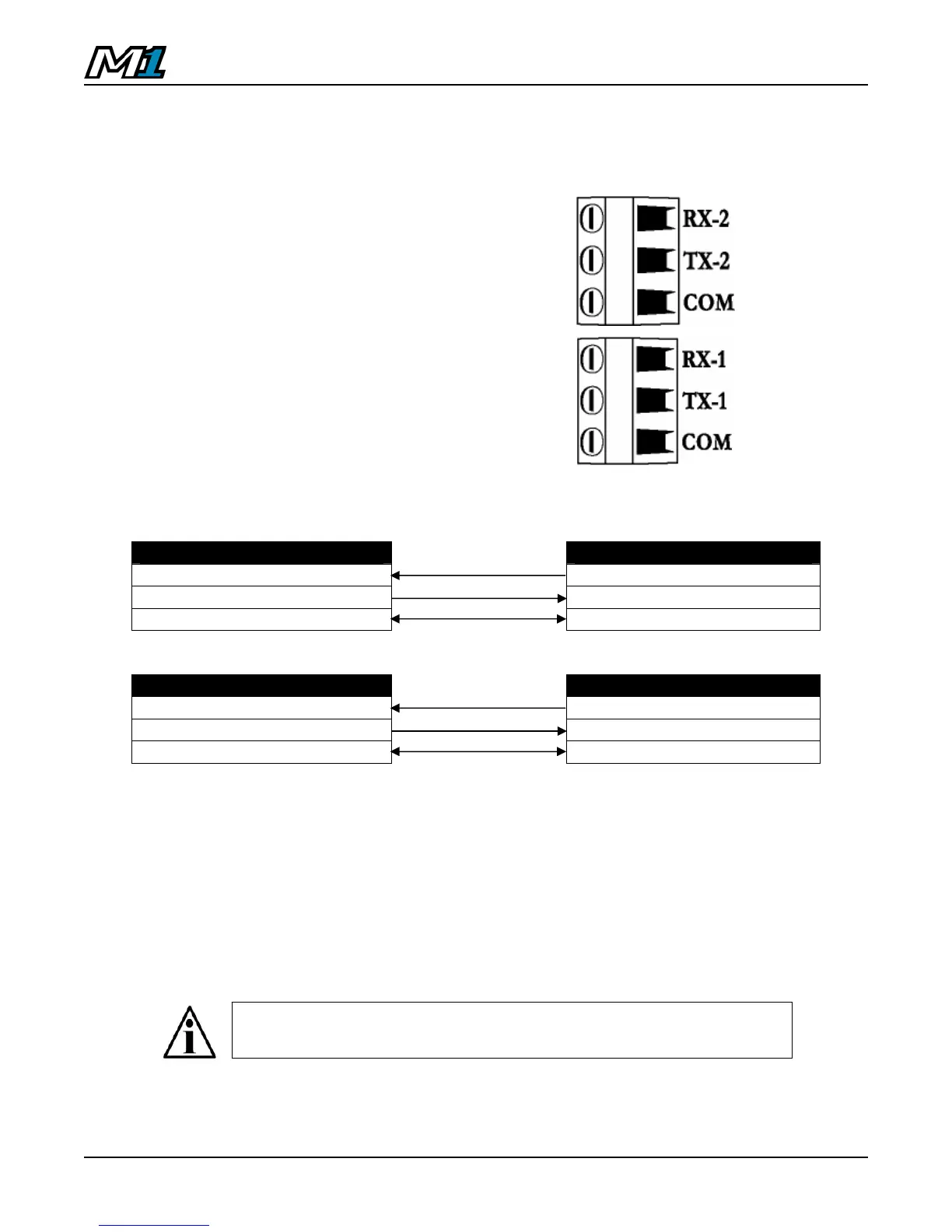
The M1 features 2 serial ports (Com1 & Com2) to connect to peripheral devices
such as printers, remote displays and PCs.
1. Ensure the M1 and communicating
device (printer, etc.) are disconnected
from power.
2. Run communication cable through the
strain-relief and wire to the COM1 or
Com2 Terminal as required. See table
below:
COM TERMINAL (COM1) COMMUNICATING DEVICE
RX-1 TX
TX-1 RX
COM SIG GND, or COM
COM TERMINAL (COM2) COMMUNICATING DEVICE
RX-2 TX
TX-2 RX
COM SIG GND, or COM
Default Communications Settings (Com1 & Com2):
• 9600 Baud • 1 Stop Bit
• No Parity • No Hardware Handshaking
• 8 Data Bits • Continuous Transmit (DF1500)
Qualified Technicians can adjust communications settings in
Calibration Mode Parameter Sub-block 5.x (See Page 20).
M1 Com Port Terminal Blocks



 To Next Page