6
Indicator Technical Manua
KEYPAD & SCALE FUNCTIONS
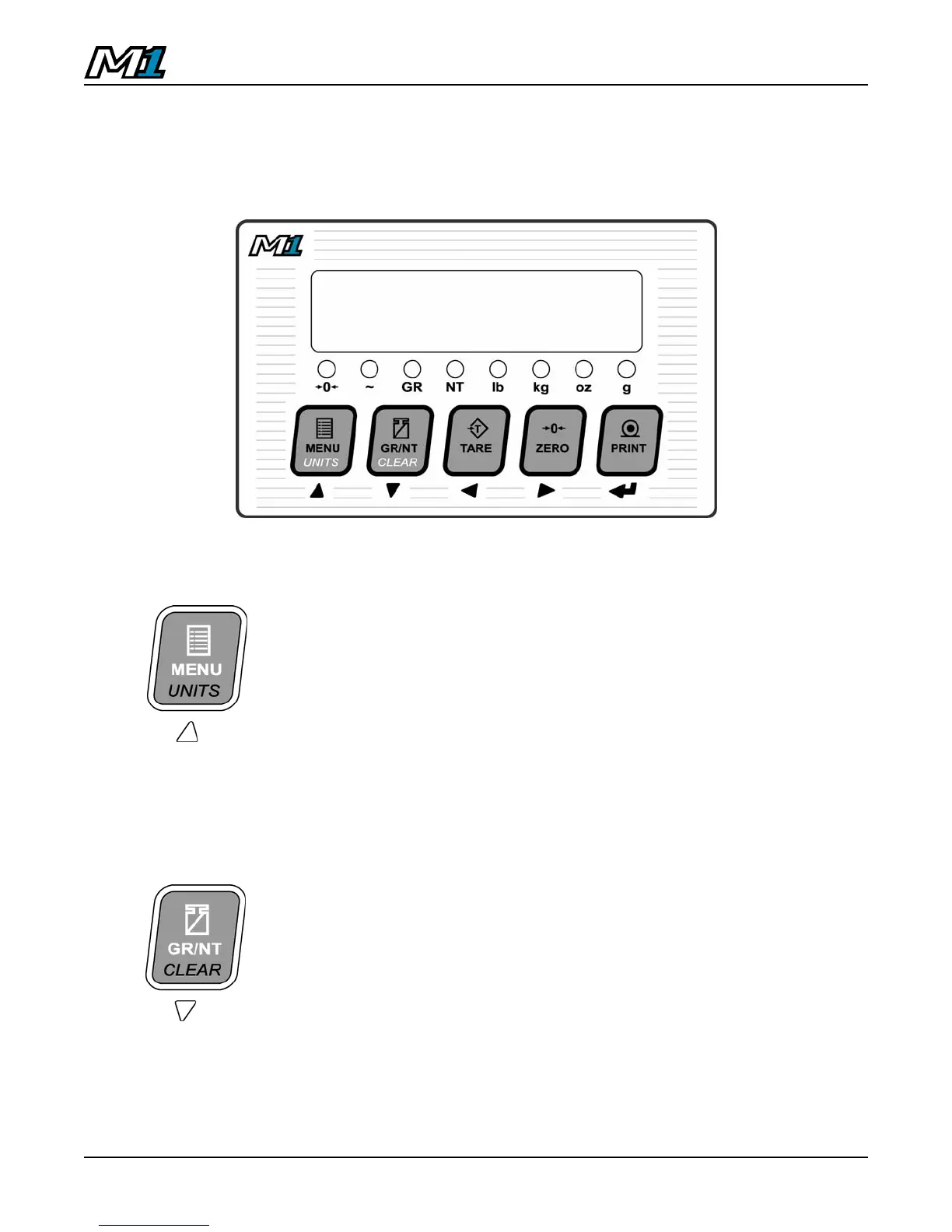
The M1 indicator utilizes 5 keys for operator interfacing. To maximize indicator
functionality, some keys perform multiple functions.
Press the key:
MENU - Cycles through the User MENU to access
additional Scale Tickets and functions (See Pg. 28).
Press & hold
the key (2 sec):
UNITS - Toggles between Primary, Secondary and
Tertiary Weighing Units (if enabled).
Alternate Units may be selected or disabled in
Calibration Mode by Qualified Technicians.
Press the key:
GR/NT - Toggles between GROSS and NET
weighing modes if a tare value is stored.
Press & hold
the key (2 sec):
CLEAR - Clears any previously acquired tare
values. When used in Legal for Trade
applications, tares can only be cleared when
GROSS weight is at no load.
Clears Peak Hold (locked weight) values when
Peak Hold function is enabled.
M1 Keypad



 To Next Page