28
Indicator Technical Manua
USER MENU
The User Menu gives Scale Operators access to additional indicator functions
and features.
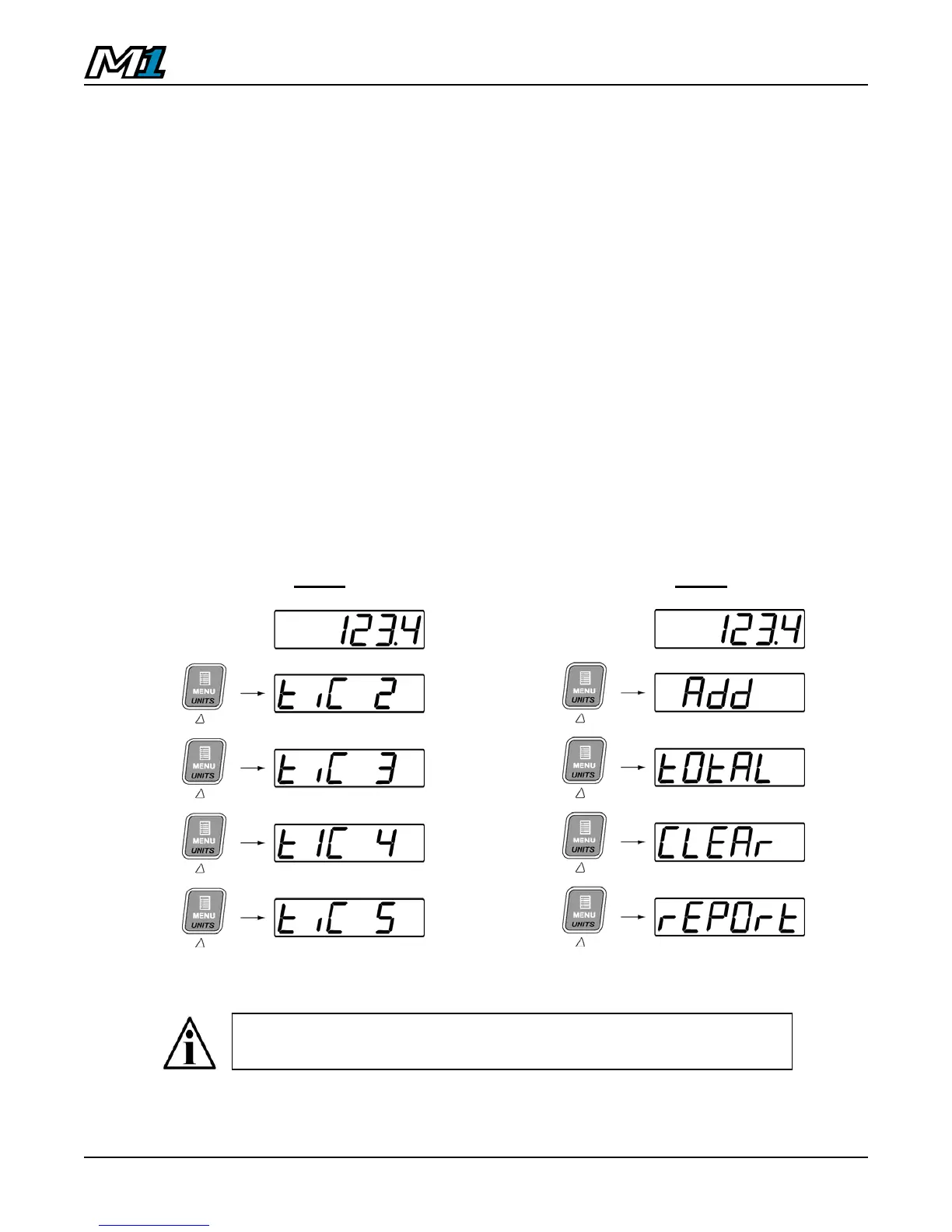
1. From Weighing Mode, press the MENU key to enter the User Menu.
• Tickets are numbered by default as in Fig. A.
• Tickets may be named in Calibration Mode to described functions
as in Fig. B.
• If there are no active tickets or functions, the User Menu will be
empty.
2. Use the UP & DOWN ARROW keys to cycle through the User Menu
functions.
3. When the desired menu item is displayed, press ENTER to activate or
wait 8 seconds for the User Menu to time out and return to Weighing
Mode.
Fig. A Fig. B
For more information on the User Menu and programming
Tickets, see the MACRO II Ticket System Programming Manual.



 To Next Page