14
Indicator Technical Manua
CALIBRATION MODE
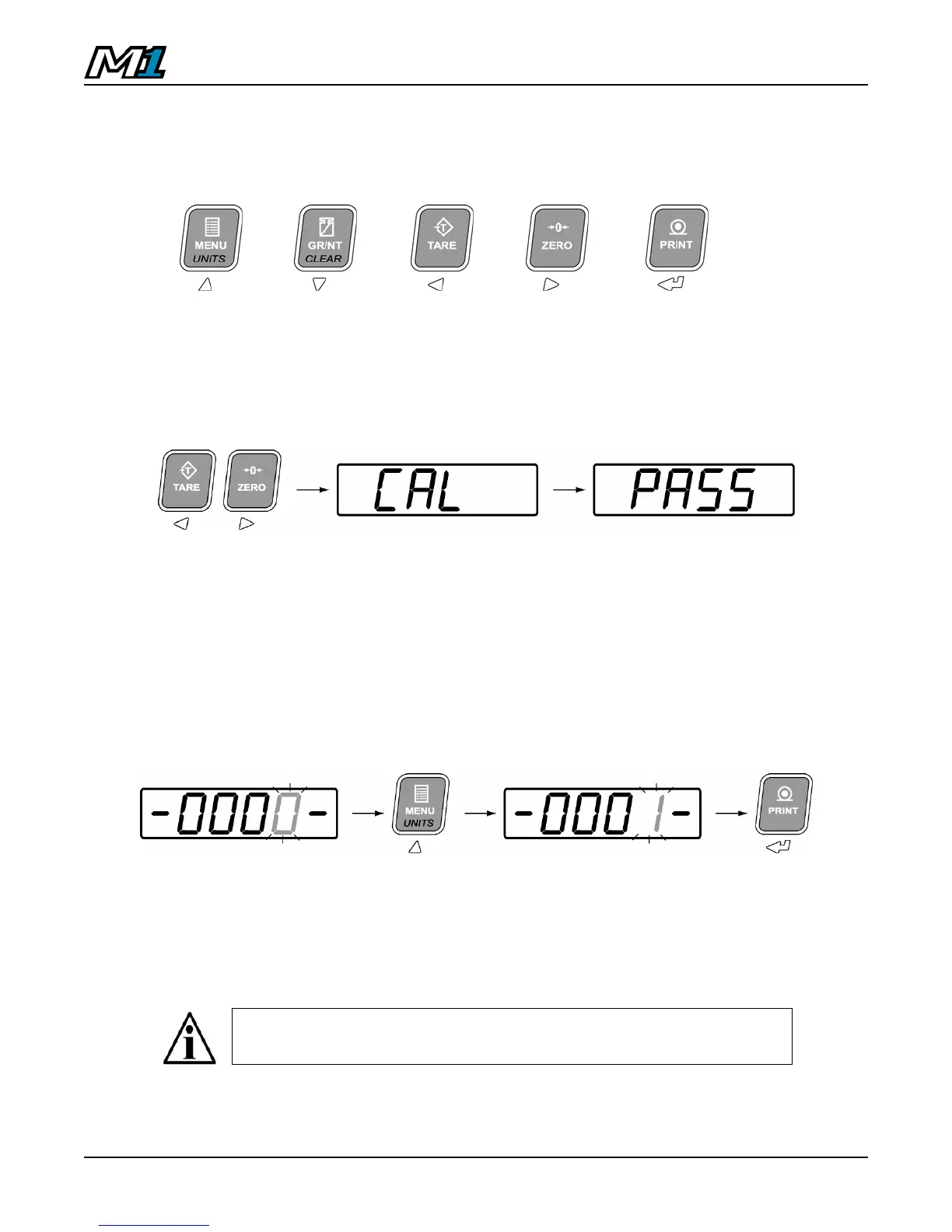
Calibration Keys
UP DOWN LEFT RIGHT ENTER
Entering Calibration Mode
1. Press and hold the LEFT and RIGHT ARROW keys together. ”CAL” is
displayed, followed by “PASS” for password.
2. Key in the 4 digit password. The factory default password is “0001”.
Use the LEFT & RIGHT ARROW keys to select the digit. The
selected digit will flash.
Use the UP & DOWN ARROW keys to increase and decrease the
value of the digit.
Press the ENTER key when done.
3. Calibration Mode is indicated with a blinking “C”. If the password is
incorrect the display will read “FAIL” and return to normal Weighing Mode.
The M1 utilizes electronic sealing. For more information on the
password, sealing, and the electronic audit trail, see page 29.



 To Next Page