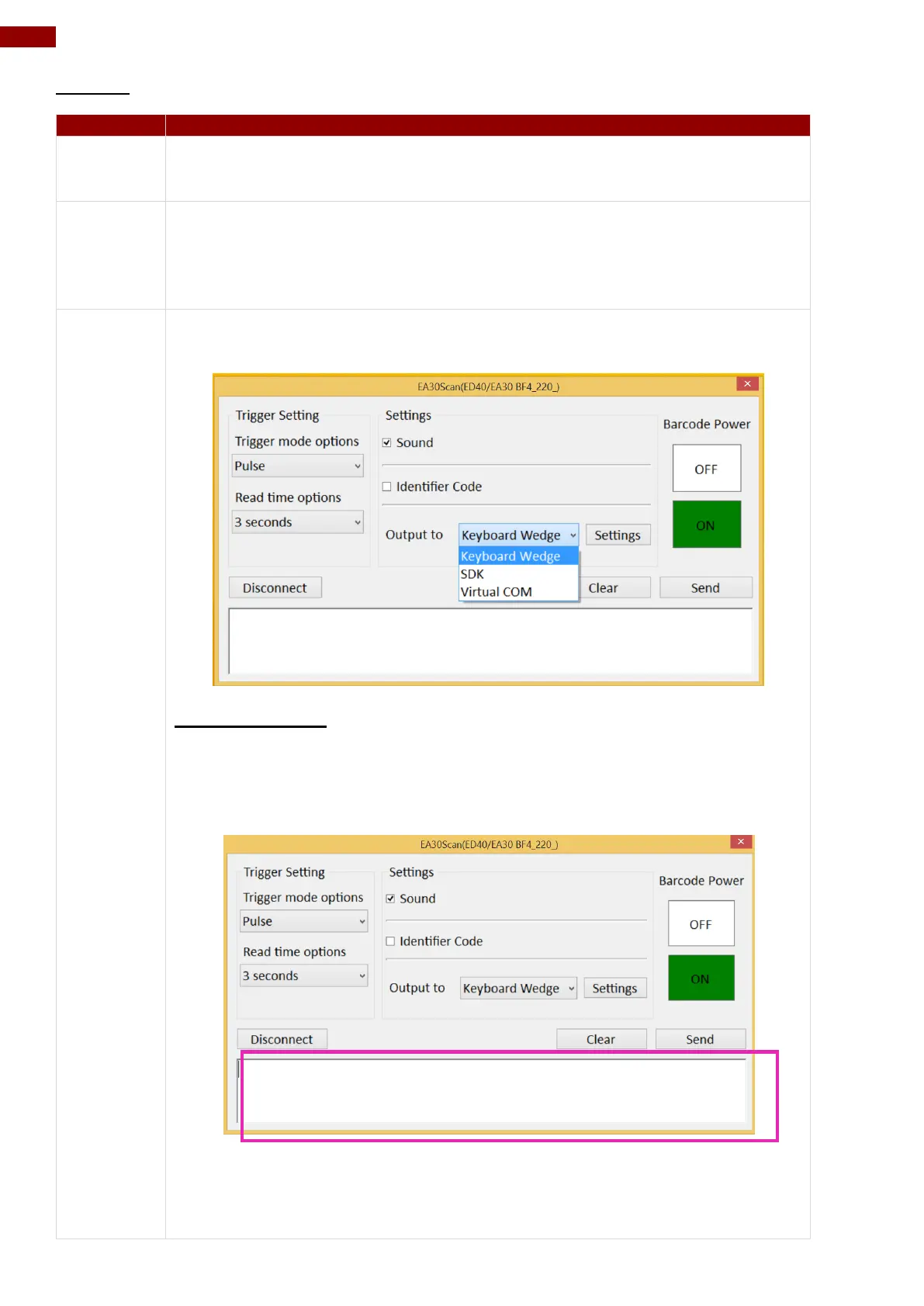
The Identifier Code check box defines whether to filter Application
Identifiers from the scanned data. Some barcode types, such as EAN-128,
use Application Identifiers to include additional data. User can disable
Identifier Code check box to ignore specific characters.
This setting defines the output type of the scanned data. Here are the
options available:
Keyboard Wedge
Under this setting, the data scanned is sent like keyboard data. The
scanned data can be output directly to the demo area below this window, or
user can also open other utility, such as Office Word or Notepad files, for
data input.
Note: notice that the input method should support the scanned character.
User can also tap on the Settings button for further details settings.



 To Next Page