Chapter 4: Operating the Device
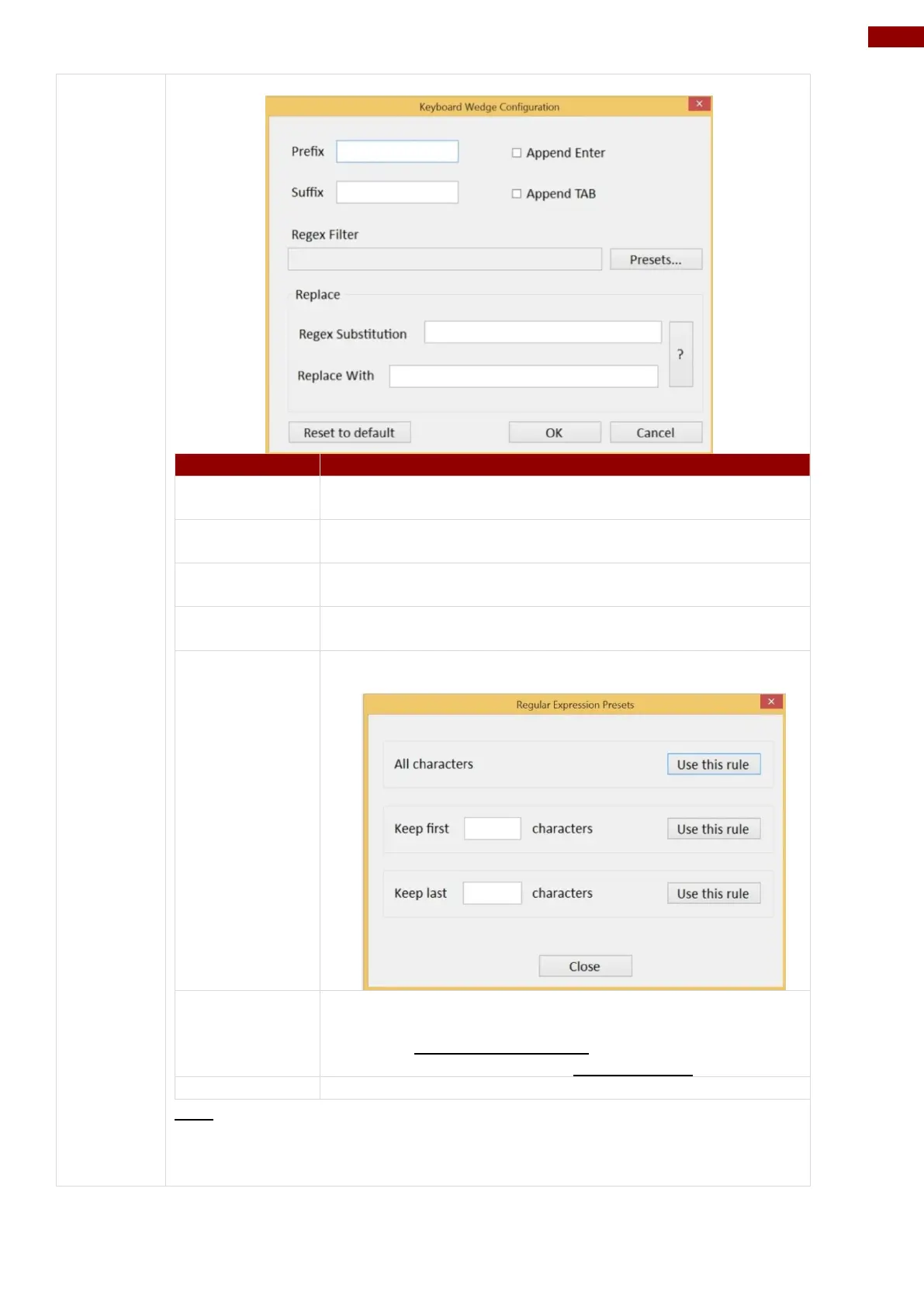
User can type in this field to define the characters
BEFORE the data scanned.
User can type in this field to define the characters AFTER
the data scanned.
The check box user can defines to append an “Enter”
which is followed by the characters.
The check box user can defines to append an “TAB” which
is followed by the characters.
Press on “Presets…” button, user can define how many
characters to show after the data scanned.
User can define specific characters to be replaced with
preferred characters automatically. When the characters
defined in Regex Substitution is scanned, the data will be
replaced with the one filled in Replace with.
User can remove all the set up and back to default mode.
SDK
For users following SDK for software porting, the scanned data can also be
output with the format needed.



 To Next Page