Caution: Make sure the battery is full charged before starting the Tablet Computer for
the first time with internal battery power.
Public network: Select this location if you do not recognize all the computers on the network. (For
example, you are in a coffee shop or airport, or you have mobile broadband.) This is a public
network and is not trusted. Select the location where you will most often use the computer.
3.2 Setting up Windows 10 IoT Enterprise
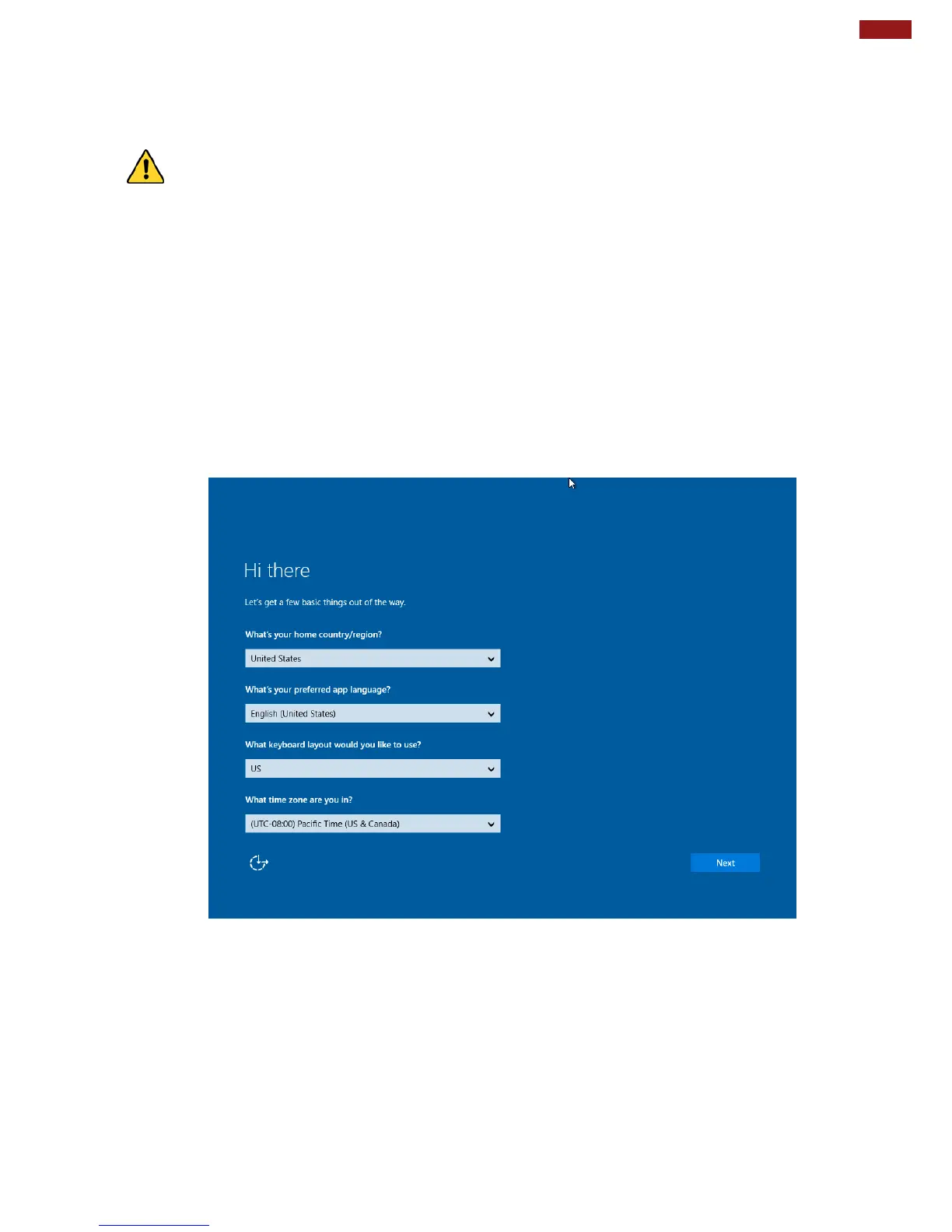
Follow the steps below to complete the Windows 10 IoT Enterprise setup process.
1. Press the power button to turn on the computer.
2. First, select your country/region, your preferred app language, your preferred keyboard layout, and
your time zone, then tap Next.



 To Next Page