Rugged Windows Tablet PC M101BK
4.8 Using the Expansion Module
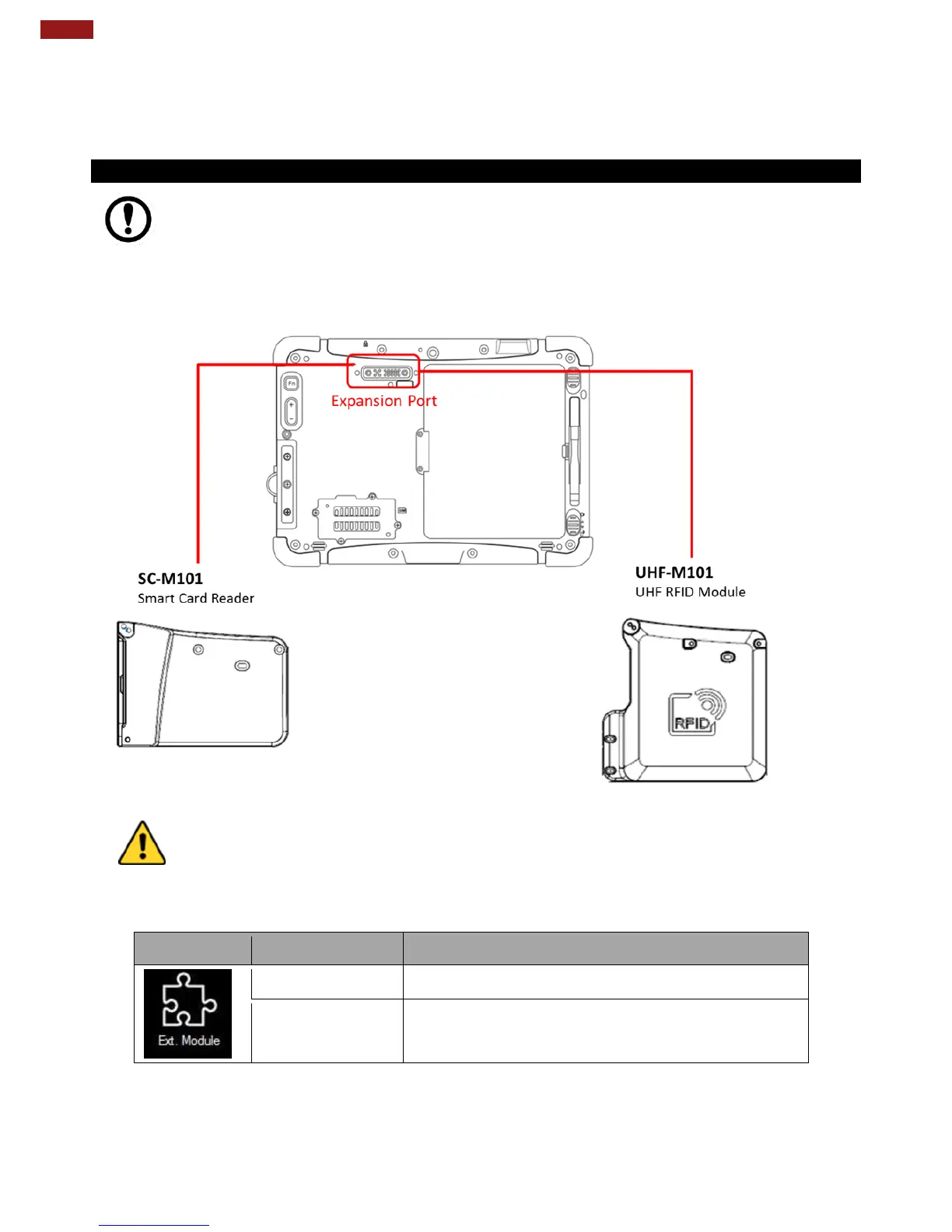
The Expansion Module allows users to add optional Data Readers through the expansion port,
either UHF RFID Reader or Smart Card Reader.
4.8.1 Expansion Module Introduction
Important:
The Expansion Port is optional for M101BK Tablet PC and is not re-workable by the end
user. To work with the Add-on module, please make sure the tablet PC has a built-in
expansion port before use or contact our sales contact window for more details.
Caution/ Attention
Do not open when the cover when expansion port is not being used.
Ne pas ouvrir lorsque le couvercle lorsque le port d'extension n'est pas utilisé.
Expansion Module is enabled.
Expansion Module is disabled.



 To Next Page