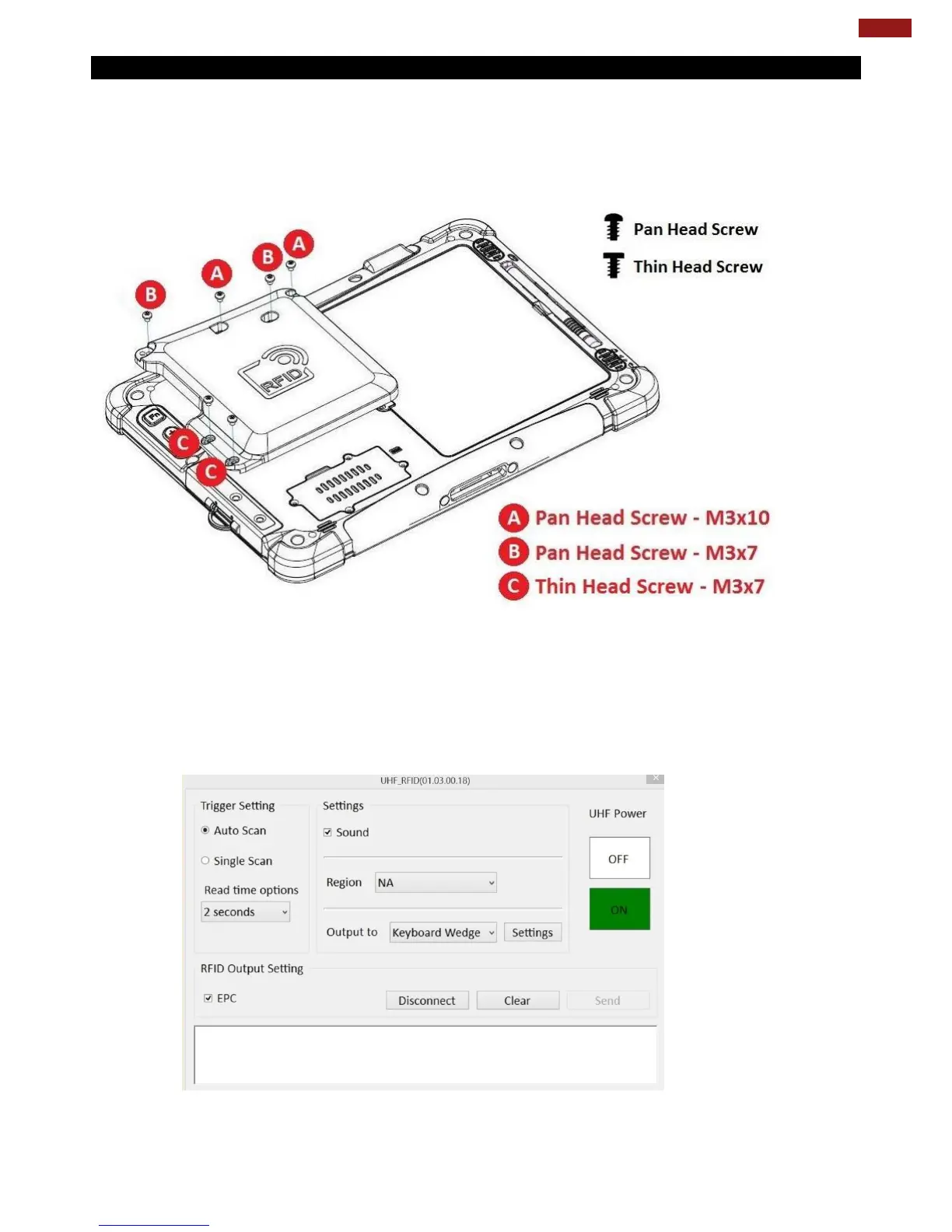
4.8.2 Installing UHF RFID Module
How to Install:
1. Remove expansion port cover from the rear side of Tablet PC.
2. Remove the top two screws of the I/O cover.
3. Align the pogo pin on UHF RFID module to the expansion port of Tablet PC; screw to fix the
module on tablet.
How to Use:
1. Long-press Fn + F1 function key to open Win-Set®. Users also can open Win-Set ® by
double-clicking on the Win-Set icon on the desktop.
2. Click on the Device Control tab under the Win-Set utility and open the RFID Scanner
Settings.
3. Choose “Device ON/OFF” and click on “Ext. Module”, and the setting utility will show up as
below:
4. Tap on the ON button.
5. Check the status color of the ON icon is green.



 To Next Page