EasyManua.ls Logo

Winmate M101BK - Docking Connector Pin Definition; Expansion Port Pin Definition

Winmate M101BK
64 pages
Print Icon
To Next Page IconTo Next Page
To Previous Page IconTo Previous Page
Loading...
42
Chapter 4: Operating the Device
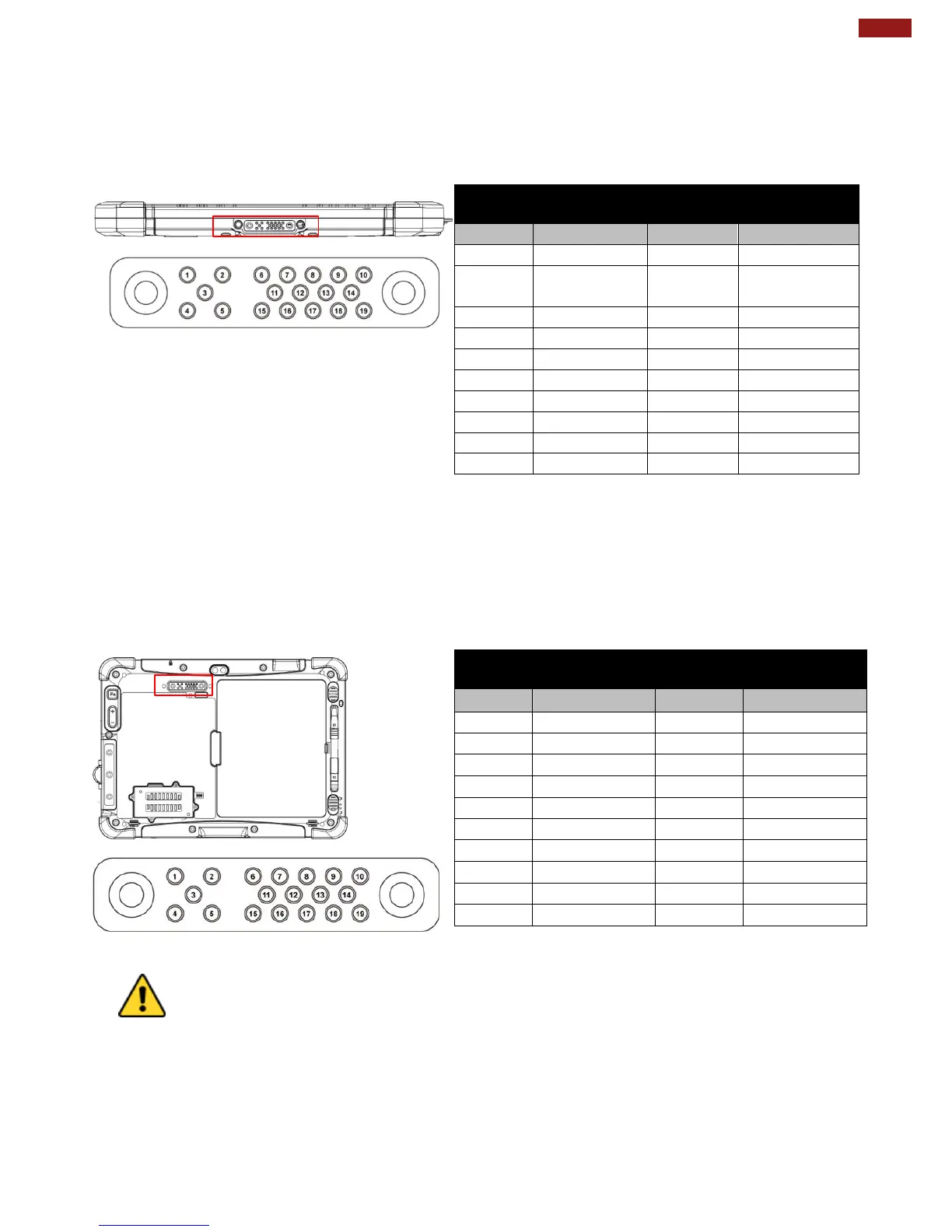
4.10 Docking Connector Pin Definition
M101BK Tablet Computer supports one 19-pin docking connector at the bottom side. The pin
definition is listed as the following table.
Bottom Side:
19 Pin Docking Connector
Pin No.
Description
Pin No.
Description
1
RF_GND
11
NC
2
DOCK_DET
#
12
NC
3
GPS ANT
13
GND
4
RF_GND
14
Power
5
RF_GND
15
USB+
6
NC
16
USB-
7
NC
17
GND
8
DETECT+
18
GND
9
Power
19
DETECT-
10
Power
4.12 Expansion Port Pin Definition
M101BK Tablet Computer supports one optional 19-pin expansion port at the rear side. The pin
definition is listed as the following table
Rear Side:
Caution/ Attention
Do not open when the expansion port is not used.
Ne pas ouvrir lorsque le port d'extension n'est pas utilisé.
19 Pin Expansion Port
Pin No.
Description
Pin No.
Description
1
NC
11
RIB#
2
NC
12
RTSB#
3
NC
13
DTRB#
4
NC
14
RXDB
5
NC
15
DM4_R
6
CTSB#
16
DP4_R
7
DSRB#
17
VEXT
8
TXDB
18
GND
9
DCDB#
19
GND
10
GND

Other manuals for Winmate M101BK

Related product manuals