Rugged Windows Tablet PC M101BK
4.6 Using Camera
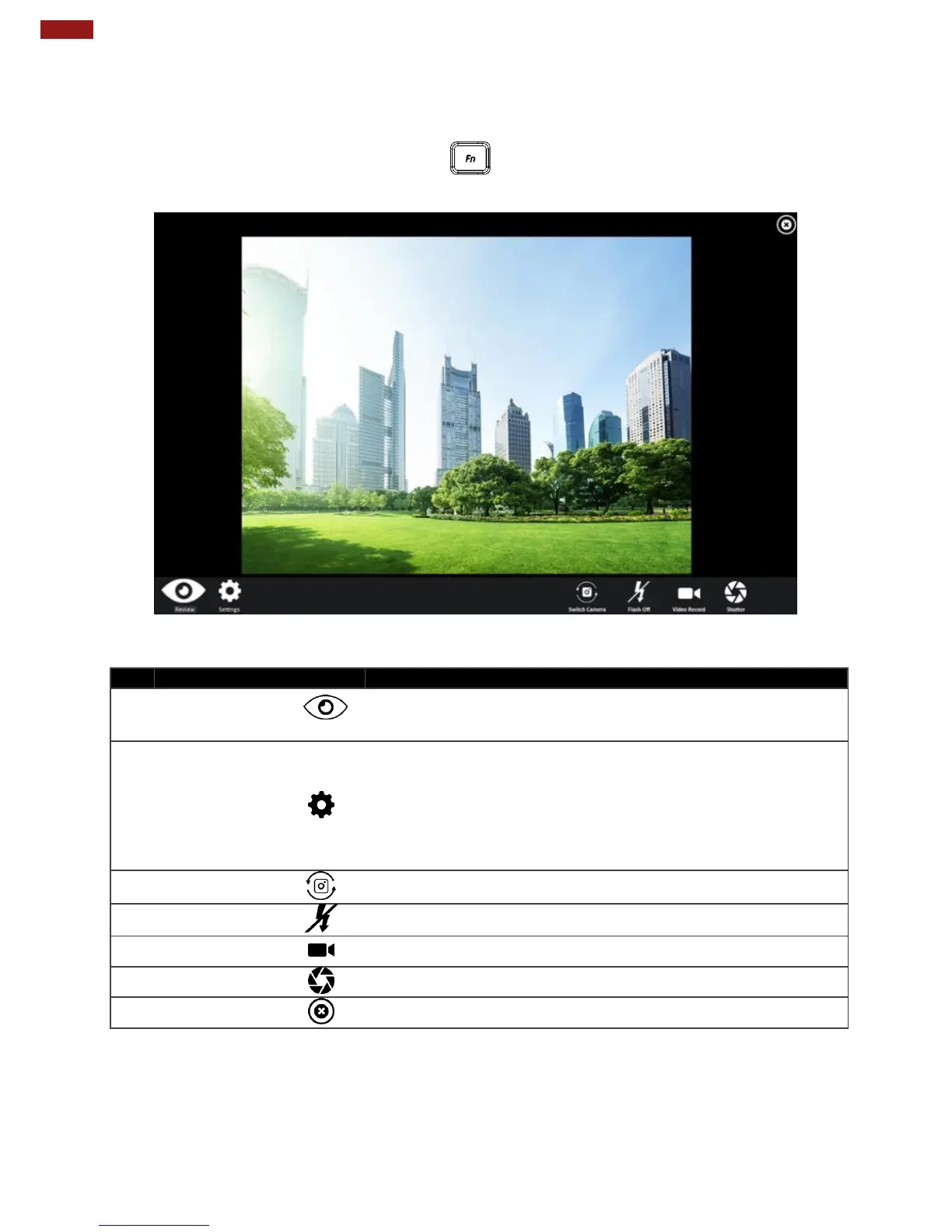
This HottabCam utility allows users take a picture or record a video.
1.
Open the Camera utility by press the Fn +F5 Button Hotkey located on the front panel
or launching the HottabCam Utility on the desktop.
Opens Camera settings page.
Available Settings:
Picture Save: modify/inspect saved location for pictures.
Video Save Folder: modify/inspect saved location for video
recordings.
Picture Quality: Picture compression quality.
Switch between front camera or rear camera.
Enables/ Disables LED Flash when taking picture.
Tap to Start, and press again to stop recording.
Camera Shutter Button. Tap to take picture.
Exits the Camera and hide Hottab Utility.



 To Next Page