If you want to change the default setting of symbologies or other advanced setting, please
1) Disconnect the Barcode Reader from Winset.
2) Download “Easyset” barcode scanner configuration application from Intermec website,
and execute th eapplication.
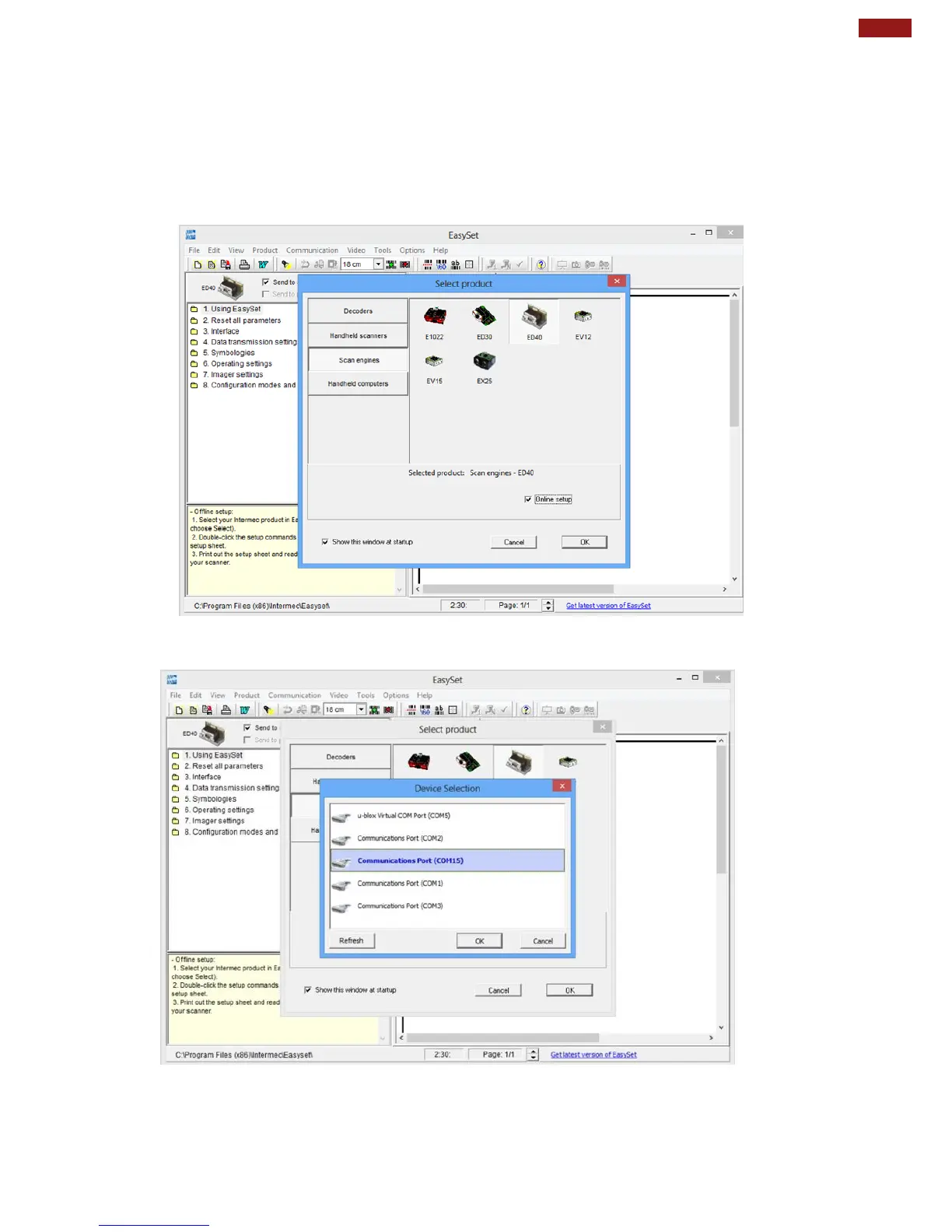
When “Easyset” application launches, a “Select product” on-screen prompt will show up. Select
“Scan engines” and pick “ED40”. Make sure the “Online setup” option is checked, and select
“OK” as shown in the screen capture below:
3) Another “Device Selection” on-screen prompt will show up. Select “Communications
Port (COM15)” and select “OK” as shown in the screen capture below:
4) User can select Barcode code type of interest by pressing “5. Symbologies”. in
the navigation pane, and it will show its configuration options.
For more information on how to use the “EasySet” application, please refer to the complete
EasySet User Guide.



 To Next Page