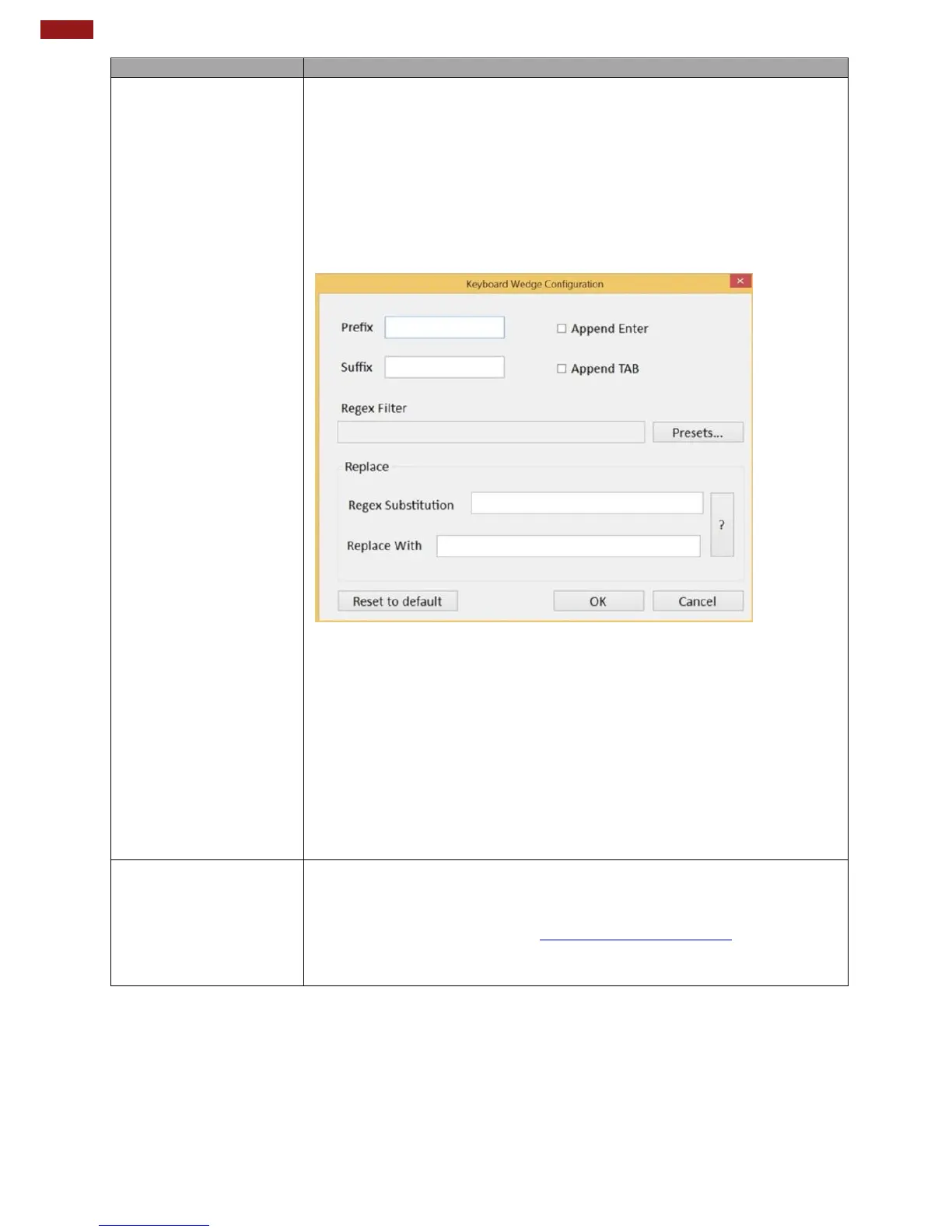
Under this setting, the data scanned is sent like keyboard data.
The scanned data can be output directly to the demo area below
this window, or user can also open other utility, such as Office
Word or Notepad files, for data input.
Warning:
Please notice that the input method should support the scanned
character.
You can also tap on the Settings button for further details
settings.
Prefix: Type in this field to define the characters
BEFORE the data scanned.
Suffix: Type in this field to define the characters AFTER the data
scanned.
Regex Filter: Press on “Presets…” button, user can define how
many characters to show after the data scanned.
Append Enter: The check box user can defines to append an
“Enter” which is followed by the characters.
Append TAB: The check box user can defines to append
an“TAB” which is followed by the characters.
For users following SDK for software porting, the scanned data can also
be output with the format needed.
Note:
Please download the SDK from Winmate Download Center
>> M101BK >> Development Kit or check the Driver CD which is shipped
with the tablet.



 To Next Page