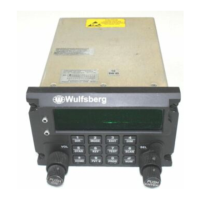
C-5000 COMMUNICATION MANAGEMENT CONTROLLER
INSTALLATION MANUAL
Publication No. 150-041118 Page vii
Rev A Table of Contents
Sep 2001
TABLE OF CONTENTS (cont’d)
Page
SECTION 5 – CONFIGURATION AND PROGRAMMING
Introduction .............................................................................................................................. 5-1
Features...................................................................................................................... 5-1
Transceiver Overview................................................................................................. 5-1
Steps to Successful Setup and Operation.................................................................. 5-3
Basic Operation ....................................................................................................................... 5-4
Front Panel & Controls ............................................................................................... 5-4
The Home Page.......................................................................................................... 5-6
Turning the System On and Off.................................................................................. 5-7
Setting the Display Brightness.................................................................................... 5-7
Setting the Volume Level............................................................................................ 5-7
Selecting a Preset Channel Using the Cursor/Value Knob ........................................ 5-8
Selecting a Channel Using the Keypad...................................................................... 5-8
Selecting a Channel by Alphanumeric Identifier......................................................... 5-9
Selecting the Manual Channel.................................................................................... 5-8
Using the Direct/Repeat Feature.............................................................................. 5-10
Receiving/Transmitting............................................................................................. 5-10
Enabling/Disabling Transceivers .............................................................................. 5-11



 To Next Page