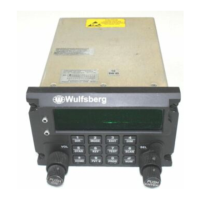
C-5000 COMMUNICATION MANAGEMENT CONTROLLER
INSTALLATION MANUAL
Page viii Publication No. 150-041118
Table of Contents Rev A
Sep 2001
TABLE OF CONTENTS (cont’d)
Page
SECTION 5 –CONFIGURATION AND PROGRAMMING (cont’d)
Disabling (Turning Off) a Transceiver.......................................................... 5-11
Enabling (Turning On) a Transceiver .......................................................... 5-11
Using the Edit Page............................................................................................................... 5-13
Editing a Preset Channel.......................................................................................... 5-13
Editing a Manual Channel......................................................................................... 5-14
Changing PL and DPL (CTCSS and DCS) Tones ................................................... 5-14
Turning Tones Off........................................................................................ 5-14
Selecting a CTCSS Tone ............................................................................ 5-15
Selecting a DCS Tone................................................................................. 5-15
Changing Transmit Power........................................................................................ 5-16
Changing Modulation Type....................................................................................... 5-16
Changing Receiver Bandwidth ................................................................................. 5-17
Enhanced System Features .................................................................................................. 5-18
Phone Patch Mode ................................................................................................... 5-18
Simulcast Operation ................................................................................................. 5-18
Relay Operation........................................................................................................ 5-19
Relay/Simulcast Operation ....................................................................................... 5-20
Repeater Operation .................................................................................................. 5-21
Encryption Features............................................................................................................... 5-22
Turning Encryption On and Off................................................................................. 5-22
Selecting an Encryption Key..................................................................................... 5-22
Performing an OTAR ................................................................................................ 5-23
Erasing Encryption Keys........................................................................................... 5-24
Manually Loading Encryption Keys .......................................................................... 5-25
Programming Preset Channels.............................................................................................. 5-27
Programming Preset Channels Using the Front Page ............................................. 5-27



 To Next Page